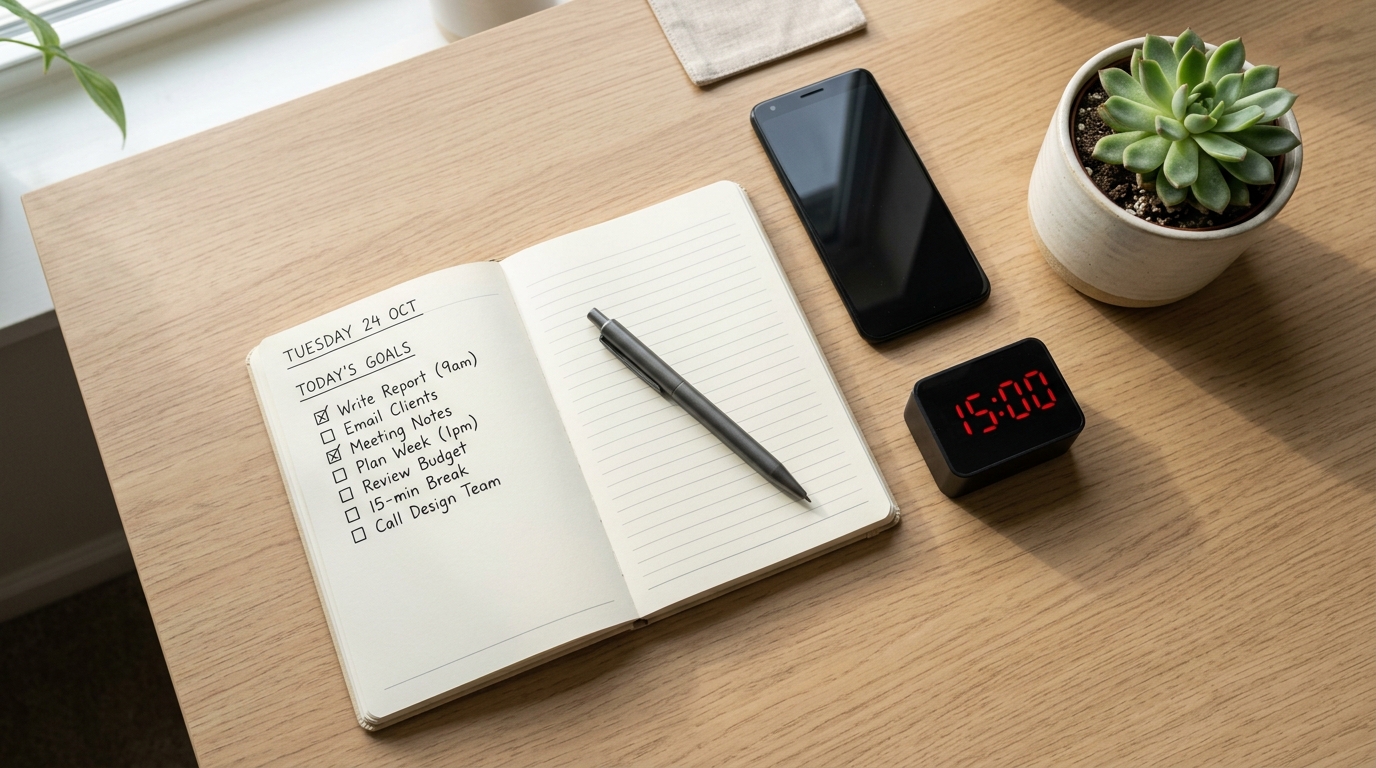
You sit down at your desk after work, open your laptop, and stare at the screen.
There’s a pile of things to study, a long to-do list, and somewhere in there, you know you need to make progress—but you don’t know where to start.
You bought a beautiful planner. You downloaded three study apps. You even set up a Notion dashboard. But when it’s 9 PM and you finally have 15 minutes to focus, you still can’t figure out how to actually use them.
If that sounds familiar, you’re not alone.
The problem isn’t that you don’t have the tools. It’s that you don’t have a clear system for choosing and using the right ones for short, focused study blocks.
This guide is for office workers who study after hours, exam students juggling multiple subjects, and anyone trying to fit real learning into a scattered schedule. It’s not about buying more apps or filling out prettier planners—it’s about building a minimal setup that matches the way you actually study.
I started using this 15-minute planner + timer setup on nights when my brain felt too tired to “study properly,” and it turned out to be just enough structure to finish one small but meaningful task without burning out.
How a 15-Minute Study Block Actually Works
Before we talk about tools, let’s break down what happens in a real 15-minute study session.
Most 15-minute routines follow this structure:
Prep (3 minutes): Clear your space, decide what to focus on, set a timer
Focus (10 minutes): Work on one specific task without switching
Wrap-up (2 minutes): Write down what you did, note what’s next
This isn’t random. Research on attention and cognitive load suggests that most people can sustain deep focus for 10–20 minutes before mental fatigue starts to creep in. That’s why 15 minutes works—it’s long enough to make progress, but short enough that your brain doesn’t fight you.
When you’re choosing a planner, timer, or app, ask yourself: Which part of this 3-step cycle does this tool help with?
- Does it help you decide what to do? (Prep)
- Does it keep you focused? (Focus)
- Does it help you track progress? (Wrap-up)
If a tool doesn’t clearly answer one of these questions, you probably don’t need it.
Step 1: Prep (3 Minutes) – What Planners and Apps Should Do

The goal of the prep phase is simple: clear your mind and choose one thing to focus on for the next 10 minutes.
Physical vs. Digital: Which One Should You Use?
Paper planners work best if:
- You like writing by hand to think clearly
- You want zero screen time during study prep
- You prefer a fixed daily or weekly layout
Digital planners (Notion, Todoist, Google Calendar) work best if:
- You switch between devices (phone, laptop, tablet)
- You want to search, filter, or rearrange tasks easily
- You’re already using digital tools for work or school
There’s no “better” option. Choose based on how you naturally organize information, not what looks impressive on social media.
What Should Be in Your Planner?
Keep it minimal. You only need two sections:
- Today’s tasks – A short list of what needs to get done
- Study priority – One task you’ll tackle in your next 15-minute block
That’s it. No elaborate color-coding, no weekly reflections, no motivational quotes. Just enough structure to answer: What am I doing in the next 15 minutes?
If you’re using a digital tool like Notion and want to build a simple dashboard for tracking study sessions, check out our guide on 15-Minute Study Routine: How to Make Short, Focused Blocks Actually Work for a step-by-step setup.
The 3-Minute Checklist
Before you start the timer:
- Clear your desk (push unrelated items aside)
- Open your planner or app to today’s page
- Write down or select one task for this block
- Set your timer to 15 minutes
This small ritual signals to your brain: “We’re starting now.”
Step 2: Focus (10 Minutes) – What Timers Should Do

Once your timer starts, your only job is to stay with the task you chose.
Timer Features That Actually Matter
You don’t need a fancy Pomodoro app with analytics and achievements. You need a timer that:
- Counts down visibly – You should see how much time is left without opening another screen
- Makes a clear sound when it ends – No silent vibrations you might miss
- Doesn’t send notifications – The timer itself shouldn’t distract you
Good options:
- Phone’s built-in timer – Simple, reliable, no extra apps needed
- Pomofocus (web-based) – Clean interface, customizable intervals
- Be Focused (Mac/iOS) – Minimal design, tracks sessions automatically
- Forest – If you need extra motivation to stay off your phone
According to time blocking research, breaking study sessions into short, intentional blocks (like 15 or 25 minutes) significantly reduces decision fatigue and helps maintain consistent focus throughout the day.
How to Protect Your Focus Block
Turn off notifications. All of them. For 15 minutes, you won’t miss anything important.
Close browser tabs that aren’t related to your current task. If you’re studying on paper, put your phone screen-down or in another room.
One task only. If you think of something else you need to do, write it down in your planner and go back to your original task. Don’t switch.
For more strategies on staying focused during short study blocks, see 15-Minute Focus Timer Routine: How to Stop Checking Your Phone While You Study.
Step 3: Wrap-Up (2 Minutes) – What Your System Should Track
When the timer goes off, don’t just close your books and walk away. Spend 2 minutes finishing the loop.
What to Write Down
Today: One sentence about what you did
Examples:
- “Read chapter 3, pages 45–60”
- “Solved 10 practice problems, marked 3 for review”
- “Watched lecture 4, took notes on main argument”
Next time: One sentence about what comes next
Examples:
- “Continue from page 61”
- “Review marked problems and redo”
- “Summarize lecture 4 notes into 3 bullet points”
This “done + next” habit eliminates the worst part of studying: staring at your desk tomorrow wondering where you left off.
Why Tracking Matters (Even If You Hate It)
You’re not tracking to judge yourself. You’re tracking to reduce friction.
When you sit down tomorrow, you won’t waste 5 minutes scrolling through your textbook trying to remember where you were. You’ll just read your “next” note and start.
If you want to build this into a larger weekly planning system, check out 15-Minute Planner Reset: How to Set Today’s Study Priorities Without Feeling Overwhelmed.
Everyday Tips for Using Your Setup
Fix One Time Slot
Pick one time of day when you’re least likely to get interrupted. It could be:
- Morning before work (6:30–6:45 AM)
- Lunch break (12:15–12:30 PM)
- Evening after dinner (9:00–9:15 PM)
Anchor your 15-minute block to this time. Consistency matters more than perfection.
Set a Minimum Goal, Not a Maximum
Don’t tell yourself: “I need to study for 2 hours tonight.”
Instead, say: “I’ll do one 15-minute block. If I feel like continuing, I can add another.”
This mental shift makes it easier to start. And once you start, you’ll often keep going naturally.
If you’re struggling to stay consistent, our post on 15-Minute Study Routine with Tiny Rewards: What to Do on Days You Don’t Want to Sit at Your Desk offers practical motivation strategies.
Use the “Done + Next” Format Every Time
Even on days when you only finish 5 minutes of actual work, write down:
- What you did
- What’s next
This habit compounds. After a week, you’ll have 7 “next” notes waiting for you, which means zero decision fatigue when you sit down.
Tools That Make This Easier
You don’t need all of these. Pick one from each category and stick with it.
Planners
- Paper planner – Any daily layout with space for a task list
- Notion – Build a simple “Today” page with checkboxes
- Google Calendar – Create 15-minute events with task names in the title
- Todoist – Use labels like “Next 15-min block”
Timers
- Phone timer – Free, always with you
- Pomofocus – Web-based, no download needed
- Be Focused – Clean Mac/iOS app
- Forest – Gamified focus timer (helps if you struggle with phone distraction)
Study Tracking
- Notion database – Log each session with date + task + status
- Google Sheets – Simple table: Date | Task | Done | Next
- Bullet journal – Handwritten log in the back of your planner
For a deeper dive into using digital tools to organize your study sessions, see 15-Minute Time Blocking: How to Turn a Scattered Day into Focused Study Blocks.
Putting It All Together
Choosing a planner, timer, and app isn’t about finding the “perfect” system. It’s about building a setup that supports the 3-step cycle: prep, focus, wrap-up.
Here’s what a realistic setup looks like:
Planner: Notion page with “Today” and “Next 15-min task”
Timer: Phone’s built-in timer set to 15 minutes
Tracking: One-sentence “done + next” note at the bottom of the Notion page
That’s it. No elaborate dashboards, no color-coded categories, no weekly reviews (unless you want them).
Start with this. If it works, keep it. If something feels clunky, adjust one piece at a time—but don’t throw out the whole system just because one tool didn’t feel perfect.
The goal isn’t to impress anyone with your setup. It’s to sit down, focus for 15 minutes, and finish something small but meaningful.
Ready to start? Open your planner (or create a blank Notion page), write down one task for your next 15-minute block, and set a timer. Don’t overthink it. Just pick one thing and start.
Related Routines You Might Like
- 15-Minute Study Routine: How to Make Short, Focused Blocks Actually Work – A deeper dive into structuring 15-minute blocks and chaining them together for longer sessions
- 15-Minute Focus Blocks: How to Turn Four Short Sessions into One Hour of Real Work – How to batch multiple 15-minute blocks without losing momentum
- 15-Minute Study Tools Routine: How to Actually Use Your New Timer and Planner Every Day – Practical tips for turning tools into daily habits
Frequently Asked Questions
Q1. What if I only have 5 minutes, not 15?
A: Do a 5-minute block. The structure is the same: pick one task, set a timer, focus. Even 5 minutes of intentional work beats 30 minutes of unfocused scrolling. The key is showing up consistently, not hitting a specific number.
Q2. Can I use this system for work tasks, not just studying?
A: Absolutely. This works for anything that requires focus—writing reports, coding, reading research papers, organizing files, even creative work. The “prep, focus, wrap-up” cycle applies to any task you want to finish without distractions.
Q3. Which tools do I actually need to start?
A: You need three things: something to write your task on (paper or app), a timer (phone is fine), and a way to log what you did (one sentence in a notebook or app). Start with what you already have. Don’t buy anything new until you’ve used your current setup for at least a week.
Q4. Do I need a fancy planner or can I just use a notebook?
A: A plain notebook works perfectly. Write today’s date, list your tasks, circle the one you’ll do next, set a timer, and write one sentence when you’re done. Fancy planners can be motivating, but they’re not required. Use what feels natural to you.
Learn More
For more on focus, study habits, and time management strategies, see:
Jotverse – Time Blocking for Students: The Ultimate Productivity System
Practical guide to using time blocking to manage study sessions and reduce decision fatigue for students.
https://www.jotverse.com/time-blocking-for-students-the-ultimate-productivity-system-for-academic-success/
Schoolhouse – How to Create a Study Schedule
Step-by-step framework for building a realistic study schedule using time-blocking and SMART goals.
https://schoolhouse.world/blog/how-to-create-a-study-schedule
Stanford CTL – Weekly Planning: Time Blocking Method
Overview of the time-blocking method with examples and templates for organizing study and work sessions.
https://ctl.stanford.edu/weekly-planning-time-blocking-method