Tag: digital study tools

  • 15-Minute Focus Timer Routine: How to Stop Checking Your Phone While You Study

    15-Minute Focus Timer Routine: How to Stop Checking Your Phone While You Study

    When You Sit Down to Study and Reach for Your Phone Again

    You finally sit down after work to study or work on a side project, and within five minutes your hand is back on your phone. You tell yourself you are “just checking one notification,” and suddenly 30 minutes of scrolling, shorts, and messages have evaporated.

    If you are a working adult or exam student who spends most of the day at a desk, the combination of stress, fatigue, and a smartphone within arm’s reach can quietly destroy your study time. This 15-minute focus timer routine helps you protect short blocks of attention by giving your brain a simple rule, a clear goal, and a tiny structure to follow instead of fighting your phone with willpower alone.

    I started using this 15-minute timer routine on evenings when I kept “accidentally” opening my phone, and even a single block was enough to finish one small task and feel like I actually studied that day.


    Why a 15-Minute Focus Timer Works Better Than Just “Trying Harder”

    Articles on attention span and study routines note that many adults can focus deeply for only about 20–30 minutes before their attention naturally drops, especially when phones and notifications are nearby. That is why starting with shorter 10–15 minute blocks often feels more realistic than trying to force a two-hour deep‑work session from day one.

    Focus and time‑management guides also consistently recommend silencing notifications, using Focus or Do Not Disturb modes, and moving your phone out of reach during study blocks, because these simple changes cut a large portion of digital interruptions without needing complicated apps. Research on self‑regulated learning and time management further suggests that learners who set specific goals for each time block and then record what they did tend to manage their study time better and procrastinate less.

    This routine brings those ideas together: you decide one tiny task, set a 10‑minute timer, physically block your phone, and then spend 2 minutes writing what you did and what you will do next. The point is not perfection; it is making it easier to start and to repeat.


    Overview: One 15-Minute Focus Timer Block
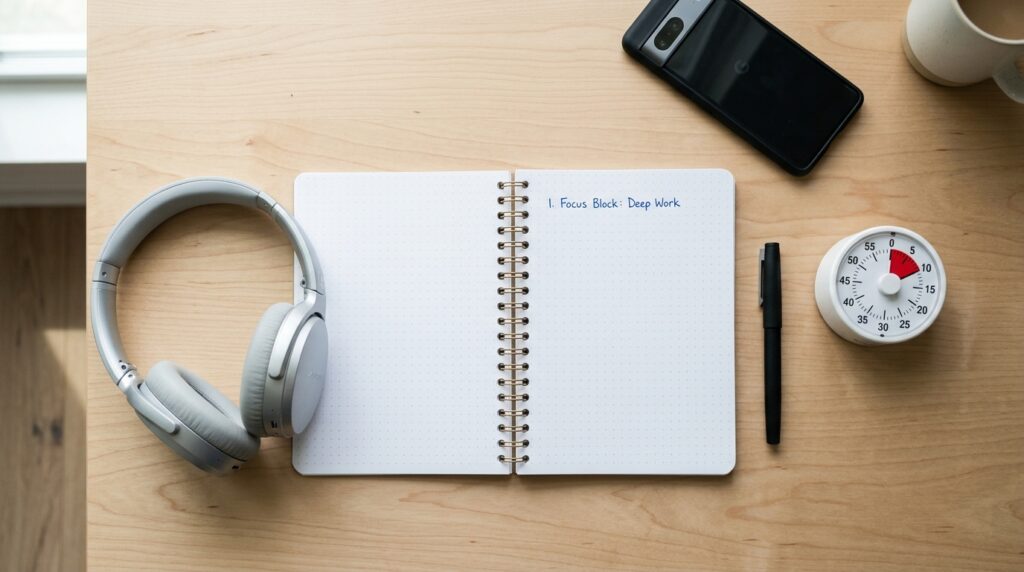
    An overhead view of a clean study desk setup with an open notebook, a short written task, a 10-minute study timer and a smartphone flipped face down for a focus routine.

    In this routine, one 15-minute block looks like this:

    • 3 minutes: prep your desk, your phone, and your brain
    • 10 minutes: focused work on exactly one task
    • 2 minutes: quick review and one line for the next block

    Two blocks give you roughly 30 minutes of real focus; four blocks give you about an hour. The key rule is simple:

    “While the 10-minute timer is running, I do not touch my phone.”

    If you want a more general guide to building short study blocks you can use any time of day, see 15-Minute Study Routine: How to Make Short, Focused Blocks Actually Work for a step‑by‑step breakdown you can chain across your schedule.


    Step 1 – Prep (3 Minutes): Set Up Your Desk, Phone, and Brain

    1. Clear Your Desk So Only This Study Task Is Visible (About 1 Minute)

    For one minute, make your desk show only one story:

    • Keep: today’s textbook or document, your notebook, and a pen
    • Move aside: other books, papers, devices, and random items

    The more visual noise on your desk, the more your brain has to decide “What should I pay attention to?” which quietly drains your energy. A lighter desk makes the coming 10 minutes feel less heavy and helps your brain accept, “For this block, we are doing just this.”

    If you also want to declutter your digital space, you might like 15-Minute Focus Blocks: How to Turn Four Short Sessions into One Hour of Real Work, which shows how to structure multiple short blocks and protect them from digital distractions.

    2. Write One Line for This 10-Minute Block (About 1 Minute)

    Next, decide exactly what you will do in your first 10-minute block and write it in one line. For example:

    • “Learn vocabulary pages 4–5.”
    • “Solve 3 practice questions from chapter 2.”
    • “Draft one paragraph of my report introduction.”

    Log it in:

    • A paper planner
    • A Notion page called “15-Min Focus Blocks”
    • A simple notes app on your laptop

    Research on self‑regulated learning and time management shows that students who set specific, short goals for each study period and then track what they did manage their time better and procrastinate less than those who just think “I should study.” Your one-line goal is a tiny but powerful version of that.

    3. Set a 10-Minute Timer and Block Your Phone (About 1 Minute)

    Now set your timer and your phone:

    • Set a 10-minute timer on your phone, smartwatch, or browser
    • Turn on Airplane, Focus, or Do Not Disturb mode
    • Flip your phone face down and place it slightly out of reach or in a drawer

    Focus guides consistently recommend silencing notifications and moving your phone out of sight because even brief alerts and screen glances can break your focus more than you expect. When you repeat this “phone blocking ritual” before each block, your brain gradually learns, “When we do this, it means study time starts now.”


    Step 2 – Focus (10 Minutes): One Task Only, No Phone

    1. Follow the One Line You Wrote

    Once you tap start on the timer, your job is incredibly simple:

    “For the next 10 minutes, I will only do the one line I wrote. Nothing else.”

    That means:

    • If you chose vocabulary, you are not allowed to “quickly” check messages or social media
    • If you chose practice problems, you do not switch to a different subject halfway through
    • If a question pops into your head, you write it in the margin and come back to it later

    This routine reduces decision fatigue by giving your brain one clear instruction instead of many micro‑choices (“Should I check my phone now? Should I answer that message?”). Short focus blocks with a clear boundary feel more manageable, especially on days when you are tired.

    If you notice your focus crashing often during study, you may also like Can’t Focus? Try This 15-Minute Study Reset Routine for a quick reset you can run when your brain feels drained.

    2. Treat 10 Minutes as a Small Experiment

    For these 10 minutes, you are not trying to become a perfect student. You are just running a small experiment:

    • “What happens if I do not touch my phone for 10 minutes?”
    • “What can I actually do in this one small window?”

    If your mind wanders, gently bring it back to the page in front of you and remind yourself, “It’s only 10 minutes.” Many people find that it is easier to accept “just 10 minutes of effort” than to commit to a long session when they already feel tired or distracted.


    Step 3 – Review (2 Minutes): Capture Today and Prime the Next Block

    1. Write One Line About What You Actually Did

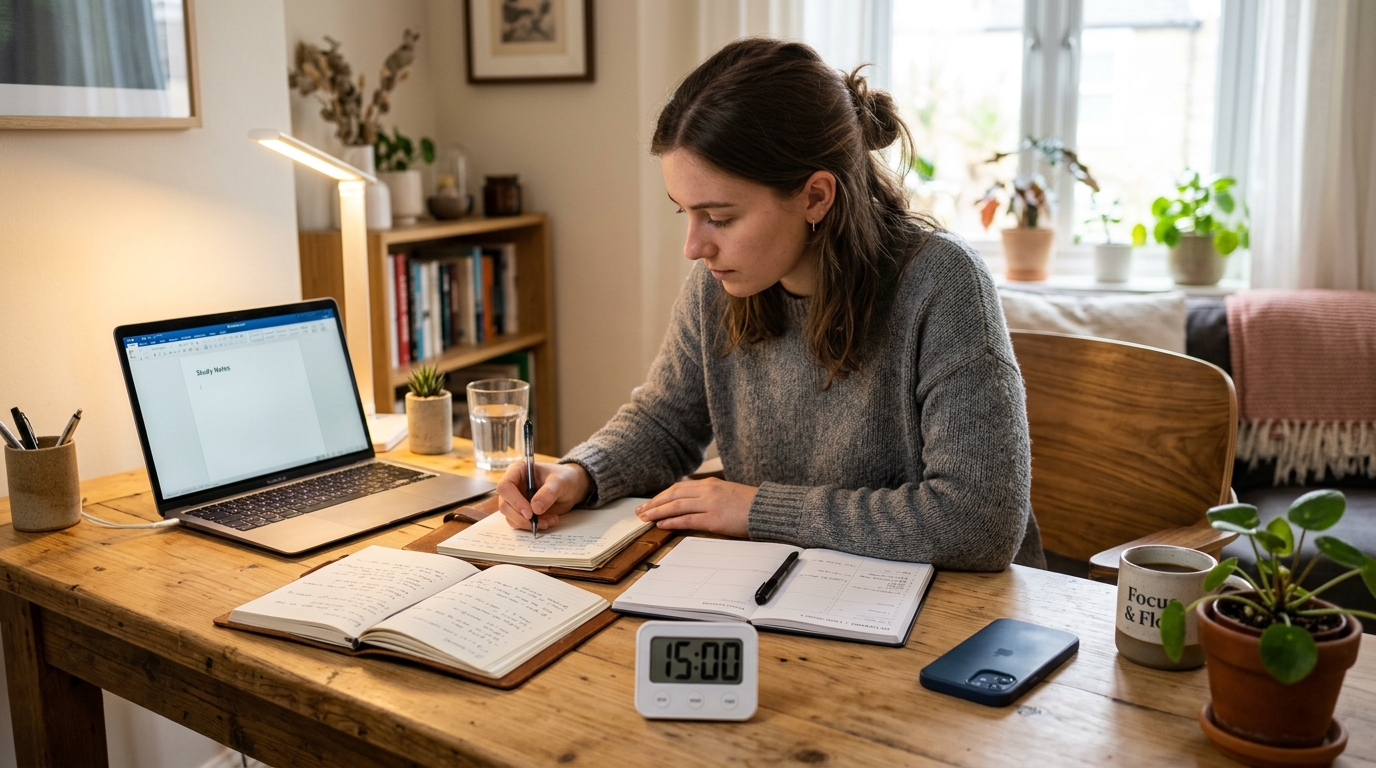
    A person at a study desk writing a one-line study log in a notebook while a small timer shows the end of a 10-minute focus session and the smartphone stays face down.

    When the timer rings, do not grab your phone yet. Take one minute to write a short log:

    • “Studied vocabulary pages 4–5, marked 6 new words.”
    • “Solved 3 practice questions, got 2 correct, 1 still unclear.”

    Logging visible progress—even when the block is tiny—helps build a sense of self‑efficacy and makes your effort concrete rather than fuzzy. Over time, your notebook or digital log becomes a record of what you actually did, not just what you intended.

    2. Leave One Line for the Next 10-Minute Block

    Then write one line for what you will do in the next block:

    • “Next: review marked vocabulary.”
    • “Next: redo the 1 missed question and check solution.”

    This removes the “What should I study now?” friction next time you sit down. Future you just has to open the planner and follow the next line.

    Once you finish this 2-minute wrap‑up, you can take a short 3–5 minute break to check your phone—ideally with clear limits like “scan notifications once, reply to 2–3 quick messages, then put it away again.”


    Everyday Tips for Making This 15-Minute Routine Stick

    Fix One Timer Window in Your Day

    Instead of trying to study “whenever you feel like it,” choose one consistent window:

    • Within 30 minutes after waking up
    • 15 minutes before dinner
    • 30–60 minutes before your usual bedtime

    Educational and time‑management guides often emphasize that studying at a consistent time of day helps your brain build a routine and reduces the mental effort of deciding when to work. When your brain learns that “around 8 p.m., we always run at least one 15-minute focus timer,” it becomes a habit, not a negotiation.

    If you want to plan more of your day around such blocks, see 15-Minute Time Blocking: How to Turn a Scattered Day into Focused Study Blocks for a full-day planning approach.

    Define a Minimum Goal: One Block Is a Win

    If you always plan 2–3 hours of study and then fail to start, it is easy to end the day with guilt and self‑criticism. Instead, define a minimum win:

    • “Even on busy days, one 15-minute block counts as success.”
    • “On better days, I can add more blocks, but one block is the base.”

    Coaching and self‑regulation resources often stress that repeatable routines matter more than single long efforts; short blocks you actually do are better than perfect plans you never start. Over a couple of weeks, four or five 15-minute blocks per week add up quickly.

    Use Simple Tools, Not a Complicated App Stack

    To run this routine you need:

    • A place to write one-line goals and logs (paper planner, Notion page, or notes app)
    • A timer (phone, watch, or browser timer)
    • Focus or Do Not Disturb mode on your phone

    You can experiment with study timer apps later (for example, apps that lock your phone while the timer runs), but start with the simplest possible setup so you are not “setting up productivity tools” instead of studying.


    Frequently Asked Questions

    Q1. What if I cannot even do 15 minutes?

    Start with 5. Seriously. If 15 minutes feels too long, set a timer for 5 minutes and write one tiny task, like “review 3 words” or “read one paragraph.” The goal is to show up and protect at least one short block from your phone, not to be perfect from day one.

    Q2. Can I use this routine for work tasks, not just studying?

    Yes. The 3–10–2 structure works well for writing emails, drafting reports, coding, reading research papers, or planning your day. Just write one clear work task for the 10-minute block and follow the same steps: clear your desk, block your phone, focus on one task, then log what you did.

    Q3. Which tools do I need to start this focus timer routine?

    You only need three things: a place to write your one-line goals, a timer, and the ability to silence or move your phone. A paper notebook and your phone’s built-in timer with Focus mode are enough. If you enjoy digital tools, a simple Notion page or notes app can make it easier to see how many blocks you complete each week.

    Q4. What if my phone use feels completely out of control?

    If your phone use or attention problems feel overwhelming or are seriously disrupting your daily life, consider talking with a mental health professional rather than relying only on routines and apps. This 15-minute timer routine is designed to help with everyday distraction and habit‑building, not to diagnose or treat underlying conditions like ADHD or anxiety.


    Learn More

    For more on attention, study habits, and self‑regulated time management, see:

  • 15-Minute Focus Blocks: How to Turn Four Short Sessions into One Hour of Real Work

    15-Minute Focus Blocks: How to Turn Four Short Sessions into One Hour of Real Work

    When “2 Hours of Deep Work” Keeps Failing

    You sit down after work, open your laptop, and promise yourself, “Tonight I’ll do two hours of deep work.” Ten minutes later, you are checking messages, browsing tabs, or staring at your notes without really reading them. The evening disappears, and you end up feeling guilty instead of accomplished.

    If you are a working adult studying for exams, building skills for your career, or juggling side projects on top of a full-time job, long deep-work sessions often feel too heavy to start and too fragile to maintain. Between meetings, notifications, and mental fatigue, what you really need is a routine that respects your limited attention and still moves your learning forward.

    I started using this 15-minute focus block on evenings when I felt too tired for “serious study,” and it was just enough structure to actually finish one small but meaningful task instead of abandoning the whole plan.

    Why Four 15-Minute Focus Blocks Work Better Than One 2-Hour Sprint

    Many microlearning and productivity guides now recommend short, focused sessions of around 5–20 minutes instead of marathon study blocks. Short bursts let your brain process one idea at a time without cognitive overload, keep engagement higher, and are much easier to fit into a busy day.

    Research on attention and study routines also shows that focus naturally drops when you try to concentrate for too long without breaks, while several shorter sessions with small pauses help you reset and stay mentally present. In practice, this means that four short blocks with clear goals often produce more real progress than one heroic “deep work” session you keep postponing.

    Self-regulated learning studies further suggest that planning specific blocks of time and monitoring what you do in each block are linked to better time use, less procrastination, and higher academic performance. When you stack four 15-minute focus blocks, you are not just surviving after work; you are deliberately training your planning and self-monitoring skills one small session at a time.


    Overview: Four 15-Minute Focus Blocks = One Hour

    In this routine, you treat one 15-minute block as a complete mini-cycle:

    • 3 minutes: prep your space, your brain, and your tools
    • 10 minutes: focused work on one clearly defined task
    • 2 minutes: quick wrap-up and next-step note

    Four of these blocks add up to roughly one hour of focused work. You can:

    • Start with just one block per day as your “minimum routine”
    • On better days, add a second, third, or fourth block
    • Mix study tasks (reading, practice questions) and work tasks (writing, coding, planning) inside the same structure

    If you are new to short, focused sessions, you may also like our guide on 15-Minute Study Routine: How to Make Short, Focused Blocks Actually Work, which explains how to build and chain simple 15-minute sessions across your day.


    Step 1 – Prep (3 Minutes): Set Up Your Space, Task, and Timer

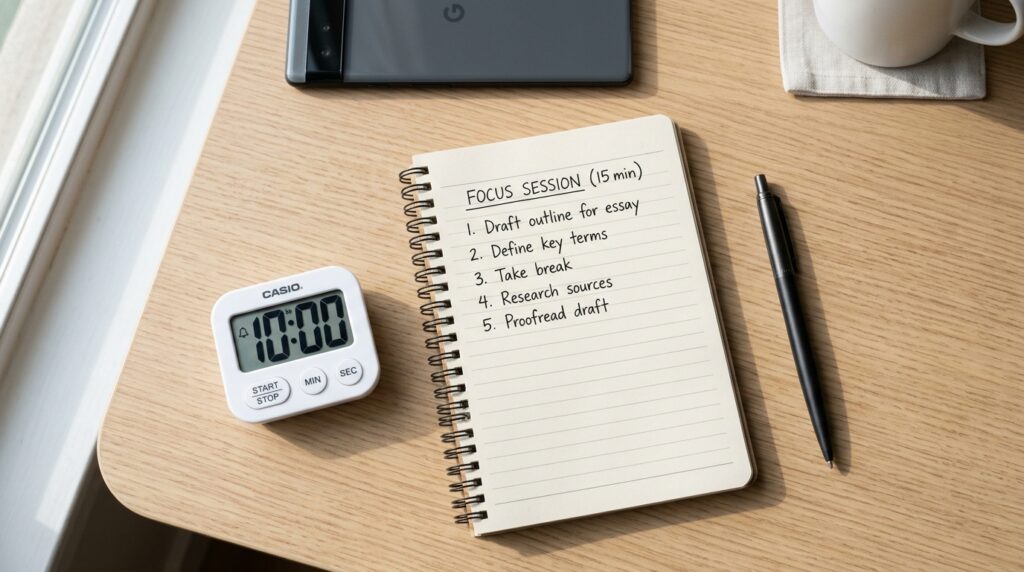
    An overhead view of a clean focus desk setup with an open notebook, a single 10-minute study task, a simple study timer and a phone placed face down.

    1. Quickly Reset Your Physical and Digital Space (About 1 Minute)

    For one minute, act like you are clearing a small launchpad:

    • On your desk: keep only today’s book or document, your notebook, and a pen
    • Move other books, papers, and random items to the side
    • On your screen: close tabs and apps that are not needed for this block

    Visual clutter is a decision magnet; the more you see, the more your brain has to decide what to pay attention to. A lightweight reset makes this first block feel less heavy and signals, “For the next 15 minutes, this is the only thing that exists.”

    If you want a more permanent way to organize your digital study space, you can also check out our guide on Building a Notion Study Dashboard to create a simple home base where your tasks, notes, and focus blocks live together. (Use your actual Notion dashboard article URL here.)

    2. Write One Line for This 10-Minute Block (About 1 Minute)

    Next, decide exactly what today’s first 10-minute focus block is for and write it in one line. For example:

    • “Review vocabulary pages 10–12 and mark new words.”
    • “Read certification textbook section 3.2 and highlight key formulas.”
    • “Draft the opening paragraph of my report.”

    Keep it tiny and concrete: one subject, one chunk. You can log this in:

    • A paper planner
    • A simple Notion page called “15-Min Focus Blocks”
    • A basic notes app like Apple Notes, Google Keep, or any memo tool

    Studies on self-regulated learning emphasize that setting specific, manageable goals and then monitoring what you do helps learners use their time more effectively and procrastinate less. Your one-line goal is a mini version of that: just enough structure to tell your brain what “done” looks like for the next 10 minutes.

    3. Set a 10-Minute Timer (About 1 Minute)

    Finally, set a timer for 10 minutes:

    • Use your phone’s timer in Do Not Disturb or focus mode
    • Use a minimalist focus timer app
    • Use a browser-based timer on your laptop

    Treat this 10-minute window as a small container: “From now until the alarm rings, I will just do this one thing.” Let the timer handle the time so your brain can stay inside the task instead of checking the clock.


    Step 2 – Focus (10 Minutes): Protect One Task at a Time

    1. Minimize Distractions Before You Press Start

    Before you tap “start” on the timer:

    • Put your phone face down and slightly out of reach
    • Close messaging apps and social media tabs
    • If possible, use a separate browser profile just for study/work so only relevant tabs are visible

    These may sound simple, but they dramatically reduce how often your attention is pulled away during a short block. Think of this as giving your brain a quiet 10-minute room rather than a noisy open office.

    If you find yourself constantly bouncing between apps, you might also like 15-Minute Time Blocking: How to Turn a Scattered Day into Focused Study Blocks, which shows how to schedule your short focus sessions so that meetings, admin tasks, and deep work are not all fighting for the same time.

    2. Do Only the One Line You Wrote

    Once the timer starts, your only job is:

    “Do the one line I wrote. Nothing else.”

    That means:

    • If you chose vocabulary, you do not “quickly” check email
    • If you chose practice questions, you do not switch to a different subject
    • If you get stuck, you take one tiny helpful action: reread the question, check one example, or ask an AI assistant a single clarification, then return to the task

    If your mind wanders, tell yourself:

    “I’ll just come back to this page until the timer rings.”

    One of the big advantages of 15-minute focus blocks is psychological: “Just 10 minutes of actual work” feels manageable even when you are tired or distracted. You lower the emotional resistance to starting, which is often the hardest part.

    3. Optional Micro-Break Between Blocks

    After each block, you can take a 2–5 minute break:

    • Stand up, stretch, or walk to another room
    • Drink water or make tea
    • Look away from screens

    Short movement breaks reset attention better than scrolling another app, and they prepare your brain for the next block. After four 15-minute cycles with tiny breaks, you will often have a surprisingly focused hour behind you.


    Step 3 – Wrap-Up (2 Minutes): Capture Progress and Prime the Next Block

    A digital study room with a laptop showing a minimalist focus dashboard, a small study timer and a notebook logging completed 15-minute focus blocks.

    1. Write One Line About What You Did

    When the timer rings, do not instantly grab your phone or open a new app. Spend one minute logging what you actually did. For example:

    • “Reviewed vocabulary pages 10–12, marked 9 new words.”
    • “Read section 3.2 and highlighted 5 key formulas.”
    • “Drafted the opening paragraph, needs one more edit.”

    This turns your 10 minutes into visible progress instead of a fuzzy memory. Over time, your notebook, Notion database, or notes app becomes a record of effort, not just a list of intentions. Studies on self-regulated learning note that students who regularly monitor their study activities—what they did and what comes next—tend to be more consistent and strategic in how they learn.

    2. Leave One Line for the Next Block

    Then write one line for what you will do in the next block:

    • “Next: review vocabulary pages 13–14.”
    • “Next: solve 3 practice problems from section 3.2.”
    • “Next: revise paragraph and outline section 2.”

    This removes the “What should I do now?” friction from your next session. Future you just has to show up, open your log, and follow the next instruction.

    If you’re curious how to apply this same three-step pattern at different times of day, see 15-Minute Morning Study Routine: How Changing Just 15 Minutes Boosts Your Focus All Day for a version tailored to early hours before work.


    Everyday Tips for Using Four 15-Minute Blocks

    Fix a Morning or Evening Slot

    Most people cannot focus at their best at every hour of the day. But guides on study routines consistently recommend choosing one fixed window when you usually run at least one block, such as:

    • Within 30 minutes after waking up
    • Right after dinner
    • One hour before you normally go to bed

    Research on time management and self-regulated learning suggests that consistent, planned study windows are associated with better academic outcomes and lower procrastination. When your brain learns that “around 8 p.m., we always do one 15-minute block,” starting becomes a habit, not a debate.

    Define a Minimum Routine for Hard Days

    There will be days when you are exhausted, stressed, or unmotivated. For those days, decide in advance:

    • “If today is really hard, one 15-minute block still counts as success.”
    • “On better days, I can go up to four blocks, but one block is the minimum win.”

    Coaching guides on microlearning and habit formation often emphasize that short, repeatable cycles (like 10–20 minutes) are more sustainable and easier to maintain than sporadic marathons. One small block is always better than zero, especially when your alternative is “I failed again.”

    Use Simple Tools, Not a Complicated System

    To run this routine, you only need:

    • Somewhere to write one-line goals and logs (paper planner, Notion page, or notes app)
    • A timer (phone, watch, browser, or minimalist focus app)

    You can layer more tools later—a Notion dashboard, AI assistants for quick clarifications, or a dedicated “study” browser profile—but the routine itself should work even if you only have a notebook and a phone timer. Start simple; add complexity only when the basic 15-minute cycle feels solid.


    Frequently Asked Questions

    Q1. How many 15-minute blocks should I do in one sitting?

    Start with just one 15-minute block and treat it as your minimum success. Once that feels automatic, you can add a second, third, or fourth block in the same sitting or at different times of day. The goal is to build a consistent rhythm, not to max out your capacity from day one.

    Q2. What if I only have 5 minutes, not 15?

    Use a micro-block: 1 minute to clear your space, 1 minute to write one tiny goal, 3 minutes to do it, then stop. Microlearning research suggests that even 5–10 minute bursts, repeated over time, can improve retention and reduce procrastination, especially when they focus on a single concept or task.

    Q3. Can I use this routine for work tasks, not just studying?

    Yes. The 3–10–2 structure works well for writing reports, coding, reading research papers, handling email triage, or planning your day. Just write one clear work task for the 10-minute block (“Draft outline for client proposal,” “Review three pull requests”) and follow the same steps: prep, focus, and quick wrap-up.

    Q4. Which tools do I need to start this routine?

    You only need three things: a place to write your one-line goals, a timer, and somewhere to log what you did. A paper notebook and your phone’s timer are enough. If you like digital tools, a simple Notion page or basic notes app is more than enough—no complex setup required.


    Learn More

    For more on focus, study habits, and building consistent short routines, see:

  • Why 15-Minute and 5-Minute Routines Feel Easier Than Pomodoro

    Why 15-Minute and 5-Minute Routines Feel Easier Than Pomodoro

    Why 15-Minute and 5-Minute Routines Feel Easier Than Pomodoro

    You sit down to study or work after a long day, open your laptop, and within five minutes you’re checking your phone or clicking into another tab. The classic 25-minute Pomodoro sounds great in theory, but in practice it can feel too long when your brain is already tired.

    For many students and knowledge workers juggling meetings, messages, and multiple apps, the real problem is not “willpower” but the starting barrier. A shorter, lighter structure can make it much easier to begin and actually finish one meaningful piece of work.

    I started using this 15-minute block on days when my brain felt scattered, and it was just enough structure to finish one small but important task instead of giving up entirely.

    person writing a one line study goal in a planner next to a laptop and a 10 minute focus timer

    Why Shorter Focus Blocks Work

    A lot of productivity advice focuses on “how long you can sit and grind,” but research on learning and attention increasingly points to short, focused, repeatable sessions as a more realistic way to study and work.

    Recent work on microlearning and spaced practice shows that:

    • Shorter learning sessions, repeated over time, improve retention and practical performance more than long, exhausting blocks.
    • Spaced learning—coming back to material in multiple shorter sessions—strengthens memory and reduces the forgetting curve compared to cramming.

    Self‑regulated learning research also emphasizes simple routines that repeat the cycle of setting a clear goal, doing focused work, and briefly reflecting on what worked. That is exactly what a 15-minute routine can do for you.

    The classic Pomodoro uses 25‑minute blocks because its creator experimented and found that duration effective for many people, but even in Pomodoro communities the interval is treated as adjustable rather than sacred. If 25 minutes keeps breaking, it often means the block is a little too long for your current context—not that you are weak.


    15-Minute Routine Overview

    In this guide, we’ll use a simple 15-minute structure:

    • Prep: 3 minutes
    • Focus: 10 minutes
    • Wrap-Up: 2 minutes

    Even if this looks short, two sets a day already give you 30 minutes of focused time. Five sets give you 75 minutes, often with less resistance than forcing a single long block.

    This routine is flexible: you can use it for exam prep, report writing, reading, coding, language study, or side projects. And because it’s short, it pairs well with digital tools like Notion, timers, and note apps without becoming overwhelming.


    Step 1 – Prep (3 Minutes): Environment, One-Line Goal, Timer

    Clear Your Space and Screens

    Start by reducing obvious distractions in your physical and digital space:

    • Put your phone face down or in another room.
    • Close every browser tab except the ones you need for this one task.
    • On your desk, keep only what you’ll actually use in the next 10 minutes: book, notebook, laptop, pen.

    If you want a more structured way to organize your digital workspace, you can create a simple Notion page or dashboard where you keep today’s tasks, notes, and links in one place.

    Write a One-Line Goal

    Next, write a single, tiny goal for this 10-minute block. One line only.

    Examples:

    • “Read pages 4–7 of the vocabulary book.”
    • “Draft one paragraph of the report.”
    • “Solve three practice problems from Chapter 3.”

    The key is to shrink the task until it feels almost too easy. Self‑regulated learning research shows that clear, specific goals make it easier to start and to notice progress later.

    You can write this goal in:

    • A paper planner,
    • A simple Notion page called “Today’s 15-Minute Goals,” or
    • A quick note in your favorite memo app.

    Set a 10-Minute Timer

    Finally, set a timer for 10 minutes.

    You can use:

    • Your phone’s built-in timer in Do Not Disturb mode,
    • A minimal focus-timer app, or
    • A Notion template with a linked timer if you prefer everything in one workspace.

    The point is not which tool you use, but that your brain hears a clear signal: “For the next 10 minutes, I’m only doing this one small thing.”


    Step 2 – Focus Block (10 Minutes): One Thing Only

    Stick to the One-Line Goal

    During the 10-minute block, your rule is simple:

    Do the one thing you wrote down. Nothing else.

    That means:

    • Don’t switch to another chapter or task “because it looks easier.”
    • Don’t open extra tabs or apps “just to check something quickly.”
    • Don’t chase perfection—aim to move through the planned part, not master everything in one go.

    Short, focused intervals like this are powerful because your brain knows there is a near end point. There is less pressure to “stay perfect” for a long time, and more permission to just start.

    If your mind wanders during the block, gently bring yourself back and think:

    “I’ll just stay with this page / this paragraph / this problem until the timer rings.”

    Wandering is normal. The real practice is “notice, then return.”

    Optional: Use Digital Tools Lightly

    You can optionally use digital tools to support this block, but keep the setup minimal:

    • Notion or a notes app – jot down quick ideas or questions that pop up, so you don’t leave the task to chase them.
    • AI assistant – if you get stuck on a concept, use AI for a brief clarification, then go back to your main task instead of falling into a long chat.

    If you want a more detailed structure for your study blocks, you may find it helpful to read:
    👉 15-Minute Study Routine: How to Make Short, Focused Blocks Actually Work.


    Step 3 – Wrap-Up (2 Minutes): Leave a Trail for Next Time

    Log What You Just Did

    When the timer ends, don’t immediately jump to your phone or another task. Spend two minutes closing the loop.

    First, write one simple line about what you did:

    • “Scanned vocabulary pages 4–7.”
    • “Drafted the introduction paragraph.”
    • “Solved 3 of 5 practice problems.”

    You can log this in:

    • A paper notebook,
    • A “15-Min Focus Log” database in Notion, or
    • A simple rolling note in your memo app.

    This tiny log builds a visible history of effort, which is key for motivation and self‑regulated learning.

    knowledge worker at a digital study desk setup reviewing notes after a short deep work focus session

    Leave One Cue for Next Time

    Second, write one line about what to do next:

    • “Next: review pages 8–10.”
    • “Next: refine paragraph 1 and outline paragraph 2.”

    This removes the friction of “What should I work on?” the next time you sit down. Future you can simply read the line and start.

    For a more structured system, you can connect this with time blocking across your day. If that’s interesting, see:
    👉 15-Minute Time Blocking: How to Turn a Scattered Day into Focused Study Blocks.


    Using 5-Minute Routines When 15 Still Feels Too Much

    Some days, even 15 minutes feels heavy. On those days, you can drop down to a 5-minute micro‑routine:

    • 1 minute – Clear your space.
    • 3 minutes – Do one tiny action (read one paragraph, rename three files, highlight one page).
    • 1 minute – Log what you did and write the next step.

    Research on microlearning suggests that very short, focused learning moments repeated over time can improve retention and confidence more than occasional long sessions. A 5-minute block is often enough to “keep the chain alive” on a bad day.

    You can treat this as your “minimum viable routine”: if you’re exhausted, do one 5-minute block and count that as a win.


    Everyday Tips for Making This Routine Stick

    • Fix one anchor time.
      For example, “Every weekday at 9:00 p.m., I do at least one 15-minute set.” Regular timing helps turn the routine into a habit rather than a decision.
    • Set a minimum line.
      Decide in advance: “On tough days, one 15-minute or even one 5-minute set is enough.” This reduces all‑or‑nothing thinking and makes it easier to keep going.
    • Stack sets only when you have energy.
      On good days, chain two or three sets. On low-energy days, stay with one. The goal is consistency, not heroics.
    • Use tools to support, not complicate.
      A simple timer and one place to write your goals and logs (Notion page, notes app, or paper) are enough to start. You can always add more structure later.

    If you like building digital systems around your routines, you might enjoy combining this method with a simple Notion or note-taking setup to track your study streaks and projects over time.


    Frequently Asked Questions

    Q1. What if I only have 5 minutes, not 15?

    Use the 5-minute version: 1 minute to clear your space, 3 minutes for one tiny action, and 1 minute to log what you did. The point is to keep the habit alive, not to hit a perfect number.

    Q2. Can I use this routine for work tasks, not just studying?

    Absolutely. You can use a 15-minute focus block for emails, writing reports, planning meetings, documenting code, or any knowledge work that benefits from short, concentrated effort.

    Q3. Which tools do I need to start?

    You only need three things: somewhere to write a one-line goal, a timer, and a place to log what you did. A simple combination like Notion or a note app plus your phone’s timer is more than enough to begin.

    Q4. How many 15-minute sets should I aim for each day?

    Start with one set per day and treat that as your minimum. When that feels stable, add a second or third set on days when you have more energy. Consistency matters more than hitting a high number on a single day.


    Learn More

    For more on focus, learning routines, and short study sessions: