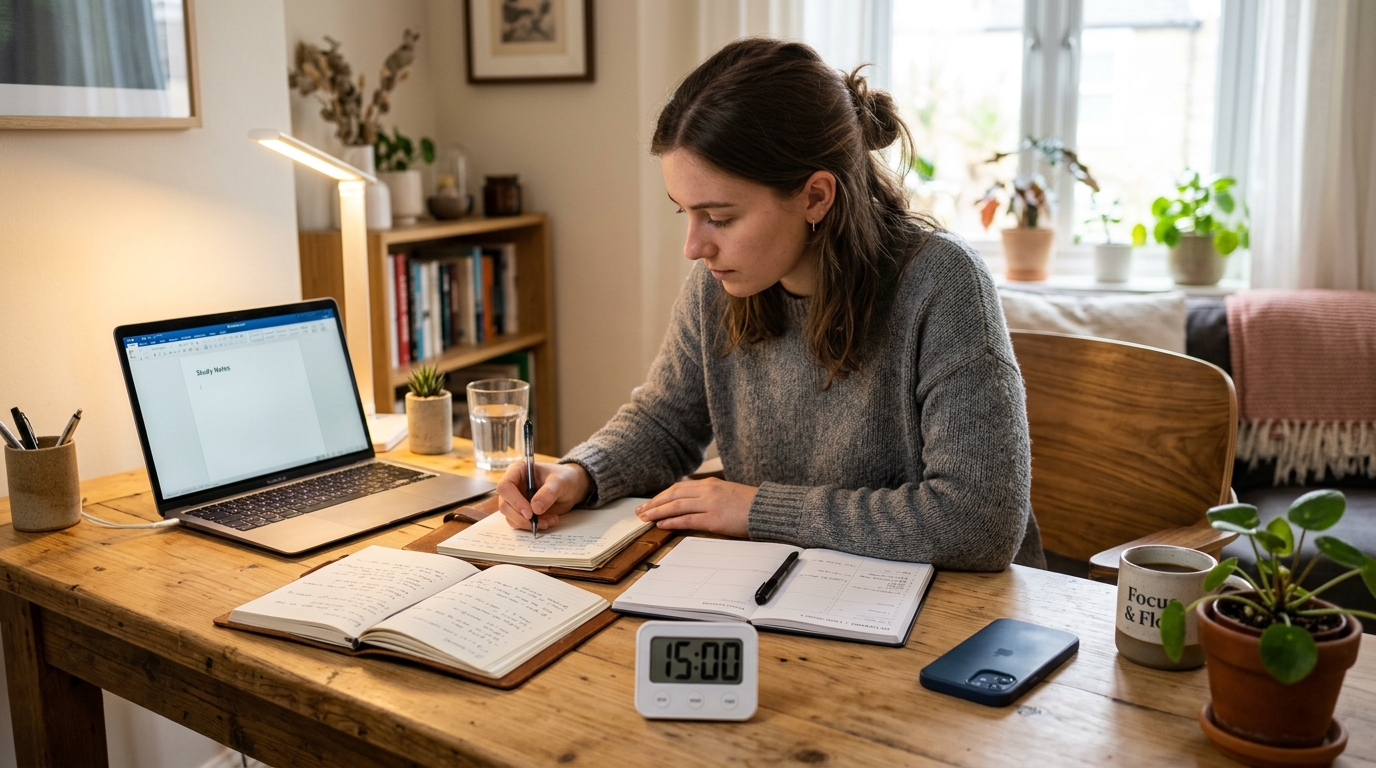
When You Sit Down to Study and Reach for Your Phone Again
You finally sit down after work to study or work on a side project, and within five minutes your hand is back on your phone. You tell yourself you are “just checking one notification,” and suddenly 30 minutes of scrolling, shorts, and messages have evaporated.
If you are a working adult or exam student who spends most of the day at a desk, the combination of stress, fatigue, and a smartphone within arm’s reach can quietly destroy your study time. This 15-minute focus timer routine helps you protect short blocks of attention by giving your brain a simple rule, a clear goal, and a tiny structure to follow instead of fighting your phone with willpower alone.
I started using this 15-minute timer routine on evenings when I kept “accidentally” opening my phone, and even a single block was enough to finish one small task and feel like I actually studied that day.
Why a 15-Minute Focus Timer Works Better Than Just “Trying Harder”
Articles on attention span and study routines note that many adults can focus deeply for only about 20–30 minutes before their attention naturally drops, especially when phones and notifications are nearby. That is why starting with shorter 10–15 minute blocks often feels more realistic than trying to force a two-hour deep‑work session from day one.
Focus and time‑management guides also consistently recommend silencing notifications, using Focus or Do Not Disturb modes, and moving your phone out of reach during study blocks, because these simple changes cut a large portion of digital interruptions without needing complicated apps. Research on self‑regulated learning and time management further suggests that learners who set specific goals for each time block and then record what they did tend to manage their study time better and procrastinate less.
This routine brings those ideas together: you decide one tiny task, set a 10‑minute timer, physically block your phone, and then spend 2 minutes writing what you did and what you will do next. The point is not perfection; it is making it easier to start and to repeat.
Overview: One 15-Minute Focus Timer Block
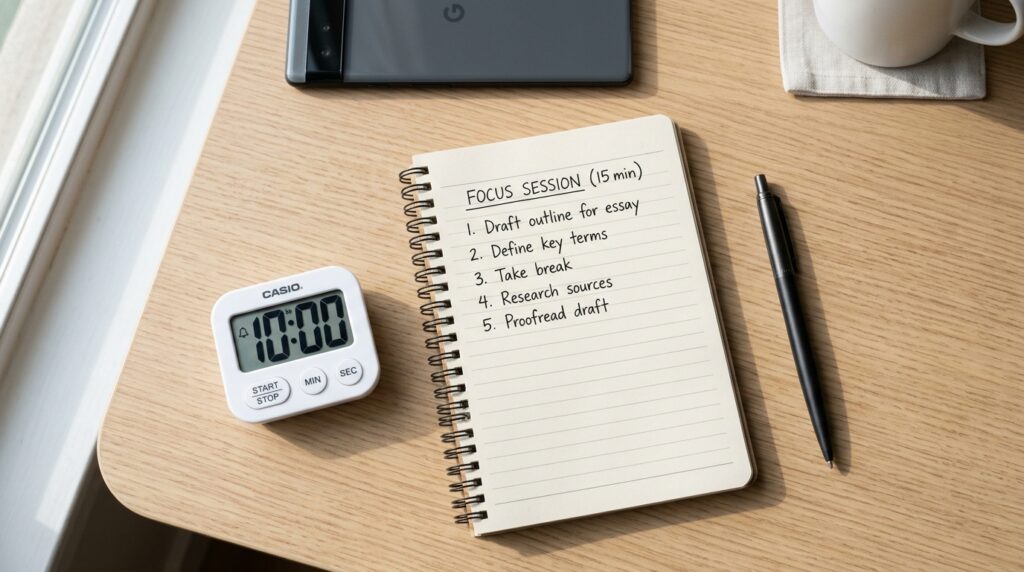
In this routine, one 15-minute block looks like this:
- 3 minutes: prep your desk, your phone, and your brain
- 10 minutes: focused work on exactly one task
- 2 minutes: quick review and one line for the next block
Two blocks give you roughly 30 minutes of real focus; four blocks give you about an hour. The key rule is simple:
“While the 10-minute timer is running, I do not touch my phone.”
If you want a more general guide to building short study blocks you can use any time of day, see 15-Minute Study Routine: How to Make Short, Focused Blocks Actually Work for a step‑by‑step breakdown you can chain across your schedule.
Step 1 – Prep (3 Minutes): Set Up Your Desk, Phone, and Brain
1. Clear Your Desk So Only This Study Task Is Visible (About 1 Minute)
For one minute, make your desk show only one story:
- Keep: today’s textbook or document, your notebook, and a pen
- Move aside: other books, papers, devices, and random items
The more visual noise on your desk, the more your brain has to decide “What should I pay attention to?” which quietly drains your energy. A lighter desk makes the coming 10 minutes feel less heavy and helps your brain accept, “For this block, we are doing just this.”
If you also want to declutter your digital space, you might like 15-Minute Focus Blocks: How to Turn Four Short Sessions into One Hour of Real Work, which shows how to structure multiple short blocks and protect them from digital distractions.
2. Write One Line for This 10-Minute Block (About 1 Minute)
Next, decide exactly what you will do in your first 10-minute block and write it in one line. For example:
- “Learn vocabulary pages 4–5.”
- “Solve 3 practice questions from chapter 2.”
- “Draft one paragraph of my report introduction.”
Log it in:
- A paper planner
- A Notion page called “15-Min Focus Blocks”
- A simple notes app on your laptop
Research on self‑regulated learning and time management shows that students who set specific, short goals for each study period and then track what they did manage their time better and procrastinate less than those who just think “I should study.” Your one-line goal is a tiny but powerful version of that.
3. Set a 10-Minute Timer and Block Your Phone (About 1 Minute)
Now set your timer and your phone:
- Set a 10-minute timer on your phone, smartwatch, or browser
- Turn on Airplane, Focus, or Do Not Disturb mode
- Flip your phone face down and place it slightly out of reach or in a drawer
Focus guides consistently recommend silencing notifications and moving your phone out of sight because even brief alerts and screen glances can break your focus more than you expect. When you repeat this “phone blocking ritual” before each block, your brain gradually learns, “When we do this, it means study time starts now.”
Step 2 – Focus (10 Minutes): One Task Only, No Phone
1. Follow the One Line You Wrote
Once you tap start on the timer, your job is incredibly simple:
“For the next 10 minutes, I will only do the one line I wrote. Nothing else.”
That means:
- If you chose vocabulary, you are not allowed to “quickly” check messages or social media
- If you chose practice problems, you do not switch to a different subject halfway through
- If a question pops into your head, you write it in the margin and come back to it later
This routine reduces decision fatigue by giving your brain one clear instruction instead of many micro‑choices (“Should I check my phone now? Should I answer that message?”). Short focus blocks with a clear boundary feel more manageable, especially on days when you are tired.
If you notice your focus crashing often during study, you may also like Can’t Focus? Try This 15-Minute Study Reset Routine for a quick reset you can run when your brain feels drained.
2. Treat 10 Minutes as a Small Experiment
For these 10 minutes, you are not trying to become a perfect student. You are just running a small experiment:
- “What happens if I do not touch my phone for 10 minutes?”
- “What can I actually do in this one small window?”
If your mind wanders, gently bring it back to the page in front of you and remind yourself, “It’s only 10 minutes.” Many people find that it is easier to accept “just 10 minutes of effort” than to commit to a long session when they already feel tired or distracted.
Step 3 – Review (2 Minutes): Capture Today and Prime the Next Block
1. Write One Line About What You Actually Did

When the timer rings, do not grab your phone yet. Take one minute to write a short log:
- “Studied vocabulary pages 4–5, marked 6 new words.”
- “Solved 3 practice questions, got 2 correct, 1 still unclear.”
Logging visible progress—even when the block is tiny—helps build a sense of self‑efficacy and makes your effort concrete rather than fuzzy. Over time, your notebook or digital log becomes a record of what you actually did, not just what you intended.
2. Leave One Line for the Next 10-Minute Block
Then write one line for what you will do in the next block:
- “Next: review marked vocabulary.”
- “Next: redo the 1 missed question and check solution.”
This removes the “What should I study now?” friction next time you sit down. Future you just has to open the planner and follow the next line.
Once you finish this 2-minute wrap‑up, you can take a short 3–5 minute break to check your phone—ideally with clear limits like “scan notifications once, reply to 2–3 quick messages, then put it away again.”
Everyday Tips for Making This 15-Minute Routine Stick
Fix One Timer Window in Your Day
Instead of trying to study “whenever you feel like it,” choose one consistent window:
- Within 30 minutes after waking up
- 15 minutes before dinner
- 30–60 minutes before your usual bedtime
Educational and time‑management guides often emphasize that studying at a consistent time of day helps your brain build a routine and reduces the mental effort of deciding when to work. When your brain learns that “around 8 p.m., we always run at least one 15-minute focus timer,” it becomes a habit, not a negotiation.
If you want to plan more of your day around such blocks, see 15-Minute Time Blocking: How to Turn a Scattered Day into Focused Study Blocks for a full-day planning approach.
Define a Minimum Goal: One Block Is a Win
If you always plan 2–3 hours of study and then fail to start, it is easy to end the day with guilt and self‑criticism. Instead, define a minimum win:
- “Even on busy days, one 15-minute block counts as success.”
- “On better days, I can add more blocks, but one block is the base.”
Coaching and self‑regulation resources often stress that repeatable routines matter more than single long efforts; short blocks you actually do are better than perfect plans you never start. Over a couple of weeks, four or five 15-minute blocks per week add up quickly.
Use Simple Tools, Not a Complicated App Stack
To run this routine you need:
- A place to write one-line goals and logs (paper planner, Notion page, or notes app)
- A timer (phone, watch, or browser timer)
- Focus or Do Not Disturb mode on your phone
You can experiment with study timer apps later (for example, apps that lock your phone while the timer runs), but start with the simplest possible setup so you are not “setting up productivity tools” instead of studying.
Related Routines You Might Like
- 15-Minute Study Routine: How to Make Short, Focused Blocks Actually Work – A deeper dive into building short study blocks and chaining multiple sessions together.
- Why 15-Minute and 5-Minute Routines Feel Easier Than Pomodoro – Explains why micro‑blocks feel lighter than classic 25-minute Pomodoro sessions.
- 15-Minute Evening Study Routine for Busy Office Workers – A realistic evening structure for days when you come home tired but want to keep learning.
Frequently Asked Questions
Q1. What if I cannot even do 15 minutes?
Start with 5. Seriously. If 15 minutes feels too long, set a timer for 5 minutes and write one tiny task, like “review 3 words” or “read one paragraph.” The goal is to show up and protect at least one short block from your phone, not to be perfect from day one.
Q2. Can I use this routine for work tasks, not just studying?
Yes. The 3–10–2 structure works well for writing emails, drafting reports, coding, reading research papers, or planning your day. Just write one clear work task for the 10-minute block and follow the same steps: clear your desk, block your phone, focus on one task, then log what you did.
Q3. Which tools do I need to start this focus timer routine?
You only need three things: a place to write your one-line goals, a timer, and the ability to silence or move your phone. A paper notebook and your phone’s built-in timer with Focus mode are enough. If you enjoy digital tools, a simple Notion page or notes app can make it easier to see how many blocks you complete each week.
Q4. What if my phone use feels completely out of control?
If your phone use or attention problems feel overwhelming or are seriously disrupting your daily life, consider talking with a mental health professional rather than relying only on routines and apps. This 15-minute timer routine is designed to help with everyday distraction and habit‑building, not to diagnose or treat underlying conditions like ADHD or anxiety.
Learn More
For more on attention, study habits, and self‑regulated time management, see:
- CU Independent – Study Routines Designed for Short Attention Spans
Explores how short, structured study bursts can help students who struggle to focus for long periods.
https://www.cuindependent.com/study-routines-designed-for-short-attention-spans/ - Kumospace – Attention Span Meaning & How to Increase It
Summarizes research on modern attention spans and offers practical strategies to reduce distractions and improve focus.
https://www.kumospace.com/blog/how-to-increase-attention-span - JSTOR – College Students’ Time Management: A Self‑Regulated Approach
Discusses how students’ time management strategies relate to self‑regulation and academic performance.
https://www.jstor.org/stable/48750443 - PMC – Self-Regulation of Time: The Importance of Time Estimation and Planning
Explores how planning and estimating time blocks influence self‑regulation and productivity.
https://pmc.ncbi.nlm.nih.gov/articles/PMC9639830/
Leave a Reply