Why You Need a 15-Minute Study + 5-Minute Review Set on Hard Days
Some days you come home from work, open your laptop, and somehow end up scrolling on your phone until it is time to sleep.
You keep telling yourself you will “start studying properly tomorrow,” but tomorrow looks suspiciously like today.
If you are preparing for an exam after work, trying to restart studying as an adult learner, or juggling deep work with endless meetings as a knowledge worker, long, perfect study sessions are often the first thing to disappear.
What you need on those days is not a two-hour master plan, but one small, realistic block that keeps your day from breaking completely.
That is where the 15-minute study + 5-minute review routine comes in.
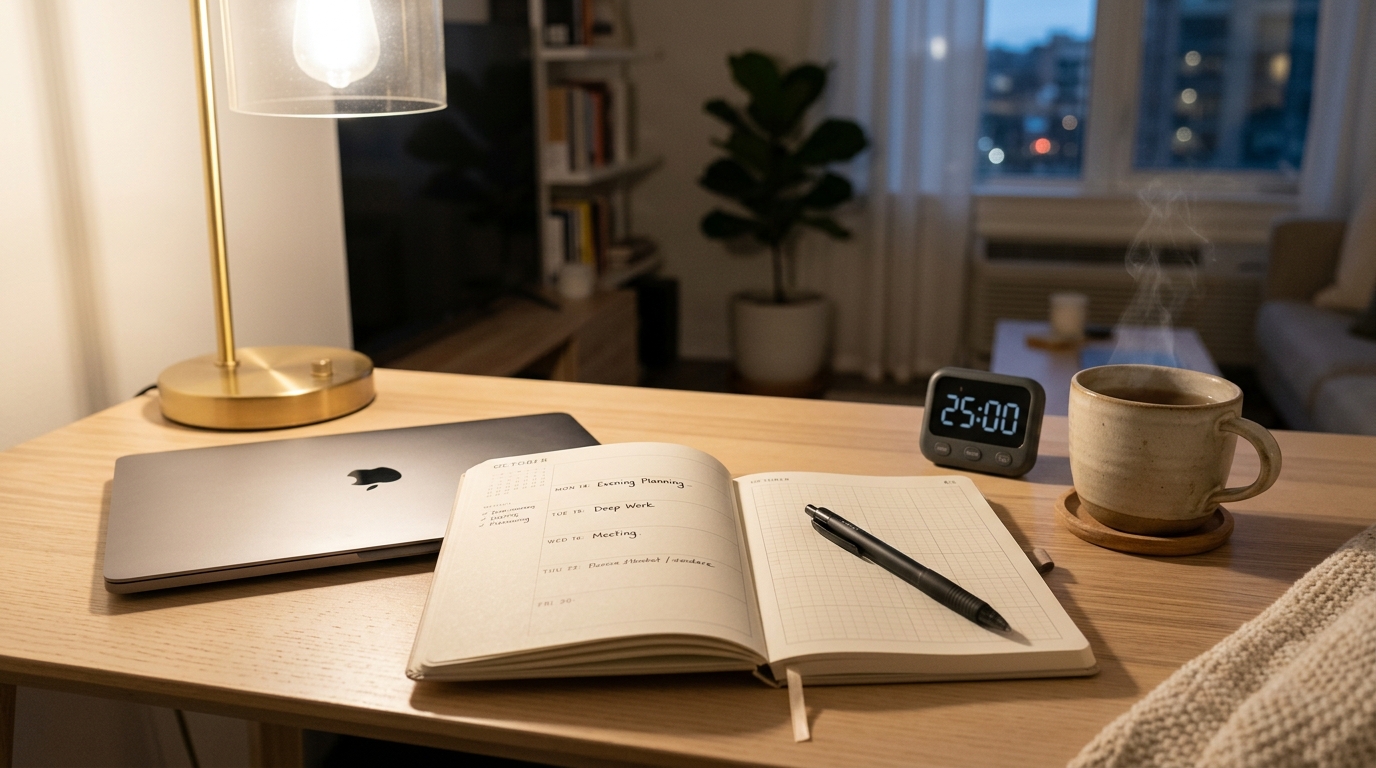
Instead of forcing yourself to “study for 2 hours,” you focus on one short, dense 15-minute block and then spend 5 minutes writing down what you did and what you will do next.
I started using this 15-minute set on days when my brain felt scattered after meetings, and it was just enough structure to finish one meaningful task instead of giving up on the entire evening.
Why Short 15-Minute Study Blocks Work
Many cognitive psychology and learning science resources suggest that people can maintain high-quality focus on demanding tasks for around 10–20 minutes at a time before attention starts to drop.
Instead of planning one long, ideal 2-hour session that you never start, it is more realistic to repeat short, focused blocks across your day or week.
Time-blocking and short focused sessions have been shown to help students reduce decision fatigue, protect mental energy, and improve follow-through on planned tasks.
When your plan is “just one 15-minute block,” your brain sees it as doable, not overwhelming.
Consistency also matters more than perfection.
Habit research and productivity guides repeatedly show that small daily actions, done consistently, drive more progress over time than rare bursts of intense effort.
So this routine is not about proving you can study for three hours.
It is about protecting one small, repeatable set so that tomorrow’s study session feels easier to start.
The 15-Minute Study + 5-Minute Review Set: Overview
In this routine, one “set” looks like this:
- 3 minutes – Prep your space and goal
- 10 minutes – Focused study on one task
- 2 minutes – Quick wrap-up for tomorrow
- 5 minutes – Simple written review and planning
The first 15 minutes are for pure focus.
The last 5 minutes are for writing down what you did and what you will do next, so your brain does not have to remember everything.
Separating “doing” from “recording” gives your mind a chance to process what happened and leaves a visible trace that you actually studied.
On days when motivation is low, that little trace is often the difference between “I failed again” and “I still showed up today.”
If you want a deeper breakdown of how short focus blocks work, you can also read
15-Minute Study Routine: How to Make Short, Focused Blocks Actually Work.
Step 1 – 3-Minute Prep: Clear Your Space and Set One Line

In the first 3 minutes, you are not “studying hard.”
You are simply preparing your environment and your brain.
1. Clear Just Enough Space
- Remove anything from your desk that is not related to today’s task—cups, random papers, unrelated books.
- You do not need a perfect minimalist desk; just push distractions to one side so your main materials are clearly visible.
If you are a digital-first learner, do the same with your screen:
- Close tabs that are not related to your task.
- Open only what you need: your textbook PDF, study notes, or main project document.
If you want help setting up a calmer digital space, check out
15-Minute Study Tools Routine: How to Actually Use Your New Timer and Planner Every Day for a simple way to organize your timer, planner, and apps.
2. Write One Clear Line for the Next 10 Minutes
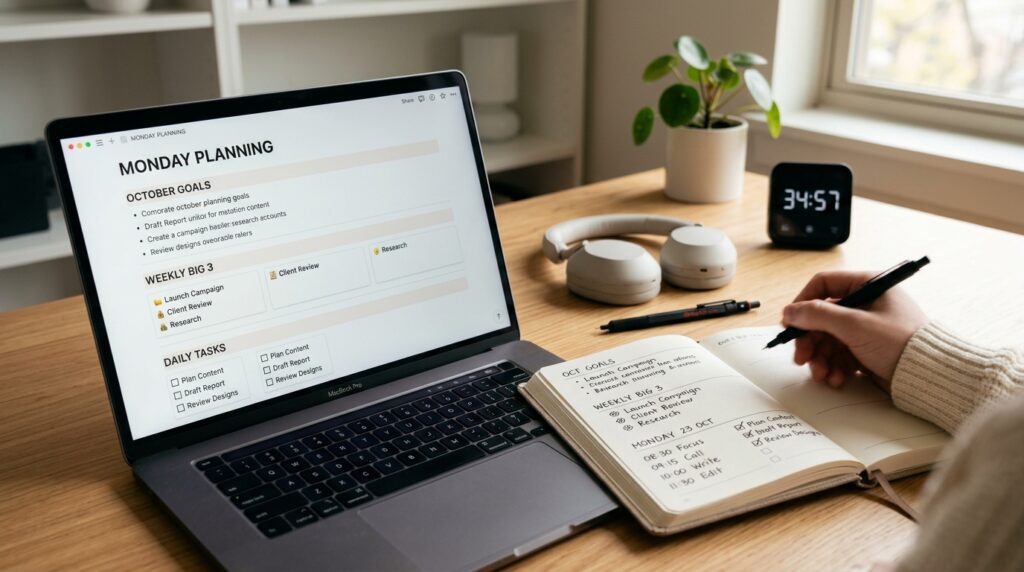
In your planner, notebook, or a simple Notion page, write one clear line that describes what you will do in the next 10 minutes.
Keep it concrete and measurable.
Examples:
- “TOEIC RC – solve 1 set (Part 5)”
- “Certification textbook – read pages 20–25”
- “Project report – draft introduction paragraph”
- “Lecture notes – summarize main concepts from Week 3”
Avoid vague lines like “study English” or “work on thesis.”
The more concrete your line is, the easier it is to start.
3. Set a 10-Minute Timer and Silence Notifications
- Set a timer for 10 minutes on your phone, a physical timer, or a browser extension.
- Put your phone on airplane mode or Do Not Disturb if possible.
The goal is to make it slightly harder to check messages in the middle of the block.
You are telling your brain, “For just 10 minutes, this is the only thing that matters.”
If you struggle with your phone, you may also like
15-Minute Focus Timer Routine: How to Stop Checking Your Phone While You Study.
Step 2 – 10-Minute Focus: Do Only One Thing
For the next 10 minutes, your entire job is to work on the one line you wrote.
Not to finish everything, just to stay with it until the timer rings.
1. If You Are Solving Problems
- Work only on solving questions.
- Do not grade yourself or read explanations yet.
- If you get stuck, mark the question and move on.
Your rule is: “Solve only” during this block.
Checking answers and explanations comes later or in another block.
2. If You Are Reading or Watching a Lecture
- Focus on reading and understanding, not on making your notes pretty.
- You can highlight or add quick notes, but avoid spending time on layout or colors.
- Ask yourself simple questions as you go: “What is the main point here?” “How would I explain this to a friend?”
3. If Random Thoughts or Tasks Pop Up
In a real study session, your brain will suddenly remember:
- An email you forgot to answer
- A message you want to send
- A small admin task or idea
Instead of fighting those thoughts, keep a tiny capture space next to you:
- A sticky note, a small notebook, or a “Brain Dump” page in Notion
- When a thought appears, write one or two words (“email prof,” “pay bill,” “search article”) and go back to your task
This technique turns mental interruptions into brief notes instead of detours.
It also reduces anxiety because you know you will not lose the idea.
Why 10 Intense Minutes Beat 0 Perfect Minutes
Because attention naturally drops with time and decision fatigue, short focused blocks are often more sustainable than long, unstructured sessions.
Many productivity guides show that simply committing to “one small block” dramatically increases how often you actually start a task.
On days when your energy is low, 10 honest minutes of focus is infinitely better than 0 minutes waiting for motivation.
This routine is built to respect that reality.
If you want more ideas for building short focus blocks into your day, see
15-Minute Time Blocking: How to Turn a Scattered Day into Focused Study Blocks.
Step 3 – 2-Minute Wrap-Up: Make Tomorrow Easier
When the timer rings, you are done with the “focus” part.
Now your goal is not to finish everything perfectly, but to set up your future self.
1. Mark Where You Stopped
Use the last 2 minutes to leave visible signs for tomorrow:
- Underline or highlight one or two key sentences on the page you are on.
- Put a sticky note, bookmark, or digital comment where you want to continue next time.
- If you are in a digital document, write a short “NEXT:” comment at the point where you want to restart.
You are not trying to clean up your notes or summarize everything.
You are simply planting a flag that says, “Start here next time.”
2. Avoid the “All or Nothing” Trap
Do not tell yourself, “I have to finish this entire chapter before I stop.”
Instead, remind yourself:
- “My job is to make tomorrow’s start easy.”
- “This 15-minute set is enough for today.”
This shift protects your routine from perfectionism.
You are building a chain of days, not a single perfect session.
Step 4 – 5-Minute Review: One Line for Today, One Line for Tomorrow
The last 5 minutes are for your planner, notebook, or digital log.
This is where you turn your 15 minutes into a visible habit.
Research on reflective journals and learning logs shows that brief reflection on what you did, how it went, and what you will do next strengthens learning and self-regulation.
You do not need a long diary—just a few structured lines.
A Simple 3-Line Template
In your planner, Notion page, or note app, write just three lines:
- One line: What you did today
- One line: How it felt
- One line: What you will do next
Examples:
- “After work 15 min – solved one TOEIC RC set and marked wrong questions.”
- “Felt tired but managed to stay with the timer for 10 minutes.”
- “Tomorrow: review wrong answers and write down new vocabulary.”
Or:
- “Morning 15 min – drafted the intro section of my report.”
- “Brain was scattered, but the timer helped me ignore email.”
- “Tomorrow: refine the intro and outline the next section.”
This tiny structure turns your day into a clear story instead of a blur.
Over time, flipping through these pages gives you proof that you are actually moving.

Where to Keep This Log (Analog or Digital)
You can keep your log in:
- A small paper planner or notebook
- A dedicated Notion database (e.g., “15-Min Study Log”)
- A simple notes app with one page per week
If you enjoy digital tools, consider building a minimal study database where each row is one 15-minute set with fields like “Task,” “Energy level,” and “Next action.”
For a more structured system around reading and note-taking, see
15-Minute Reading and Notion Routine: How to Turn Scattered Book Notes into a Simple Reading System.
Everyday Tips to Keep the Routine Alive
Fix a Default Time for Your 15 + 5 Set
If possible, choose one time of day as your default:
- “After work, before dinner”
- “After kids go to bed”
- “First 20 minutes after my morning coffee”
When the time is fixed, your brain gradually learns, “This is my study block,” and it becomes easier to slip into study mode without arguing with yourself every day.
Use a Minimum Goal Instead of a Perfect Plan
Instead of planning, “I must study 2 hours tonight,” set a minimum version of your routine:
- “No matter what, I will do at least one 15 + 5 set.”
- “If the day explodes, I will at least do 10 minutes of focus and 2 minutes of quick notes.”
Behavior change and habit research consistently show that small, achievable goals increase the chance you will actually start and repeat a behavior.
Your minimum goal protects the chain of days even when life gets messy.
Let the Log Be Your Motivation, Not Social Media
On days when you feel like you are going nowhere, open your log and simply scroll through your past entries.
Seeing a page full of short lines like “I still showed up” can be surprisingly powerful.
Over time, you build an identity of “someone who studies a little every day,” not “someone who only studies perfectly or not at all.”
That identity is what carries you through busy seasons, job changes, and exam periods.
Related Routines You Might Like
- 15-Minute Study Routine: How to Make Short, Focused Blocks Actually Work – A deeper dive into building short study blocks and chaining multiple sessions together.
- 15-Minute Planner Reset: How to Set Today’s Study Priorities Without Feeling Overwhelmed – A simple way to choose what to study today when your to-do list feels chaotic.
- 15-Minute Study Tools Routine: How to Actually Use Your New Timer and Planner Every Day – Step-by-step routine for integrating your timer, planner, and digital tools into daily study.
Frequently Asked Questions
Q1. What if I only have 5 minutes, not 15?
A: Shrink the routine instead of skipping it.
Do 5 minutes of focused work on one tiny task and 2 minutes to write one line about what you did and what you will do next—the goal is to keep the chain alive, not to be perfect.
Q2. Can I use this 15 + 5 routine for work tasks, not just studying?
A: Absolutely.
You can use the same structure for writing reports, preparing slides, processing emails, learning a new tool, or any project that benefits from consistent, focused progress and a brief written check-in.
Q3. Which tools do I need to start this routine?
A: At minimum, you only need three things: something to read or work on, a timer, and a place to write your three review lines (paper or digital).
You can add tools like Notion, a dedicated planner, or a focus timer app later, but they are optional, not required.
Q4. How many 15 + 5 sets should I do in one day?
A: On busy days, aim for one set and treat it as a win.
On lighter days, you can stack 2–4 sets with short breaks in between, but do not let the desire to “do more” make you skip your minimum set.
Learn More
For more on focus, study habits, and building consistent routines, see:
- E-Student – Unpacking the Benefits of Time-Blocking for Academic Success
Explains how time blocking helps students focus on one task at a time, reduce procrastination, and manage study schedules more effectively.
https://e-student.org/time-blocking/ - CPD Online College – Time Block Technique: Explanation & Benefits
Overview of the time block technique and how dedicating fixed blocks for specific tasks improves productivity and balance.
https://cpdonline.co.uk/knowledge-base/business/time-block-technique/ - Northern Illinois University – Reflective Journals and Learning Logs
Shows how brief reflection and learning logs support metacognition, critical thinking, and self-regulated learning.
https://www.niu.edu/citl/resources/guides/instructional-guide/reflective-journals-and-learning-logs.shtml - Improve with Metacognition – The Role of Reflection for Learning and Metacognitive Development
Describes how regular reflective practice helps learners plan, monitor, and evaluate their own learning more effectively.
https://www.improvewithmetacognition.com/reflection-for-learning-and-metacognitive-development/