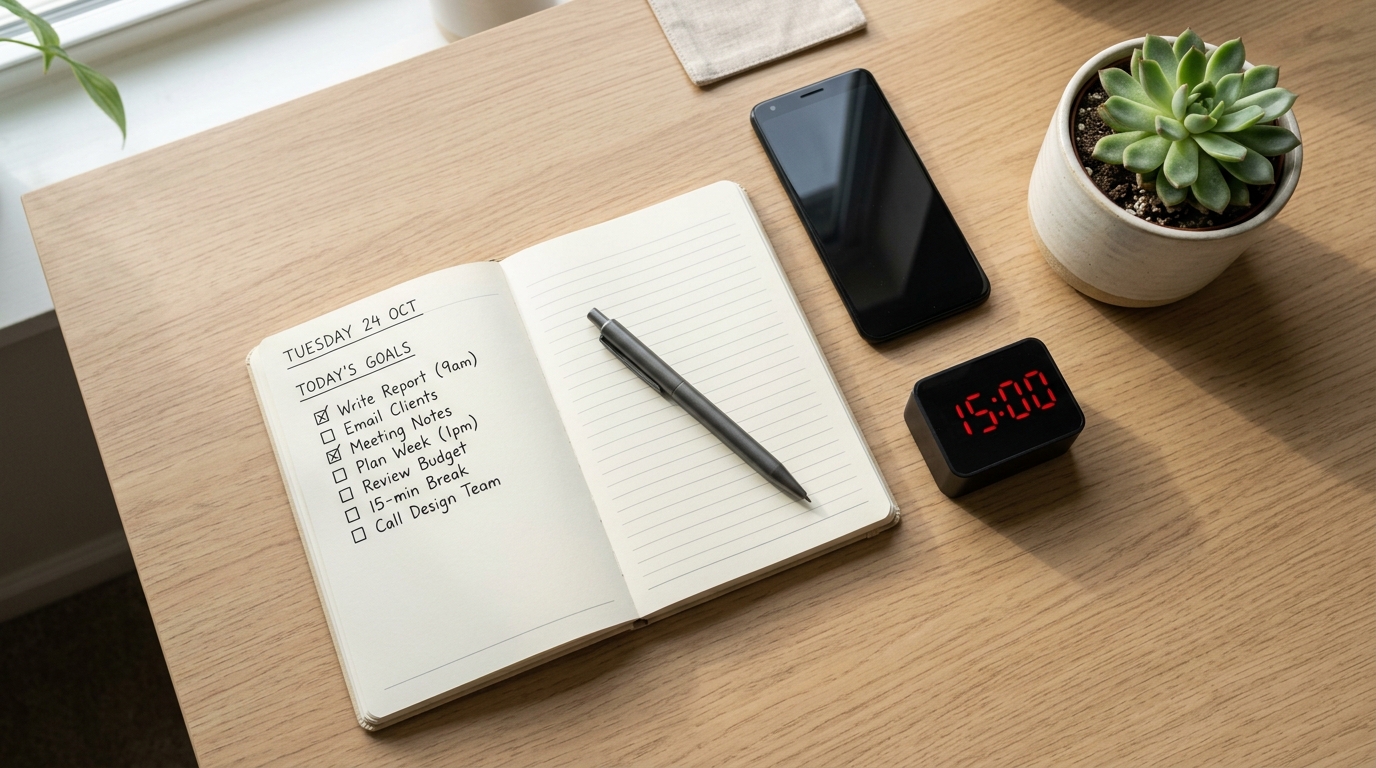
Why 15-Minute Routines Feel Small but Add Up
If you’re juggling work, study, and your own projects, a 60-minute “deep work” block can feel impossible on many days.
But a 15-minute routine—one focused block for writing, studying, or planning—is usually small enough that your brain says, I can do that.
Writers, developers, and students often find that once they start a 15-minute block, they either finish a meaningful micro-task or naturally continue into a second block.
Productivity writers call this the 15-minute rule: you commit to a short, concrete block of time instead of an intimidating end goal, which lowers the friction to start and builds consistency.
This article is for learners and knowledge workers in their 20s–40s who want to know what actually changes if they keep these 15-minute routines going for 4 weeks and then 12 weeks.
I started tracking my own 15-minute blocks in a simple Notion database, and after 4 weeks the routine felt less like a struggle—by 12 weeks, it felt strange not to do it.
Why 4 Weeks and 12 Weeks Matter
Habit research suggests that new behaviors don’t become automatic in 21 days for everyone.
One well-known study that followed adults building everyday habits found that it took an average of about 66 days to reach a stable “automatic” level, with huge variation between people.
That’s why it helps to think in phases instead of all-or-nothing:
- Around 4 weeks: your routine usually shifts from effortful to familiar.
- Around 12 weeks: the routine has had enough repetitions to feel close to automatic.
Systems like the “12-Week Year” also treat every 12 weeks as a mini-year, arguing that shorter cycles create urgency and make weekly tracking simpler than annual plans.
For your 15-minute study or work routine, using 4-week and 12-week checkpoints gives you clear points to review progress and adjust without waiting a whole year.
If you’re also building a broader weekly or monthly study plan with short blocks, you may find our guide on How to Build Weekly and Monthly Study Plans with 15-Minute Blocks helpful to pair with this article.
Step 1: Define One 15-Minute Routine to Track

Before you think about 4 or 12 weeks, choose one specific 15-minute routine you want to measure.
Trying to track five new routines at once usually scatters your attention.
Pick one core routine, such as:
- 15 minutes of focused reading or problem-solving after work.
- 15 minutes of thesis or report writing every morning.
- 15 minutes of language study on your commute.
- 15 minutes of planning your next day in a digital planner at night.
Write it as a simple rule:
- When? (time of day or trigger, like “after dinner” or “after I open my laptop”)
- What? (one main type of work, e.g., “study problems” or “write 200 words”)
You can log this in any tool—a paper notebook, a notes app, or a Notion database.
If you’d like a simple structure for logging your blocks, see our post 15-Minute Study Tools Routine: How to Actually Use Your New Timer and Planner Every Day.
Step 2: Set Up a Simple Digital Log (Takes 5–10 Minutes)
You don’t need a complex system to track your routine; what matters is consistency, not design.
Pick one place where you’ll log every 15-minute block.
Option A: Notion or note-taking app
Create a minimal table or list with three columns:
- Date
- Did I complete today’s 15-minute block? (Yes/No)
- Quick notes (what you worked on, how focused you felt)
This could be a Notion database, a dedicated page in your note app, or even a simple Google Sheet.
For more visual planning of your study day in blocks, you might like 15-Minute Time Blocking: How to Turn a Scattered Day into Focused Study Blocks.
Option B: Timer or habit app + weekly summary
If you prefer apps:
- Use a focus timer or habit tracker to mark each 15-minute block.
- Once a week, quickly total how many blocks you completed and jot down a sentence about how it felt.
The key is to avoid overbuilding the system; your tracking should take under 2 minutes a day.
If you feel yourself spending more time tweaking your system than actually doing the 15-minute routine, scale the setup back.
Step 3: What to Look For at 4 Weeks (The “Starting to Stick” Phase)
Around week 4, your routine is no longer brand new, but it may not feel automatic yet.
This is the perfect time to check whether it’s starting to stick.
Use these three metrics:
1. Completion rate
Look at the past 4 weeks:
- How many days did you complete your 15-minute routine each week?
- Has your completion rate improved compared to week 1?
For example:
- Week 1: 2 out of 7 days
- Week 4: 4 out of 7 days
Even if the blocks are still short, that jump in completion rate is a real win.
Habit research emphasizes that habits grow through repetition, not intensity, so frequent small wins matter more than a few heroic long sessions.
2. Start resistance
Think about how it feels right before you begin:
- Do you still feel heavy resistance (“I really don’t want to do this”), or is it more neutral?
- How long do you procrastinate before starting compared to the first week?
If your internal dialogue has shifted from “I can’t face this” to “It’s only 15 minutes, I’ll just start,” that’s a strong sign the routine is moving from effortful to familiar.
3. Focus quality inside the 15 minutes
Review your notes for the last 2 weeks:
- Are you checking your phone less during the block?
- Can you stay with one task instead of bouncing between tabs?
You don’t need perfect focus to pass this checkpoint.
If 2 out of these 3 dimensions (completion rate, start resistance, focus quality) show clear improvement at 4 weeks, your 15-minute routine is on track.
If phone checking is still a big problem, you might pair this with our guide 15-Minute Focus Timer Routine: How to Stop Checking Your Phone While You Study.
Step 4: What to Look For at 12 Weeks (The “Automatic and Effective” Phase)
By week 12, you’ve had roughly three months of practice with your 15-minute routine.
This is where deeper changes show up—not just in how it feels, but in what you’ve actually produced.
Use these four checkpoints:
1. Automation level
Ask yourself:
- Do I still need to remind myself to do this, or does it feel strange not to?
- On days I skip, do I notice something feels “off”?
In habit studies, the point where a behavior feels automatic is when you start doing it with minimal conscious decision-making.
If your 15-minute block now feels like brushing your teeth—small, predictable, and part of the day—that’s a major milestone.
2. Total accumulated time
Add up your total focused time for the past 12 weeks.
For example, if you did:
- 15 minutes × 5 days a week × 12 weeks
- That’s 900 minutes, or 15 hours of focused work.
Those 15 hours might be:
- 15 hours of exam practice questions.
- 15 hours of thesis or report drafting.
- 15 hours of building a portfolio or learning a new skill.
A lot of people underestimate how much 15 minutes a day can add up over 12 weeks.
Seeing the actual total in hours can be very motivating when your daily blocks feel small.
3. Changes in performance and energy
Look at “before vs after” over 12 weeks:
- Is your reading speed or problem-solving speed better?
- Do you find it easier to get into focus once you start?
- Does studying or working feel a bit less exhausting than it used to?
Research on short, daily reflection routines shows that even 15 minutes a day of deliberate practice or review can improve performance and effectiveness over time.
Your 15-minute block is a small but consistent injection of intentional practice into your day.
4. Expansion potential
Finally, ask:
- Does 15 minutes now feel manageable, even on bad days?
- On good days, do you naturally extend to 25–30 minutes?
If 15 minutes feels stable and you’re sometimes choosing to extend, it might be time to add a second 15-minute block on certain days.
If it still feels fragile, keep the block at 15 minutes but protect it as your “minimum viable habit.”

Step 5: How to Track Your Progress Without Overcomplicating It
Simple tracking beats perfect tracking.
Here’s a minimal way to review your 4-week and 12-week progress using any digital tool.
Weekly review (2–5 minutes)
Once a week, check:
- How many days did you complete your 15-minute routine?
- How often did you get distracted?
- One sentence: what helped or hurt this week?
You can jot this in:
- A Notion page called “15-Minute Routine Weekly Review.”
- A recurring note in your note app.
- A small section in your planner.
If you already use a weekly review for your study or work, you can integrate this into that process—see 15-Minute Monday Study Review: How to Check Your Monthly and Weekly Plan Without Feeling Overwhelmed for ideas.
4-week and 12-week snapshots
At week 4 and week 12:
- Calculate your average completion rate per week.
- Estimate your total focused time (in hours).
- Write 3–5 bullet points about what has changed in your behavior and results.
The goal is not to judge yourself but to notice trends:
- Are you moving from “all or nothing” to “small but consistent”?
- Are you less dependent on motivation and more on structure?
These snapshots give you data to tweak your routine instead of guessing.
Everyday Tips to Make Your 15-Minute Routine Stick
Small design choices often decide whether your routine survives busy days.
Use these practical tips to make your 15-minute block easier to keep.
- Fix a time slot: morning commute, after work, or before bed works better than “sometime today.”
- Prep the “entry point”: a specific document, problem set, or app that you open immediately when the timer starts.
- Set a minimum: on the worst days, allow yourself just 5 minutes. If you do more, great; if not, you still kept the habit alive.
- Pair it with an existing habit: right after making coffee, after closing work apps, or after brushing your teeth at night.
Short routines are powerful because they reduce decision fatigue and give you one small, non-negotiable anchor in your day.
Over weeks and months, that anchor can change how you see yourself—from someone who “tries to study” to someone who shows up consistently.
Related Routines You Might Like
- 15-Minute Study Routine: How to Make Short, Focused Blocks Actually Work – A detailed guide on designing one 15-minute study block so it feels doable and productive.
- 15-Minute Time Blocking: How to Turn a Scattered Day into Focused Study Blocks – How to organize your whole day using short focus sessions without burning out.
- How to Build Weekly and Monthly Study Plans with 15-Minute Blocks – Step-by-step planning system for turning your 15-minute routine into a bigger study structure.
Frequently Asked Questions
Q1. What if I only have 5 minutes, not 15?
A: That’s okay—start with 5.
If 15 minutes feels too long on certain days, treat 5 minutes as your “emergency minimum” block and still log it as a success.
The goal is to protect the identity of “I show up, even briefly,” not to hit the perfect duration every time.
Many people find that once they start a 5-minute block, they naturally extend it when they have the energy.
Q2. Can I use this system for work tasks, not just studying?
A: Absolutely.
You can use the same 4-week and 12-week check-ins for writing reports, coding, learning new tools, or building a portfolio.
Define one 15-minute “work upgrade” routine—like learning a new feature in your main software or doing deep work on a long-term project—and track it the same way.
Knowledge workers often underestimate how far 15 focused minutes a day can move a long project over 12 weeks.
Q3. Which tools do I really need to start?
A: You only need three things: a timer, a place to work, and a simple way to log your blocks.
That could be your phone’s timer, your usual study spot, and a single note where you mark Y/N each day.
Digital tools like Notion, task managers, or habit apps can make tracking smoother, but they’re optional upgrades, not prerequisites.
If you find yourself spending more time configuring tools than doing the 15-minute routine, simplify your setup.
Q4. How many 15-minute routines can I run at the same time?
A: If you’re just starting, focus on one core routine for at least 4 weeks.
Once your completion rate and resistance look good, you can experiment with adding a second block on some days or introducing a different 15-minute routine.
Trying to launch several new routines at once often dilutes your focus and makes all of them harder to keep.
It’s better to have one deeply ingrained 15-minute habit than five fragile ones.
Learn More
For more on habits, focus, and short daily routines, see:
- UCL / Cancer Research UK Health Behaviour Research Centre – How long does it take to form a habit?
Short explainer on a study that found it takes an average of about 66 days for a new behavior to become automatic, with wide variation between individuals.
https://www.ucl.ac.uk/news/2009/aug/how-long-does-it-take-form-habit - PMC – Making health habitual: the psychology of habit formation and general practice
Overview of how habits are formed and why simple, repeated behaviors are more sustainable than intense but rare efforts.
https://pmc.ncbi.nlm.nih.gov/articles/PMC3505409/ - YourStory – 12-week year planning: The secret to crushing 2025 goals
Introduces the 12-week year concept and explains how shorter planning cycles can increase urgency, focus, and accountability.
https://yourstory.com/2024/12/12-week-year-planning-success-2025 - LinkedIn – The 15-Minute Rule: How to Improve Your Productivity
Practical explanation of why committing to just 15 minutes lowers resistance, builds consistency, and helps create strong habits.
https://www.linkedin.com/pulse/15-minute-rule-how-improve-your-productivity-pedro-d%C3%ADaz-ridao-phd–b0lrf