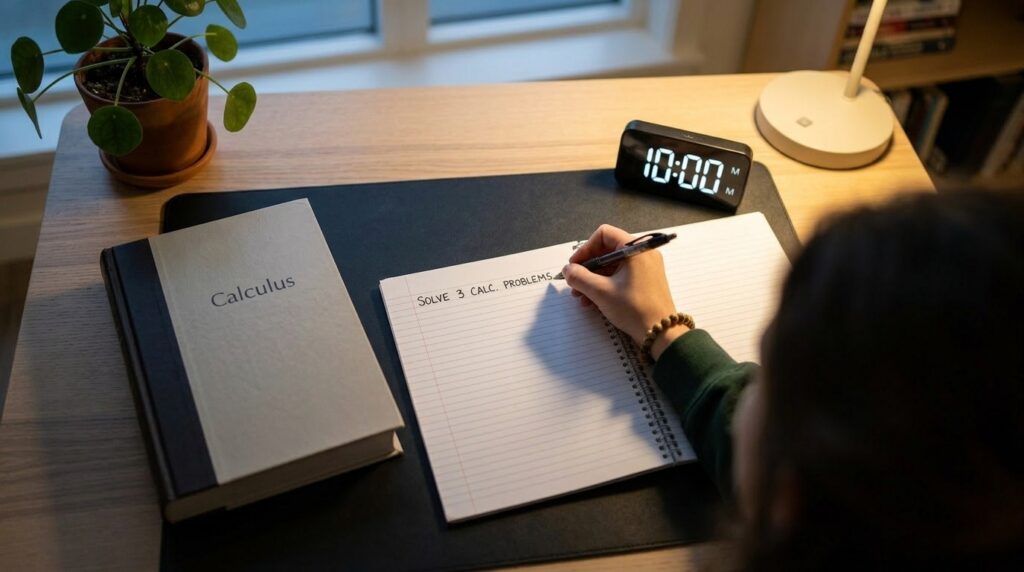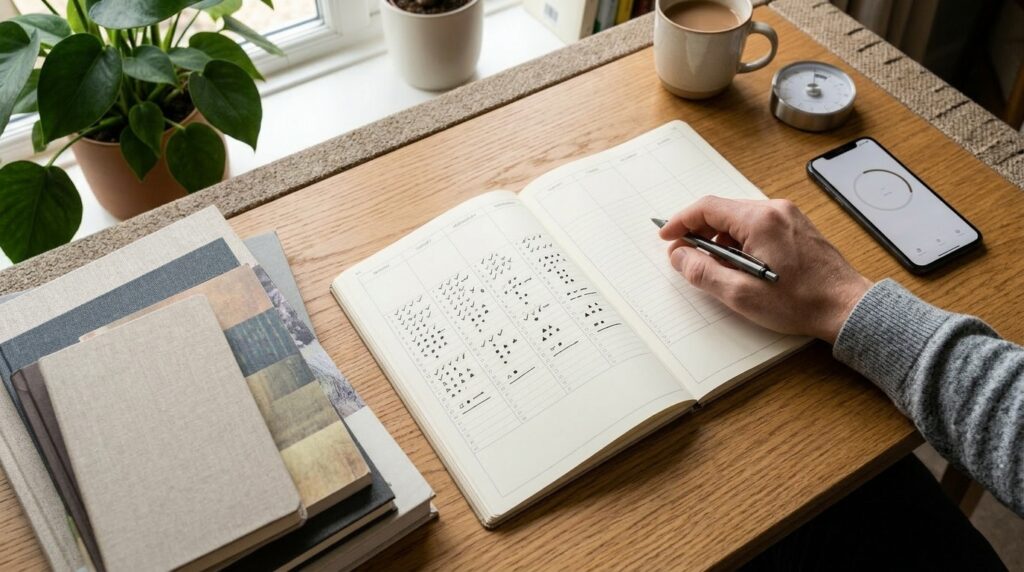
Tag: study habits

  • 15-Minute Study Tools Routine: How to Actually Use Your New Timer and Planner Every Day

    15-Minute Study Tools Routine: How to Actually Use Your New Timer and Planner Every Day

    When Your New Study Tools Just Sit on Your Desk

    You buy a shiny new study timer, a clean planner, maybe even a nice pen set.
    For a few days, you use everything with full motivation… and then the tools slowly slide to the corner of your desk.

    On busy days, it’s so much easier to just grab your phone, watch a few videos, and tell yourself you’ll “start properly tomorrow.”
    The tools are there, but they’re not really part of how you study or work yet.

    Research on self-regulated learning and habit formation suggests that studying at a consistent time with a repeatable structure matters more than adding extra hours or buying more tools.
    Productivity research also keeps repeating the same message: build a simple routine first, then choose tools that support that routine—not the other way around.

    This article will show you how to put your timer, planner, and apps inside a simple 15-minute study routine, so your tools stop being decorations and start being part of your daily system.
    I started using this 15-minute “tools routine” on days when my brain felt scattered, and it was just enough structure to finally make use of my planner and timer without feeling overwhelmed.

    Overview: A 15-Minute Routine That Uses Your Tools on Purpose

    This routine is not about using every feature of your apps or filling every box in your planner.
    It’s about giving your tools one clear job inside a 15-minute block.

    Total: 15 minutes

    • 3 minutes – Setup: Clear a small space, open your planner or app, set your timer
    • 10 minutes – Focus: Work on one study or work task only
    • 2 minutes – Review: Write down what you did and one line for “next time”

    You can do this with:

    • A paper planner or study notebook
    • Digital tools like Notion, Todoist, TickTick, Apple Notes, or Google Tasks
    • A physical study timer or just your phone timer

    If you want help designing your 15-minute blocks overall, you might also like
    15-Minute Study Routine: How to Make Short, Focused Blocks Actually Work.

    Step 1 – Setup (3 Minutes): Space, Planner, Timer

    The goal of this step is not a perfect desk or aesthetic Notion dashboard.
    It’s simply to make one small, clear space for today’s 15 minutes.
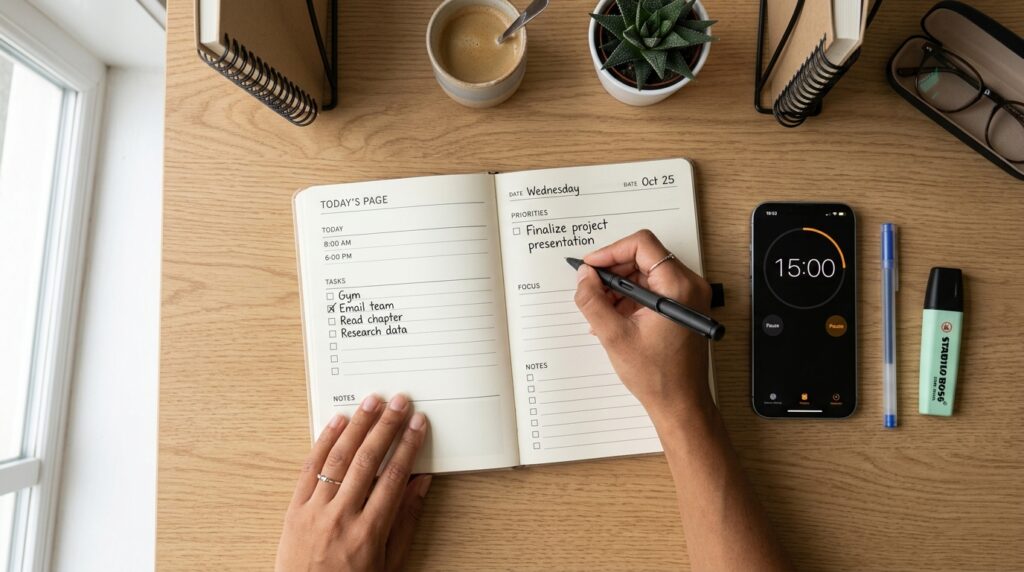
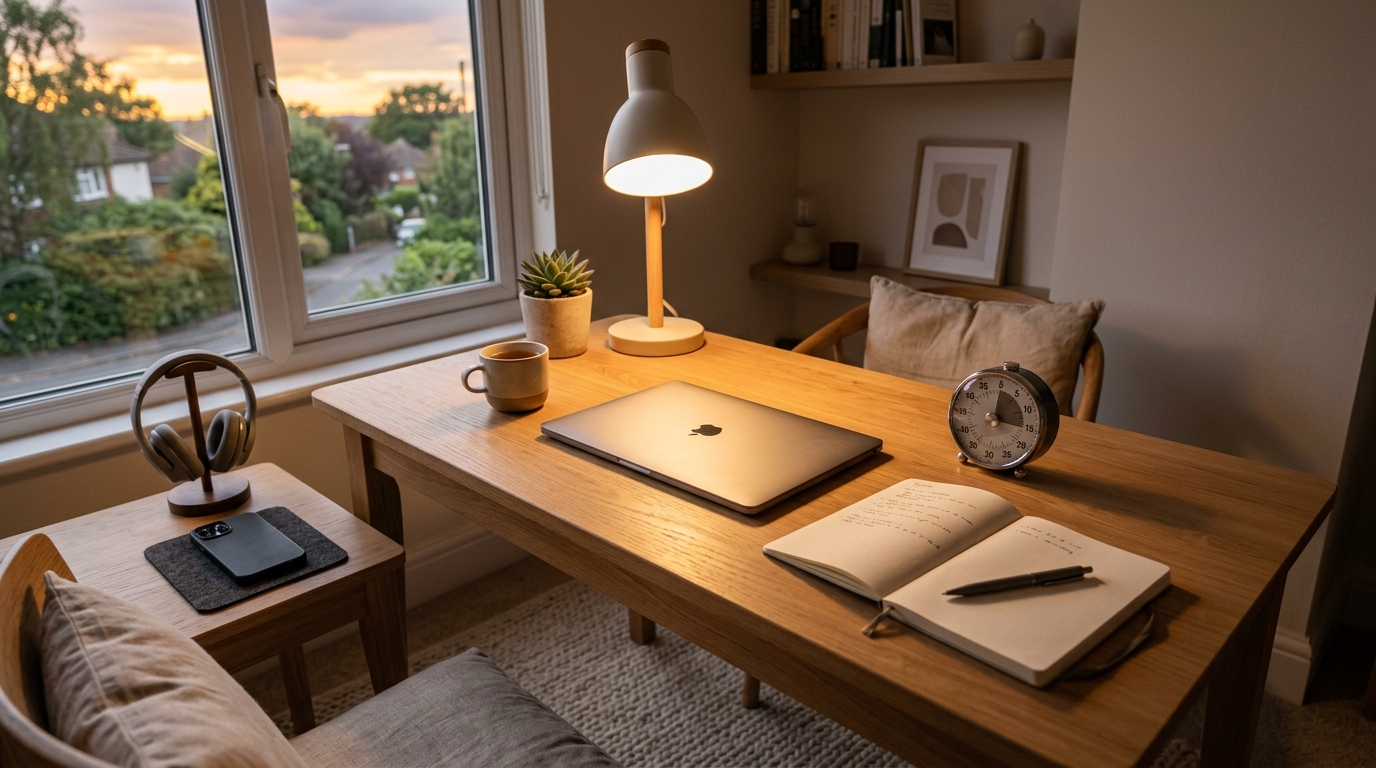
    Top view of a planner and phone study timer while writing one focus task for a 15-minute study block

    1.1 Clear a 30 cm Study Zone

    Look at your desk for a moment.

    • Move unrelated things—delivery boxes, receipts, snack wrappers—to one side or into a drawer.
    • You don’t need a full clean-up. Just clear about 30 cm of space for your planner or laptop.

    This tiny reset tells your brain, “This spot is for focused work, not just random scrolling.”

    1.2 Open Your Planner or Study App

    Now choose where today’s plan will live:

    • Paper – Open your planner to today’s date, or grab an A4 sheet.
      • At the top, write “Today’s Study” or “Today’s Focus”.
    • Digital – Open one simple “Today” page:
      • In Notion, a basic “Today” page or filtered view.
      • In Todoist/TickTick, the Today view.
      • In a notes app, a note titled “Today – Study Focus”.

    If you’re using a brand-new study planner, resist the urge to decorate it first.
    Create just two small sections:

    • “Today’s One Focus Task”
    • “One Line for Tomorrow”

    If you need a more complete system later, you can always connect this routine to the structure in
    15-Minute Planner Reset: How to Set Today’s Study Priorities Without Feeling Overwhelmed.

    1.3 Set a 15-Minute Timer

    Choose one timer for this block:

    • Phone timer
    • Study timer app
    • Physical study timer
    • Smartwatch

    Set it to 15 minutes and, if possible, reduce distractions:

    • Put your phone screen face down.
    • Turn on Do Not Disturb for the next 15 minutes.

    Let your timer have one job only:
    keep time so your brain does not have to think about when to stop.

    Step 2 – Focus Work (10 Minutes): One Task, One Job Per Tool

    Now we use your tools inside a 10-minute focus block.

    2.1 Choose One Task and Write It Down

    In your planner or app, write one single line:

    Examples:

    • Review 2 units from my vocabulary book
    • Solve 10 practice questions for the exam
    • Read 3 pages and underline key ideas
    • Draft one paragraph of my report

    The key is to pick one, not list everything you should do.

    When you press start on your 15-minute timer, your tools now have clear roles:

    • Timer: runs the 15 minutes
    • Planner: holds today’s one-line task
    • Notes app or notebook: captures what you learn or think

    Keeping each tool to a single job reduces decision fatigue and mental clutter.

    2.2 Start the Timer and Reduce Distractions

    Press start on your 15-minute timer.

    Then quickly:

    • Move your phone out of reach or keep only the timer visible.
    • Close browser tabs that are not needed for this one task.
    • If you use your computer to study, keep only the relevant window open.

    During these 10 minutes, pay attention to one thing only:

    • Studying the words
    • Solving the problems
    • Reading the article
    • Writing the paragraph

    Attention research often finds that our ability to sustain high-quality focus tends to drop after about 15–25 minutes without a break.
    That’s one reason a 10-minute focus inside a 15-minute routine feels easier to start and easier to finish than a long, vague “study session.”

    If you want help with the focus part itself (not just tools), you can pair this with
    Can’t Focus? Try This 15-Minute Study Reset Routine.

    Step 3 – Review (2 Minutes): Today’s Line and Tomorrow’s Line

    When the timer rings, don’t rush to another tab or app yet.
    Give yourself 2 minutes to close the loop.

    3.1 Write One Line About What You Did

    In your planner or app, write a very short summary of what you completed:

    Examples:

    • “Reviewed vocab units 1–2”
    • “Solved 10 questions, 3 marked for review”
    • “Watched 1 lecture, underlined key points”

    Add a simple checkmark next to it:

    • [✓] Reviewed units 1–2

    This is where your new study planner or digital tracker starts to feel satisfying instead of empty.

    Person at a desk checking off a completed task in a planner next to a finished study timer

    3.2 Write One Line for “Next Time”

    Now add one line for your future self:

    • “Next: review unit 3”
    • “Next: solve questions 11–20”
    • “Next: write the next paragraph”

    That one line makes it much easier to start your next 15-minute block because you’re not starting from zero.
    Daily routines that include tiny planning steps like this tend to support self-directed learning and better long-term performance.

    Your tools (planner, app, timer) are now doing what they’re meant to do:

    • Helping you decide
    • Helping you act
    • Helping you remember

    Tools That Make This Easier (Optional, Not Required)

    You can run this routine with nothing but a notebook and your phone timer.
    But if you want to make it more convenient, here’s how to choose simple tools without overcomplicating things.

    4.1 Planner or Digital Page: One Box per Day

    Choose a planner or layout that gives you:

    • Space for today’s one-line focus
    • Space for one line for tomorrow
    • A simple checkbox or tiny area to mark completion

    Paper options:

    • A daily study planner with a clean layout and minimal decoration
    • A simple notebook where each page is one day

    Digital options:

    • A Notion database with properties like “Date”, “Today’s Focus”, “Next Step”, “Done”.
    • A Todoist/TickTick “Today” view where you pin one “Focus task” at the top.

    For a more structured digital system, you can connect this to the workflows in
    15-Minute Reading and Notion Routine: How to Turn Scattered Book Notes into a Simple Reading System.

    4.2 Timer: Fast, Visible, and Simple

    When choosing a timer (app or physical):

    • Make sure you can set 15 minutes quickly—ideally with one or two taps/turns.
    • Look for a clear visual countdown (for example, a colored ring or bar).
    • Avoid timers that bombard you with extra stats every session; those details can be useful later, but they’re not necessary to start.

    Examples of setups:

    • Phone: A simple focus timer app with preset 15- and 25-minute options.
    • Physical timer: A dial timer you twist to 15 minutes.
    • Smartwatch: A “15-minute focus” shortcut you can trigger in one tap.

    The main question to ask is:
    “Can I start a 15-minute block in less than 5 seconds, even when I’m tired?”

    If the answer is no, simplify your timer setup.

    Everyday Tips: Where This 15-Minute Tools Routine Fits

    This routine works best when it’s tied to a specific time or trigger, not just “whenever I feel like it.”

    1. Attach It to One Time Slot

    Pick one time that fits your current life:

    • After you get home from work
    • Right after dinner
    • First 15 minutes of your lunch break
    • Right after your morning coffee

    For example:

    • “Weeknights at 9 pm = 15-minute planner + timer block.”
    • “Weekdays at 7:15 am = vocabulary 15-minute block.”

    Habit research suggests that attaching a small, repeatable routine to the same time or cue each day makes it easier to maintain over the long term.

    2. Use a “Minimum Version” on Hard Days

    On days when you feel exhausted or unmotivated, change the rule:

    • “Today, I only have to do one 15-minute set. Anything more is a bonus.”

    Instead of aiming for 2–3 heavy study hours, you protect the habit of showing up.
    This reduces the classic “all-or-nothing” crash that leads to long breaks and guilt.

    If you want help designing your week around these small blocks, you can combine this with
    Weekend 15-Minute Study Routine: How to Plan Your Week with Simple Time-Block Study Sessions.

    3. Let Each Tool Do One Thing Only

    To stop your tools from becoming overwhelming:

    • Let your timer: only track time.
    • Let your planner or app: only hold today’s one-line focus and “next time” line.
    • Let your notes: only capture content and ideas, not tasks.

    When every tool has one clear role, your brain has far fewer micro-decisions to make during your 15-minute block.

    Related Routines You Might Like

      Frequently Asked Questions

      Q1. What if I only have 5 minutes, not 15?

      A: Start with 5 minutes.
      Write one line for today’s focus, start your timer for 5 minutes, and do the smallest possible version of that task.
      The goal is to protect the habit of starting, not to hit 15 minutes perfectly every day.

      Q2. Can I use this routine for work tasks, not just studying?

      A: Definitely.
      You can use the same 3–10–2 structure for tasks like writing reports, answering email in a focused batch, reviewing documents, or planning projects.
      Just choose one clear work task as your focus for the 10 minutes.

      Q3. Which tools do I actually need to start?

      A: To begin, you only need one place to write (paper or digital) and one timer.
      You can add a dedicated study planner, Notion dashboard, or a physical timer later, but don’t wait for the “perfect setup” to start.
      Start with the simplest tools you can use today in less than 5 seconds.

      Q4. How many 15-minute sets should I do in a day?

      A: For most people, 1–4 sets per day is realistic.
      You might do one block on busy days and chain several blocks together on weekends or deep work days.
      Focus on building consistency first; volume can follow later as your routine becomes more natural.

      Learn More

      For more on study habits, focus, and time-blocking:

    1. 15-Minute Offline Study Routine: How to Cut Phone Notifications and Finally Focus

      15-Minute Offline Study Routine: How to Cut Phone Notifications and Finally Focus

      You sit down to study, open your laptop or notebook, and your hand automatically reaches for your phone.
      You just want to check one notification—but five reels, three chats, and 30 minutes later, your focus window is gone.

      If you are a student, knowledge worker, or self-learner in your 20s–40s, this probably happens more often than you’d like to admit.
      You are not lazy; you are trying to focus in an environment designed to pull your attention away every few seconds.

      This 15-minute offline study routine is built for those moments.
      Instead of forcing yourself to “have more willpower,” you change the environment so that, for one short block, your brain does not have to fight your phone.

      Recent studies on smartphone notifications show that even a single pop-up can derail mental focus for several seconds and increase error rates on cognitive tasks.
      Short, distraction-free blocks let your brain sink into the task without constantly climbing back from those micro-distractions.

      I started using this 15-minute offline block on days when my brain felt scattered, and it was just enough structure to finish one small but important task instead of doom-scrolling.

      Why Short Offline Blocks Work

      Many cognitive and learning researchers note that deep focus tends to drop after about 20–30 minutes for most people.
      Long cram sessions sound productive, but they are hard to sustain in a world of notifications, chats, and emails.

      On the other hand, self-regulated learning research consistently finds that students who use simple, repeatable routines—planning, starting at a set time, and reviewing what they did—tend to achieve better results than those who study in random, irregular bursts.

      A 15-minute offline study routine combines both ideas:

      • It is short enough that your brain believes “I can do this.”
      • It is structured enough that, repeated daily, it becomes an automatic cue for focus.

      In this guide, you will build a three-step routine:

      1. Prep (3 minutes): clear your space, set a tiny goal, and set a timer
      2. Focus (10 minutes): offline work on one task only
      3. Review (2 minutes): log what you did and plan the next mini-block

      Step 1 – Prep Your Space and Turn the Internet Down (3 Minutes)

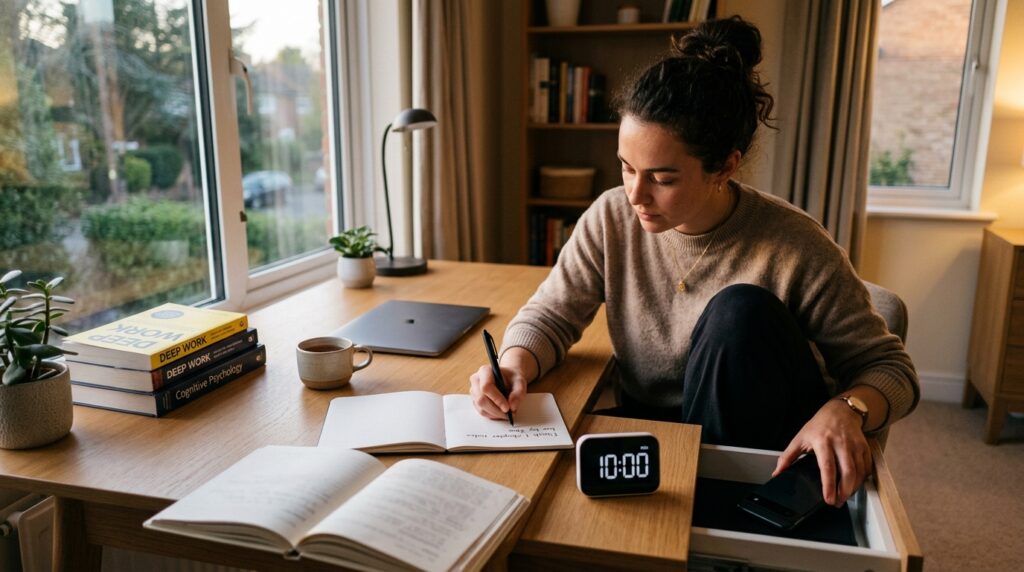
      A knowledge worker writing a one-line goal in a notebook while setting a 10-minute study timer for an offline focus block.

      1. Physically hide your phone

      For this block, the phone is the main enemy.
      Put it in another room, your bag, or a closed drawer—anywhere you cannot reach it without standing up.

      If you absolutely must keep it nearby for emergencies, switch it to silent or focus mode and place it face down, out of your direct line of sight.
      Research suggests notifications, even when you do not respond to them, can still impair attention and slow down task performance.

      2. Simplify your desk

      Look at your desk and remove everything you do not need for this specific 15-minute block.
      For most tasks, that means:

      • One book or printout
      • One notebook or pad
      • One pen or highlighter

      Move everything else to the side, into a box, or onto another surface.
      Your desk should say, “We are doing this one thing now.”

      3. Write a one-line goal

      Open your notebook or planner and write at the top:

      • Today’s 15-min goal: _

      Fill in a goal that feels so small it is almost impossible to fail. For example:

      • Memorize 10 vocabulary words
      • Read 3 pages of a textbook
      • Solve 2 practice questions
      • Draft 1 paragraph of a report by hand

      Specific and small beats vague and ambitious.
      The goal is to start a chain of “I actually finished what I planned,” not to impress anyone.

      4. Set a 10-minute timer

      Use a simple timer app, a physical kitchen timer, or a focus timer on your watch.
      Set it for 10 minutes—not 25, not 50.

      Tell yourself, “I only need to focus until the timer rings.”
      Knowing there is an end point makes it much easier to resist checking your phone or opening a new tab.

      If you’d like a more detailed guide to planning short focus blocks across your whole day, you can also read our article on 15-Minute Time Blocking: How to Turn a Scattered Day into Focused Study Blocks.

      Step 2 – 10 Minutes of Offline Deep Focus

      1. Choose one task and commit

      This block is “offline-only.”
      That means no web searches, no YouTube, no “just checking” your email.

      Decide on one task from your one-line goal and commit to it for the full 10 minutes. Examples:

      • Language study: write and say 10 new words by hand
      • Certification exam: read 3 pages and underline key formulas
      • Work/grad school reading: summarize one concept in your own words
      • Writing: handwrite the messy first draft of one paragraph

      If you realize you picked the wrong task halfway through, resist the urge to switch.
      Just do a “good enough” version for the remaining time—the goal is to practice staying with one thing.

      2. Capture stray thoughts on paper

      Other to-dos will pop into your mind: emails to send, ideas for another project, groceries to buy.
      Instead of fighting them, park them on a small sticky note or in the margin of your notebook.

      Write one or two words—“email prof,” “buy detergent,” “check reference”—and then come back to your main task.
      This keeps your brain from worrying about forgetting while preventing a tab-opening spiral.

      3. Delay all online searches

      If you hit something you do not know, mark it instead of searching immediately.
      Use a simple symbol like “?” or highlight the word.

      Tell yourself, “Search later; stay offline now.”
      After the timer rings, you can decide whether it is worth a quick search or belongs in a longer research block.

      If you tend to over-plan these sessions, our guide on 15-Minute Study Routine: How to Make Short, Focused Blocks Actually Work walks through how to chain several blocks without burning out.

      4. Accept that “perfect focus” is not required

      Your mind will wander; that is normal.
      The point of this routine is not to become a monk, but to reduce the number of external temptations for a short window.

      When you notice your attention drifting, simply bring it back to your page and remind yourself, “Just until the timer stops.”
      One truly offline 10-minute block is already a huge win in a notification-heavy day.

      Step 3 – 2-Minute Review: Log Today and Prime the Next Block

      1. Write down what you actually did

      When the timer rings, stop.
      Do not squeeze in “just one more minute.”

      In your notebook, write:

      • 15-min result: _

      Then summarize what you did in one line, even if it feels small:

      • Memorized 10 words
      • Read pages 21–23
      • Solved 2 practice questions
      • Wrote 1 paragraph draft

      This one line matters because it builds evidence that you can show up and complete what you planned.
      Over time, this is how you shift your identity from “I can’t focus” to “I’m someone who follows through.”

      2. Prime your next 15-minute block

      Right underneath, write:

      • Next 15-min: _

      Choose a small, concrete next step that would naturally follow today’s work:

      • Review words 1–10, learn 11–20
      • Read pages 24–26
      • Solve questions 3–4
      • Edit the paragraph you drafted

      When you sit down next time, you no longer have to decide where to start—your past self already made that decision.
      Decision fatigue is gone, and the block starts faster.

      If you want to build an entire evening routine around these blocks, see our article on 15-Minute Evening Study Routine for Busy Office Workers.

      Tools That Make This Offline Routine Easier

      You do not need fancy apps to start, but a few simple tools can make this routine more sustainable.
      The key is to use tools to reduce friction, not to create more complexity.

      Minimal Timer Setup

      • Use the built-in clock app on your phone (set to airplane mode or Do Not Disturb).
      • Or use a small physical timer so your phone can stay in another room.

      Avoid downloading five new focus apps “just in case.”
      Pick one method and stick with it for a week before changing anything.

      Notion: A Simple 15-Minute Focus Log

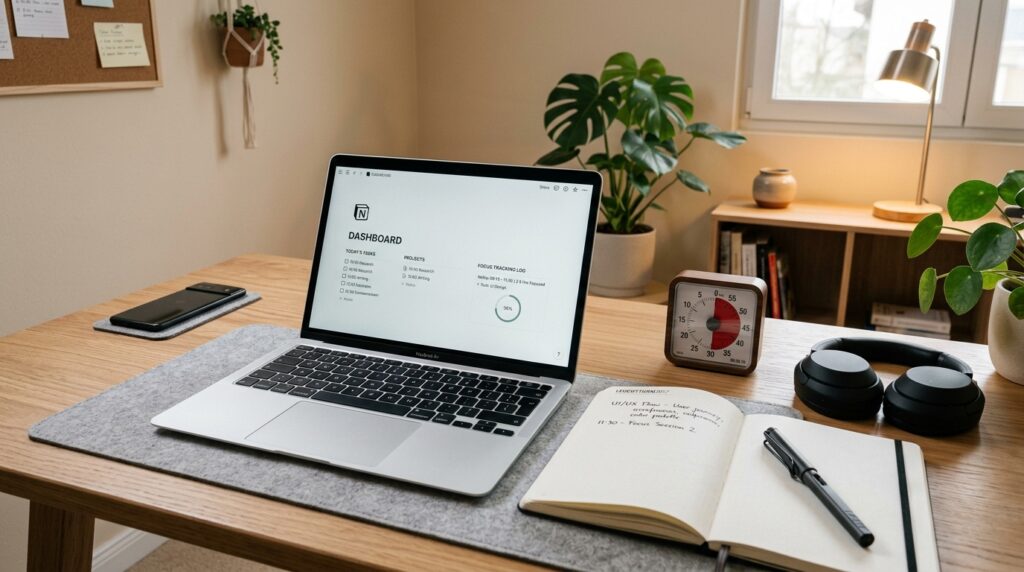
      A digital study room with a Notion dashboard, notebook, and desk setup arranged for deep work during a 15-minute focus routine.

      If you already use Notion, create a tiny database called “15-Min Focus Log.”
      Each entry can include:

      • Date
      • Start time
      • Task title (what you planned)
      • Result (one-line summary)
      • Next step

      You do not need complicated formulas.
      The goal is simply to see how often you are showing up.

      If you’d like a more detailed walkthrough, our post 15-Minute Reading and Notion Routine: How to Turn Scattered Book Notes into a Simple Reading System shows how to build a light-weight reading tracker and can be adapted for focus blocks too.

      Notes App or Paper Planner

      Prefer paper? Use a small notebook reserved only for 15-minute blocks.
      Digital-first? Use a simple notes app (Apple Notes, Google Keep, Obsidian) with one running note per day.

      Minimum viable structure:

      • Heading with today’s date
      • Bullet list of each 15-minute block (goal, result, next)

      Do not spend all your time designing the “perfect template.”
      The habit of logging is more important than the format.

      Everyday Tips for Making This Routine Stick

      Anchor it to a specific time

      Pick one daily slot where this 15-minute offline block always lives:

      • Right after you get home from work
      • Before you open email in the morning
      • During your lunch break
      • 30 minutes before bed

      Consistent timing helps your brain learn, “When this happens, I focus now,” which is a key part of self-regulated learning.

      Set a “minimum routine” for hard days

      On good days, you might do two or three 15-minute blocks.
      On heavy days, your minimum might be just one.

      Decide in advance: “Even on the worst days, I will do one 15-minute offline block.”
      A tiny minimum keeps the habit alive and prevents all-or-nothing thinking.

      Treat notifications as the default enemy of focus

      You do not have to delete every app, but during your block, treat notifications as if they are actively stealing from the task you care about.
      Studies have found that even brief smartphone notifications can disrupt cognitive control and slow down performance on attention tasks.

      When you see the block as a “notification-free zone” rather than a punishment, it becomes an act of respect for your future self, not a tech detox challenge.

      Frequently Asked Questions

      Q1. What if I only have 5 minutes, not 15?

      A: Start with 5. Seriously.
      If 15 minutes feels impossible, set a timer for 5 minutes and do the smallest possible version of your task—read one paragraph, solve one problem, or write two sentences.
      Once 5 minutes feels easy, you can slowly extend to 10 or 15.

      Q2 Can I use this routine for work tasks, not just studying?

      A: Absolutely.
      This 15-minute offline block works for any deep-focus task: writing reports, reviewing documents, planning your week, or brainstorming ideas.
      The only rule is to pick one task and keep it offline for the whole block.

      Q3 Which tools do I need to start?

      A: You only need three things: a timer, something to write on, and something to work on.
      A notebook + a basic phone timer (in airplane mode) is enough.
      Apps like Notion, Todoist, or Obsidian are optional upgrades for tracking your blocks and linking them to bigger projects.

      Q4 How many 15-minute blocks should I do per day?

      A: For most people, 1–3 blocks per day is a good range.
      You might start with one block after work and later add a morning or weekend slot.
      Focus on building a consistent pattern before you worry about maximizing total hours.

      Learn More

      For more on focus, study habits, and digital distraction, see:

    2. 15-Minute Emergency Study Routine: A Simple Focus Plan for Exam Days When Your Mind Spirals

      15-Minute Emergency Study Routine: A Simple Focus Plan for Exam Days When Your Mind Spirals

      When You Need an Emergency Study Plan

      As exams get closer, your focus often starts to feel like a roller coaster. You sit at your desk, turn the pages of your book, but your mind is full of thoughts like “What if I fail?” and “I am already behind.”

      On those days, it is easy to declare the whole day a “failure” and give up. Instead, having a small, 15-minute emergency study routine you can pull out—no matter how messy your day has been—gives you a way to do something small but complete. I started using a simple 15-minute emergency block on days when my brain felt scrambled, and it was just enough structure to keep me from throwing the entire day away.


      Why a 15-Minute Emergency Study Routine Works

      Many attention and learning guides suggest that most people can hold deep focus for about 10–20 minutes at a time before their concentration naturally drops, especially when they are stressed or anxious. Short, focused blocks fit better with how our brains actually work than trying to force two or three hours of nonstop effort.

      Study habit and self-directed learning resources also emphasize that short, consistent sessions—especially at similar times each day—are often more effective than irregular long sessions for building stable habits and better performance. Small “wins,” like completing a single 10-minute block, help protect your sense of self-efficacy so you do not completely give up on hard days.

      This 15-minute emergency routine is designed to be that small win: a quick reset when your mind spirals, so you can say, “Today was tough, but I still showed up once.”


      Overview of the 15-Minute Emergency Study Routine

      This routine has three simple parts:

      • 3 minutes – Prepare your environment and your mind
      • 10 minutes – Deep focus on one specific task
      • 2 minutes – Quick wrap-up and next-step note

      It is not meant to replace your full study schedule. Instead, it is your minimum routine for days when you feel like everything is falling apart. The goal is to avoid “all or nothing” thinking by keeping one small block you can still complete.


      Step 1 – 3-Minute Prep: Switch into Study Mode

      The goal of this step is not to create a perfect setup, but to tell your brain, “For the next 15 minutes, we are in study mode.”

      1. Clear Your Desk for One Subject (About 1 Minute)

      • Remove extra books, notebooks, and devices from your immediate workspace.
      • Leave only what you need for the next 10 minutes: one textbook or problem set, one notebook, one pen.

      The simpler your visual field, the clearer it is for your brain what to focus on.


      2. Write One-Line Goal for This 15 Minutes (About 1 Minute)

      On a sticky note, in your notebook, or in a note app, write one short, specific goal for this emergency block, such as:

      • “Today’s 15-minute goal: memorize 20 English vocabulary words.”
      • “Today’s 15-minute goal: solve 3 past exam math questions.”
      • “Today’s 15-minute goal: read 1 reading passage and answer the questions.”

      Avoid vague phrases like “study English” or “do math.” Instead, define a small, countable task that can realistically be completed in 10 minutes.

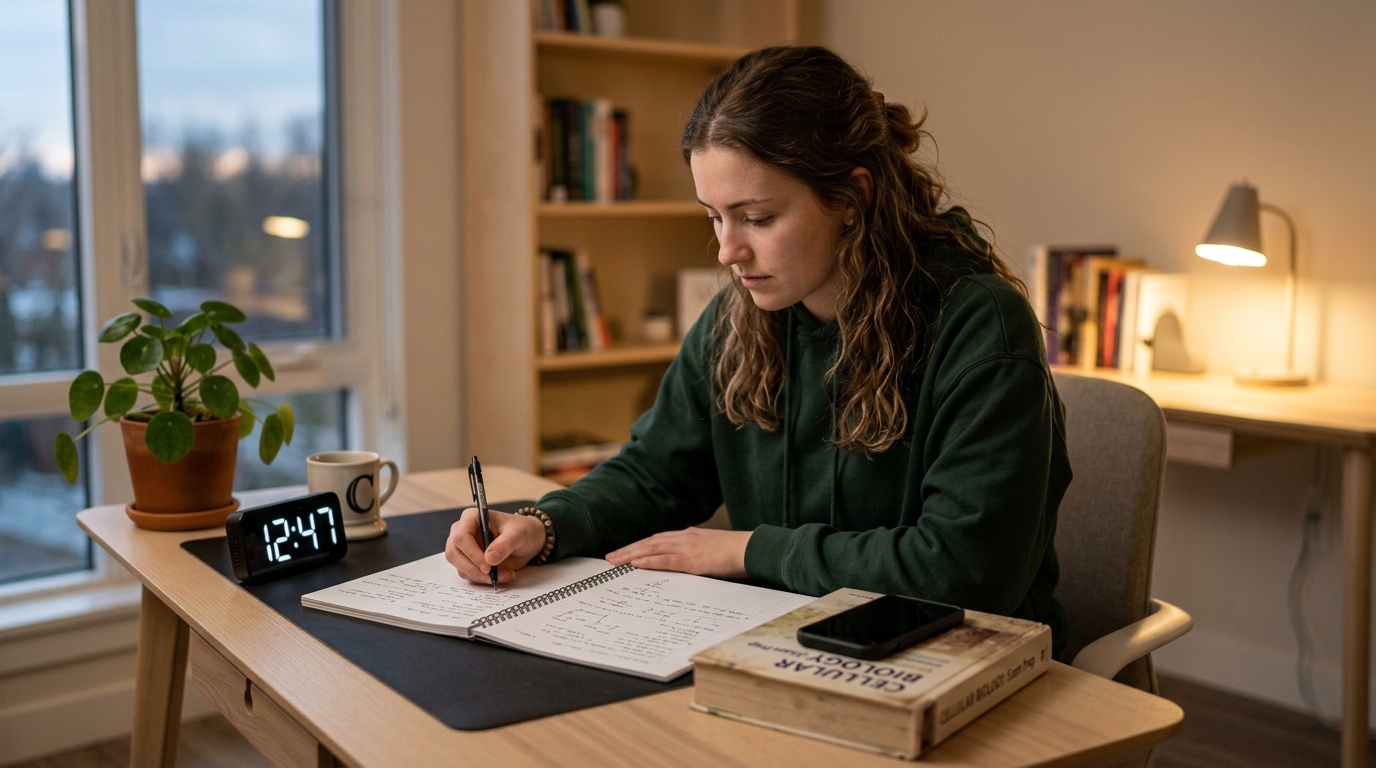
      A tidy study desk setup with one textbook, an open notebook, a pen, and a small study timer ready for a 15-minute focus routine.

      3. Set a 10-Minute Timer (About 1 Minute)

      Use any simple timer: your phone’s built-in timer, a timer app, a visual timer, or a physical stopwatch.

      • Set it to 10 minutes.
      • Make a light promise to yourself: “For these 10 minutes, I will not do anything else.”

      You can use the same timer setup you use in your 15-Minute Focus Timer Routine: How to Stop Checking Your Phone While You Study, so the emergency block feels familiar instead of new.


      Step 2 – 10-Minute Deep Focus: Do One Thing Only

      In this step, you commit to a single task and follow it through for the full 10 minutes. When your mental state is shaky, trying to juggle multiple tasks (“I have to catch up on everything”) only makes things worse.

      1. Choose One Task and Stay with It

      Pick one of the following types of tasks:

      • Memorize today’s vocabulary list or a small set of key terms.
      • Solve three past exam questions and check only the answers (not full explanations).
      • Read one passage (for language arts or reading) and complete the associated questions.

      The point is not to master everything in 10 minutes, but to fully complete the small chunk you chose. You can switch subjects in your next block, but not during this one.


      2. Minimize Distractions for Just 10 Minutes

      Practical rules for the 10-minute block:

      • Set your phone to silent and place it face down, out of your immediate reach.
      • Turn off messenger and app notifications for the next 10 minutes.
      • If you get stuck on a problem, mark it and move to the next one instead of losing the entire block.

      Ten minutes can feel surprisingly long when you are anxious, but the timer gives you a clear end point. Treat this as a short training session in holding focus under pressure.

      A student leaning over a notebook while a study timer counts down on the desk, with a small planner open to log the 15-minute focus routine.

      3. Let “Good Enough” Be Enough for This Block

      In an emergency routine, the goal is not perfection. It is completion.

      • If you cannot understand every detail of a question, still finish the planned number of items.
      • If you make mistakes, that is fine; the review can happen later.

      Each successful 10-minute block becomes evidence that “Even when my mind is shaking, I can still do one small, focused thing.” That identity shift is more important than squeezing in a few extra minutes today.


      Step 3 – 2-Minute Wrap-Up: Turn “I Tried” into “I Completed”

      Do not grab your phone the second the timer rings. Give yourself 2 more minutes to close the loop. This step turns a random 10-minute effort into a complete unit you can track and repeat.

      1. Write One Line about What You Did (About 1 Minute)

      Right under your one-line goal, add one line for your result:

      • “Today 15-minute result: memorized 20 words, completed up to question 3.”
      • “Today 15-minute result: solved 3 math questions, Q2 still confusing.”

      You can keep a small “Emergency Routine Log” at the front of your notebook or in a simple app, with one line per day. Over time, you will see a visible track record of, “On tough days, I still showed up.”


      2. Write One Line for the Next Step (About 1 Minute)

      Add one more line for what you will do in your next 15-minute block, for example:

      • “Next 15 minutes: review words 21–40.”
      • “Next 15 minutes: solve questions 4–6.”

      This single line reduces the friction of restarting. Next time you sit down, you will not waste energy thinking, “What should I do?”—you will already know where to begin.


      Everyday Tips: How to Use This Routine in Real Life

      1. Treat This as Your “Minimum Routine” for Hard Days

      This emergency study routine is not your full plan. It is your floor, not your ceiling.

      • On normal days, you can study longer and do multiple blocks.
      • On really bad days, this is the one small set you commit to finishing.

      Having a clearly defined minimum routine reduces the number of days where you do nothing at all.


      2. Fix One Time of Day for This Routine

      If possible, anchor this 15-minute emergency plan to a consistent time:

      • Right after waking up.
      • Right before bed.
      • Right after a specific event, like finishing dinner.

      Starting at a similar time each day helps your brain automatically shift into “study mode” at that time. Many study habit guides highlight this kind of fixed start time as a simple way to stabilize your rhythm and reduce procrastination.


      3. Use Simple Tools, Not Complicated Setups

      You can run this entire routine with:

      • One notebook or planner.
      • One pen.
      • One basic timer (phone, app, or physical).

      If you like digital tools, you can keep your one-line goals and results in a note app or a simple Notion page. For a more structured digital setup, our 15-Minute Reading and Notion Routine: How to Turn Scattered Book Notes into a Simple Reading System shows how to build a minimal Notion dashboard that also works for tracking emergency blocks.


      Frequently Asked Questions

      Q1. What if I only have 5 minutes, not 15?

      A: On truly chaotic days, you can compress the routine into about 5 minutes: 1 minute to clear your desk and write a one-line goal, 3 minutes of focused work on a tiny task, and 1 minute to write what you did. The important part is keeping the pattern of “prepare–focus–wrap-up,” even in a shorter form, so your brain learns that you always close the loop, no matter how small the session is.


      Q2. Can I use this emergency routine for work tasks, not just exam study?

      A: Yes. You can apply the same structure to work tasks or side projects. Treat your “subject” as a project area—for example, “report draft,” “slide deck,” or “code review”—and define a tiny, concrete 10-minute task for that area. This routine is especially useful for knowledge workers who feel frozen when deadlines pile up.


      Q3. Which tools do I need to start?

      A: At minimum, you only need a timer and somewhere to write your goals and results: a notebook, planner, or digital note. Optional tools—like a visual timer or a weekly planner—can make the routine smoother, but they are not required. You can gradually add tools as you discover what genuinely helps you, rather than trying to set up a perfect system from day one.


      Q4. How often should I use this 15-minute emergency study routine?

      A: Use it whenever your mental state feels unstable—on days when you feel like quitting or when anxiety makes it hard to start. Some people use it once a week, others a few times per week during exam season. You can also start some days with this emergency block as a “warm-up,” then move into longer sessions using our 15-Minute Study Routine: How to Make Short, Focused Blocks Actually Work.


      Learn More

      For more on focus, short study sessions, and building resilient study routines, these English-language resources are a helpful next step:

      • PMC – Self-Regulated Learning Strategies and Academic Achievement
        Open-access paper discussing how planning, monitoring, and evaluating your own study (self-regulated learning) is linked to higher academic performance.
        https://pmc.ncbi.nlm.nih.gov/articles/PMC10132645/
    3. Weekend 15-Minute Study Routine: How to Plan Your Week with Simple Time-Block Study Sessions

      Weekend 15-Minute Study Routine: How to Plan Your Week with Simple Time-Block Study Sessions

      Why a Weekend 15-Minute Study Routine Matters

      You get to the end of the week and ask yourself, “What did I actually study?” You remember sitting at your desk, but you cannot quite recall which subjects you covered or how far you got, and planning the next week feels vague and heavy.

      Research on study habits and self-regulated learning suggests that consistent, self-planned routines are more strongly linked to better grades and long-term success than occasional marathon study sessions. In other words, how regularly you show up and how clearly you structure your time often matters more than how many hours you log in one sitting.

      This weekend 15-minute study routine helps you review the past week, choose your next three key targets, and block out realistic time slots—so your study plan actually fits your real life instead of staying in your head. I started using a simple weekend review like this when my study week felt chaotic, and even one 15-minute session on Sunday made the next week feel more intentional and less random.


      Who This Weekend Routine Is For

      This routine is designed for:

      • Students and exam candidates who juggle multiple subjects and want a simple way to see the week as a whole.
      • Busy office workers and knowledge workers studying after work or on weekends for certifications or self-development.
      • Learners who use digital tools like Notion, AI assistants, or note apps, but still feel their study week lacks a clear structure.

      If you already use short focus blocks, you might also like our 15-Minute Study Routine: How to Make Short, Focused Blocks Actually Work, which shows how to build individual 15-minute study sessions that pair well with this weekend planner.


      Overview: What the Weekend 15-Minute Routine Looks Like

      This routine takes about 15 minutes and is split into three simple parts:

      • 5 minutes – Review the past week
      • 5 minutes – Choose three key goals for next week
      • 5 minutes – Turn those goals into weekly time blocks

      You do not need a fancy setup to start. A weekly study planner or a simple notebook and pen is enough. Use your phone’s timer to set three 5-minute segments and commit to “just 15 minutes” as your minimum weekend planning session.

      Short, recurring routines like this build the consistency that many studies associate with stronger self-directed learning skills and better academic outcomes.


      Step 1 – Review the Past Week (5 Minutes)

      1. Clear Your Desk and Gather What You Used

      Start by clearing a small space on your desk. Bring together the textbooks, notebooks, and printouts you actually used during the week. You do not need to find every single item; just gather the main materials you remember touching.

      Set a 5-minute timer. This alone gives the review a clear beginning and end and prevents you from getting lost in overthinking.

      A student reviewing the past week at a tidy desk with textbooks, an open weekly planner, and a small study timer as part of a 15-minute focus routine.

      2. Write What You Actually Studied (Keywords Only)

      On a blank page in your planner or notebook, quickly list what you actually did this week, using short, keyword-style notes rather than detailed logs. Examples:

      • “Language arts – 2 reading sets, +1 extra practice.”
      • “English – vocabulary 3 days, -1 day vs plan.”
      • “Math – 10 past exam questions, progress slower than expected.”

      You do not need exact page counts or minutes. The goal is to answer three questions in a glance:

      • Which subjects did I touch?
      • Roughly how much did I do?
      • Where did I fall behind or move ahead?

      Even a few lines like this give you a clearer mental map of how your week actually went, which is crucial for self-correction.


      Step 2 – Choose Three Key Goals for Next Week (5 Minutes)

      1. Limit Yourself to Three Core Study Targets

      Now shift your focus to next week. Set another 5-minute timer and write down exactly three study goals you want to prioritize. Keeping the list short makes it far more likely you will follow through.

      Examples:

      • “Language arts – Complete 3 reading sets.”
      • “English – Review 5 days’ worth of vocabulary.”
      • “Math – Solve 15 past exam questions + review mistakes.”

      Think in terms of specific tasks rather than vague wishes like “study more math.”


      2. Add One Short “Why” to Each Goal

      Under each goal, write a short reason—one line is enough.

      • “Language arts – 3 reading sets (to keep my reading stamina and timing).”
      • “English – 5 days of vocab review (to reinforce high-frequency words).”
      • “Math – 15 past questions + corrections (to get used to test-level difficulty).”

      Research on motivation and self-regulated learning shows that learners who connect their tasks to clear reasons are more likely to follow through, especially when they feel tired or busy.

      By writing a short “why,” you build a small reminder you can read later when your energy is low.


      Step 3 – Build a Weekly Time-Block Plan (5 Minutes)

      1. Set Up a Simple Weekly View

      For the final 5 minutes, decide when these three goals will happen.

      A person filling a weekly planner with 15 to 30 minute study time blocks at a simple desk setup with a study timer nearby.
      • If you use a weekly planner, open the page where you can see Monday to Sunday at once.
      • If you do not have one, draw a simple grid in your notebook with days of the week as columns or rows.

      You can do this on paper, in a digital planner, or in a Notion page—choose the format you are most likely to use. If you want help building a digital weekly view, our 15-Minute Reading and Notion Routine: How to Turn Scattered Book Notes into a Simple Reading System shows how to build a simple Notion dashboard for recurring study tasks.


      2. Break Each Goal into 15–30 Minute Time Blocks

      Take each of your three goals and break it into small, realistic time blocks of about 15–30 minutes. Then assign those blocks to specific days.

      Examples:

      • “Mon/Wed/Fri evening – 1 reading set each (language arts).”
      • “Every weeknight before bed – 15 minutes of vocabulary review.”
      • “Saturday afternoon – 5 past exam questions + corrections.”

      Time blocking (or timeboxing) like this is often recommended in productivity and study guides because it reduces decision fatigue and gives each task a clear place in your week. Instead of wondering “What should I study tonight?”, you simply follow the blocks you set on the weekend.

      If you want a deeper dive into daily time-block planning, see 15-Minute Time Blocking: How to Turn a Scattered Day into Focused Study Blocks, which explains how to apply this idea to a full day.


      3. Keep the Plan Light and Flexible

      Avoid filling every hour of every day. Instead of trying to “maximize” your schedule, think “This time block is for this one thing.”

      • Give yourself buffer space for unexpected tasks and rest.
      • Treat your weekly plan as a draft you can adjust, not a strict contract.

      Short, repeatable weekly planning sessions like this help you adjust your strategy over time without feeling stuck in a rigid schedule.


      Tools That Make This Weekend Routine Easier

      You can do this routine with just a notebook, but certain tools can make it smoother—especially if you already use digital platforms.

      1. Weekly Study Planner or Notion Page

      What it solves

      • Keeps your whole week and all subjects visible at once.
      • Reduces the chance of overloading one day and forgetting others.

      Minimum setup

      • On paper: Use a weekly planner or draw a simple week grid.
      • Digital: Create a “Weekly Study Plan” page in Notion or your favorite note app with columns for each day.

      If you want to see an example of how we combine reading, notes, and weekly planning, check our guide 15-Minute Reading and Notion Routine: How to Turn Scattered Book Notes into a Simple Reading System.


      2. Simple Study Timer (Analog or App)

      What it solves

      • Helps you respect the 5-minute review and 15–30 minute study blocks instead of drifting.
      • Makes short sessions feel more concrete and “official.”

      Minimum setup

      • Use your phone’s built-in timer for 5-minute and 15-minute chunks.
      • Or use a visual or dial-style timer, where the remaining time is easy to see at a glance.

      Our 15-Minute Focus Timer Routine: How to Stop Checking Your Phone While You Study shares practical ways to set up timers and apps so they help you focus instead of distract you.


      3. Simple Grid or Sectioned Notebook

      What it solves

      • Makes it easier to separate subjects and weeks without everything blending together.

      Minimum setup

      • Use a notebook with a light grid or dotted pages, or draw simple boxes.
      • Reserve one spread per week, with one page for “Review & Goals” and the other for “Time Blocks & Notes.”

      You do not need a perfect system on day one. Start with the simplest setup that lets you review, choose three goals, and place them somewhere in your week.


      Why Routine and Repetition Matter More Than Study Time

      Many education and study habit guides emphasize that when and how you study regularly often has more impact than sheer study hours. Regular, self-planned sessions help you:

      • Build a stable habit of showing up, even on busy days.
      • Adjust your strategy each week based on what actually happened.
      • Strengthen your identity as someone who studies consistently, not just occasionally.

      Self-directed learners—those who plan, monitor, and reflect on their own study—tend to adapt better to new challenges and stay more motivated over the long term. This weekend 15-minute routine is a lightweight way to build that self-directed pattern without needing a full afternoon for planning.

      Instead of aiming for the perfect weekly plan, treat this as an experiment you repeat and refine week by week.


      Frequently Asked Questions

      Q1. What if I cannot even spare 15 minutes on the weekend?

      A: Start smaller. If 15 minutes feels unrealistic, try 10 minutes: 3 minutes to review, 3 minutes to choose goals, and 4 minutes to place a few time blocks. The key is to keep the habit of checking in once a week, even if the session is shorter, and gradually expand when your schedule allows.


      Q2. Can I use this routine for work or side projects, not just studying?

      A: Definitely. You can apply the same three-step structure to work tasks, side projects, or creative work. Just treat your “subjects” as project areas—for example, “report writing,” “portfolio update,” or “language practice”—and block them into your weekly plan the same way.


      Q3. What tools do I need to start this weekend routine?

      A: At minimum, you need a timer and a place to write: a notebook, planner, or digital page. Optional extras like a weekly time-block planner or a visual study timer can make the process smoother, but they are not required to begin.


      Q4. How often should I update my weekly time-block plan?

      A: Once per week is enough for most people—ideally on the same day each weekend, such as Saturday evening or Sunday afternoon. If your schedule changes midweek, you can do a quick 5-minute adjustment, but try to keep the main planning session anchored to one consistent time.


      Learn More

      For more on time blocking, study habits, and self-directed learning, these resources are a helpful next step:

    4. 15-Minute Stretch + 15-Minute Study: How to Build a Simple Warm-Up Routine That Boosts Your Focus

      15-Minute Stretch + 15-Minute Study: How to Build a Simple Warm-Up Routine That Boosts Your Focus

      Why a 15-Minute Stretch + 15-Minute Study Routine Works

      You sit down at your desk to study or work, but your body feels stiff, your brain feels foggy, and somehow your hand is already reaching for your phone. You promise yourself that today you will focus, but ten minutes later you are scrolling instead of studying.

      Research on study habits and self-regulated learning suggests that more study time does not automatically mean better results—what matters more is how intentionally you use your time and how consistent your routines are. Short, well-structured blocks are often easier to start and easier to repeat than vague plans like “I’ll study for four hours tonight.” That’s exactly why a simple 15-minute stretch and study routine can be so powerful.

      At the same time, studies on physical activity and cognition show that even a brief bout of movement—around 10–15 minutes—can improve attention, perceived focus, and working memory right after a long sedentary period. That makes a simple 15-minute stretch + 15-minute study routine a practical way to wake up your body and brain before you ask yourself to concentrate.

      I started using this kind of 30-minute warm-up block on days when my mind felt scattered, and it was just enough structure to actually finish one small but meaningful task instead of giving up for the whole evening.


      Who This Routine Is For

      This routine is designed for:

      • Students preparing for exams who feel too tired or stiff to dive straight into focused work.
      • Knowledge workers who juggle meetings, Slack messages, and deep work, and want a predictable way to shift into “focus mode.”
      • Lifelong learners working on side projects, language study, or certifications after a full day at the office.

      If you already use short focus blocks, you might also like our guide on 15-Minute Study Routine: How to Make Short, Focused Blocks Actually Work, which dives deeper into how to plan and chain these sessions together


      Overview: The 30-Minute Warm-Up Block

      In this article, you will build one simple 30-minute block that looks like this:

      • 5 minutes – Preparation (clear your space, set your tools, pick one target)
      • 15 minutes – Light stretching to wake up your body and brain
      • 15 minutes – Focused study or work on exactly one task

      You can start with just one block per day. If you have more energy or time, you can add a 5-minute break and repeat for a second block, but the default goal is “just one 30-minute set.”

      Short, repeatable routines like this make it easier to show up consistently, which is strongly linked to better academic performance and more stable study habits over time.


      Step 1 – 5-Minute Prep: Clear Your Space and Set Your Target

      1. Clear Your Physical and Digital Space

      Spend the first 2–3 minutes resetting your environment so it supports focus instead of fighting it.

      A young adult clearing their desk and moving their phone away to prepare a simple 15-minute focus routine with a study timer.
      • Keep only what you need on your desk: your textbook or document, notebook, pen, and a glass of water.
      • Move everything else—random papers, snacks, other devices—to one side or a drawer.

      On the digital side:

      • Close tabs that are not related to this 15-minute task.
      • Mute notifications on your phone and computer for at least 30 minutes.
      • If possible, put your phone in another room or at least out of sight.

      If you want a more structured digital setup, you can also check out our 15-Minute Reading and Notion Routine: How to Turn Scattered Book Notes into a Simple Reading System, which shows how to centralize your notes in one place.


      2. Write One Specific Target for the 15-Minute Study Block

      Take 1–2 minutes to decide exactly what this 15-minute study block is for. Write it down on paper or in a simple note app.

      Examples:

      • “Math workbook – solve pages 12–13.”
      • “Memorize 20 English vocabulary words.”
      • “Draft the first paragraph of my report.”

      The more concrete and measurable the task, the easier it is to start and to know when you are done.


      3. Set Two Timers in Advance

      Before you start, set:

      • One 15-minute timer for stretching.
      • One 15-minute timer for focused study.

      You can use any timer app or a physical timer. If you already have a “15-minute focus timer routine,” you can reuse the same tool here—see 15-Minute Focus Timer Routine: How to Stop Checking Your Phone While You Study for ideas on how to make that timer work for you, not against you.

      The key is to remove any extra decisions once you begin. When one timer ends, you move straight into the next phase.


      Step 2 – 15-Minute Stretch: Wake Up Your Body and Brain

      Think of this as a warm-up for your brain, not a workout challenge. Research on short physical activity breaks shows that even a ten-minute bout of movement can restore attention and improve visual focus after sitting for long periods.

      You can do this with zero equipment in a small space. Here is a simple template:

      A realistic home study room where a person finishes light stretching beside their desk and then sits down for a deep work focus block.

      1. Neck and Shoulder Stretch – 5 Minutes

      Focus on the areas that get tight when you sit:

      • Gently roll your shoulders forward and backward.
      • Slowly tilt your head side to side, then turn left and right, staying within a comfortable range.
      • Interlace your fingers, stretch your arms forward, and feel the upper back open.

      Move slowly, breathe steadily, and avoid any quick, jerky motions.


      2. Back and Hip Stretch – 5 Minutes

      You can do these standing or seated:

      • Standing or seated cat–cow: gently round and arch your back.
      • Seated twist: sit tall, rotate gently to each side while holding the back of your chair.
      • Gentle forward fold: hinge at the hips and let your hands rest on your thighs or the desk.

      Short, frequent movement breaks like this have been shown to support working memory and executive function, especially when used to interrupt long periods of sitting.


      3. Legs and Lower Body Stretch – 5 Minutes

      Finish by waking up your legs so they are not heavy during your study block:

      • Seated hamstring stretch: extend one leg, flex your foot, and lean forward slightly.
      • Ankle circles: lift one foot slightly and draw circles in both directions.
      • Gentle hip openers: sitting upright, place one ankle over the opposite knee and lean forward a bit.

      You do not need to hit every muscle perfectly—the goal is to feel more awake and less stuck in “chair mode.”


      Step 3 – 15-Minute Study: Focus on Just One Thing

      Now that your body is awake, sit back down and start your 15-minute focus timer. This block is only for the one task you wrote down earlier.

      During these 15 minutes:

      • Do not switch subjects. Stay with the one task.
      • If you hit a difficult point, mark it and move on instead of stopping.
      • Avoid checking your phone, messages, or email until the timer ends.

      Short, focused blocks followed by brief breaks—similar to the principles behind the Pomodoro technique—are widely used to improve concentration and reduce burnout. Many learners find that 15 minutes feels “short enough to start” even on low-energy days, while still being long enough to make real progress on one small chunk of work.

      If you want to understand how to build a full study day out of these blocks, see 15-Minute Study Blocks: How to Plan a Whole Exam Day in 15-Min Chunks for a deeper walkthrough.


      Step 4 – 2–3-Minute Wrap-Up: Connect Today and Tomorrow

      When the 15-minute study timer ends, resist the urge to stand up immediately. Spend just 2–3 more minutes wrapping up.

      • In the corner of your notebook or in a notes app, write one quick line about what you did.
        • “Today: Math pages 12–13, reviewed probability basics.”
        • “Today: Memorized 20 vocabulary words, read them aloud three times.”
      • Then write one line about what you will do next.
        • “Next: Solve three more example problems.”
        • “Next: Review today’s words once more.”

      By previewing your next step, you make it much easier to restart your next session without wasting time thinking “Where should I start?”

      You can track these mini-logs in a simple Notion database or any notes app; in our 15-Minute Reading and Notion Routine article, we show how to turn small notes like this into a long-term reading and learning archive.


      Everyday Tips to Make This Routine Stick

      Even the best routine only works if you repeat it. Here are a few ways to make this 30-minute block part of your real life, not just a nice idea.

      1. Pick One Fixed Time Slot

      Choose a consistent time of day for your “15-minute stretch + 15-minute study” block:

      • 30 minutes before school or work.
      • 30 minutes right after you get home.
      • 30 minutes before bed.

      Many habit and study guides emphasize that repeating the same routine at the same time each day helps your brain associate that time with “focus mode,” making it easier to start.


      2. Set a “Minimum Version” for Hard Days

      On really tough days, you might not feel up to the full 30 minutes. For those days, define a mini version in advance, such as:

      • 5-minute stretch + 10-minute study.

      The goal is to reduce “all or nothing” thinking. Being able to say “At least I did my mini version today” keeps your streak alive and maintains your identity as someone who shows up, even on low-energy days.


      3. Use Simple Digital Tools, but Keep the Setup Light

      You do not need a complex system to start. For most people, a minimal setup works best:

      • Timer app – Any 15-minute timer, or your phone’s default timer, is enough.
      • Notes app or Notion – One simple page or database where you log what you did and what you will do next.
      • Calendar or planner – Optional, for blocking your daily 30-minute slot.

      Recent guides on using technology for learning emphasize that tools are most helpful when they reduce friction and support consistent routines rather than adding complexity. Start simple; you can always add more structure later if you need it.


      Frequently Asked Questions

      Q1. What if I only have 5 minutes, not 15?

      A: On some days, your real constraint is energy or time. In that case, shrink the routine instead of skipping it entirely. For example, do 3 minutes of light stretching and 5 minutes of focused study on one tiny task; the habit of starting matters more than the perfect duration.


      Q2. Can I use this routine for work tasks, not just studying?

      A: Absolutely. This routine works well for any kind of knowledge work—writing reports, answering a batch of emails, planning a presentation, or reviewing documents. Just define one clear 15-minute task, set your timers, and treat it as a small warm-up block for deeper work.


      Q3. Which tools do I need to start?

      A: You only need three things: a timer, a place to write your 15-minute target, and a place to jot down what you did. That can be as simple as your phone’s timer and a paper notebook, or as digital as a Notion database plus a focus timer app—choose whatever you are most likely to use consistently.


      Q4. How often should I do this 15 + 15 block?

      A: Aim for once per day to start, especially on days when you feel unfocused or tired. As the routine becomes easier, you can add a second block after a short break on weekends or lighter days, but keep your baseline goal realistic and sustainable.


      1. If you already use short focus blocks, you might also like our 15-Minute Study Routine: How to Make Short, Focused Blocks Actually Work, which shows you how to chain multiple 15-minute sessions into real progress.
      2. For days when you want to organize an entire exam schedule around short sessions, check out 15-Minute Study Blocks: How to Plan a Whole Exam Day in 15-Min Chunks.
      3. If you want a simple way to manage all your notes and reading in one place, our 15-Minute Reading and Notion Routine walks through a realistic Notion setup for busy students and professionals.
      4. To stop checking your phone during these 15-minute sessions, see 15-Minute Focus Timer Routine: How to Stop Checking Your Phone While You Study for practical timer setups and app recommendations.
      5. If you study after work and feel exhausted, our 15-Minute Evening Study Routine for Busy Office Workers pairs well with this stretch + study block as an evening warm-up.

      Learn More

      For more on focus, study habits, and using movement and digital tools to support your routines, these resources are a helpful next step: