Tag: time blocking

  • 15-Minute Routines Over 12 Weeks: How to Track Real Progress in 4-Week and 12-Week Cycles

    15-Minute Routines Over 12 Weeks: How to Track Real Progress in 4-Week and 12-Week Cycles

    Why 15-Minute Routines Feel Small but Add Up

    If you’re juggling work, study, and your own projects, a 60-minute “deep work” block can feel impossible on many days.
    But a 15-minute routine—one focused block for writing, studying, or planning—is usually small enough that your brain says, I can do that.

    Writers, developers, and students often find that once they start a 15-minute block, they either finish a meaningful micro-task or naturally continue into a second block.
    Productivity writers call this the 15-minute rule: you commit to a short, concrete block of time instead of an intimidating end goal, which lowers the friction to start and builds consistency.

    This article is for learners and knowledge workers in their 20s–40s who want to know what actually changes if they keep these 15-minute routines going for 4 weeks and then 12 weeks.
    I started tracking my own 15-minute blocks in a simple Notion database, and after 4 weeks the routine felt less like a struggle—by 12 weeks, it felt strange not to do it.

    Why 4 Weeks and 12 Weeks Matter

    Habit research suggests that new behaviors don’t become automatic in 21 days for everyone.
    One well-known study that followed adults building everyday habits found that it took an average of about 66 days to reach a stable “automatic” level, with huge variation between people.

    That’s why it helps to think in phases instead of all-or-nothing:

    • Around 4 weeks: your routine usually shifts from effortful to familiar.
    • Around 12 weeks: the routine has had enough repetitions to feel close to automatic.

    Systems like the “12-Week Year” also treat every 12 weeks as a mini-year, arguing that shorter cycles create urgency and make weekly tracking simpler than annual plans.
    For your 15-minute study or work routine, using 4-week and 12-week checkpoints gives you clear points to review progress and adjust without waiting a whole year.

    If you’re also building a broader weekly or monthly study plan with short blocks, you may find our guide on How to Build Weekly and Monthly Study Plans with 15-Minute Blocks helpful to pair with this article.

    Step 1: Define One 15-Minute Routine to Track

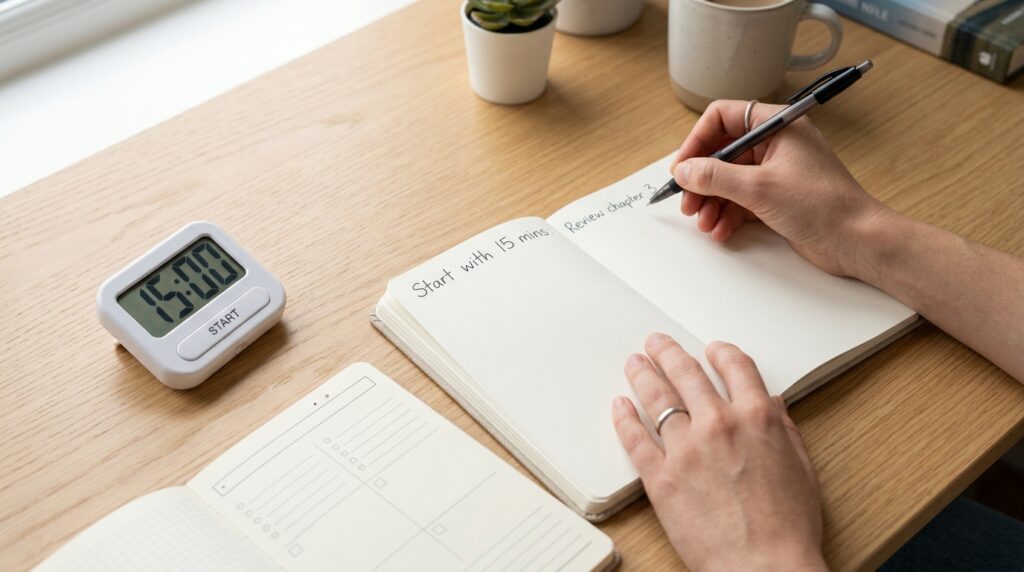
    A person writing a 15-minute focus routine into a planner beside a laptop and study timer on a tidy desk.

    Before you think about 4 or 12 weeks, choose one specific 15-minute routine you want to measure.
    Trying to track five new routines at once usually scatters your attention.

    Pick one core routine, such as:

    • 15 minutes of focused reading or problem-solving after work.
    • 15 minutes of thesis or report writing every morning.
    • 15 minutes of language study on your commute.
    • 15 minutes of planning your next day in a digital planner at night.

    Write it as a simple rule:

    • When? (time of day or trigger, like “after dinner” or “after I open my laptop”)
    • What? (one main type of work, e.g., “study problems” or “write 200 words”)

    You can log this in any tool—a paper notebook, a notes app, or a Notion database.
    If you’d like a simple structure for logging your blocks, see our post 15-Minute Study Tools Routine: How to Actually Use Your New Timer and Planner Every Day.

    Step 2: Set Up a Simple Digital Log (Takes 5–10 Minutes)

    You don’t need a complex system to track your routine; what matters is consistency, not design.
    Pick one place where you’ll log every 15-minute block.

    Option A: Notion or note-taking app

    Create a minimal table or list with three columns:

    • Date
    • Did I complete today’s 15-minute block? (Yes/No)
    • Quick notes (what you worked on, how focused you felt)

    This could be a Notion database, a dedicated page in your note app, or even a simple Google Sheet.
    For more visual planning of your study day in blocks, you might like 15-Minute Time Blocking: How to Turn a Scattered Day into Focused Study Blocks.

    Option B: Timer or habit app + weekly summary

    If you prefer apps:

    • Use a focus timer or habit tracker to mark each 15-minute block.
    • Once a week, quickly total how many blocks you completed and jot down a sentence about how it felt.

    The key is to avoid overbuilding the system; your tracking should take under 2 minutes a day.
    If you feel yourself spending more time tweaking your system than actually doing the 15-minute routine, scale the setup back.

    Step 3: What to Look For at 4 Weeks (The “Starting to Stick” Phase)

    Around week 4, your routine is no longer brand new, but it may not feel automatic yet.
    This is the perfect time to check whether it’s starting to stick.

    Use these three metrics:

    1. Completion rate

    Look at the past 4 weeks:

    • How many days did you complete your 15-minute routine each week?
    • Has your completion rate improved compared to week 1?

    For example:

    • Week 1: 2 out of 7 days
    • Week 4: 4 out of 7 days

    Even if the blocks are still short, that jump in completion rate is a real win.
    Habit research emphasizes that habits grow through repetition, not intensity, so frequent small wins matter more than a few heroic long sessions.

    2. Start resistance

    Think about how it feels right before you begin:

    • Do you still feel heavy resistance (“I really don’t want to do this”), or is it more neutral?
    • How long do you procrastinate before starting compared to the first week?

    If your internal dialogue has shifted from “I can’t face this” to “It’s only 15 minutes, I’ll just start,” that’s a strong sign the routine is moving from effortful to familiar.

    3. Focus quality inside the 15 minutes

    Review your notes for the last 2 weeks:

    • Are you checking your phone less during the block?
    • Can you stay with one task instead of bouncing between tabs?

    You don’t need perfect focus to pass this checkpoint.
    If 2 out of these 3 dimensions (completion rate, start resistance, focus quality) show clear improvement at 4 weeks, your 15-minute routine is on track.

    If phone checking is still a big problem, you might pair this with our guide 15-Minute Focus Timer Routine: How to Stop Checking Your Phone While You Study.

    Step 4: What to Look For at 12 Weeks (The “Automatic and Effective” Phase)

    By week 12, you’ve had roughly three months of practice with your 15-minute routine.
    This is where deeper changes show up—not just in how it feels, but in what you’ve actually produced.

    Use these four checkpoints:

    1. Automation level

    Ask yourself:

    • Do I still need to remind myself to do this, or does it feel strange not to?
    • On days I skip, do I notice something feels “off”?

    In habit studies, the point where a behavior feels automatic is when you start doing it with minimal conscious decision-making.
    If your 15-minute block now feels like brushing your teeth—small, predictable, and part of the day—that’s a major milestone.

    2. Total accumulated time

    Add up your total focused time for the past 12 weeks.
    For example, if you did:

    • 15 minutes × 5 days a week × 12 weeks
    • That’s 900 minutes, or 15 hours of focused work.

    Those 15 hours might be:

    • 15 hours of exam practice questions.
    • 15 hours of thesis or report drafting.
    • 15 hours of building a portfolio or learning a new skill.

    A lot of people underestimate how much 15 minutes a day can add up over 12 weeks.
    Seeing the actual total in hours can be very motivating when your daily blocks feel small.

    3. Changes in performance and energy

    Look at “before vs after” over 12 weeks:

    • Is your reading speed or problem-solving speed better?
    • Do you find it easier to get into focus once you start?
    • Does studying or working feel a bit less exhausting than it used to?

    Research on short, daily reflection routines shows that even 15 minutes a day of deliberate practice or review can improve performance and effectiveness over time.
    Your 15-minute block is a small but consistent injection of intentional practice into your day.

    4. Expansion potential

    Finally, ask:

    • Does 15 minutes now feel manageable, even on bad days?
    • On good days, do you naturally extend to 25–30 minutes?

    If 15 minutes feels stable and you’re sometimes choosing to extend, it might be time to add a second 15-minute block on certain days.
    If it still feels fragile, keep the block at 15 minutes but protect it as your “minimum viable habit.”

    A digital study room desk with a Notion-style dashboard tracking weeks of completed 15-minute focus sessions.

    Step 5: How to Track Your Progress Without Overcomplicating It

    Simple tracking beats perfect tracking.
    Here’s a minimal way to review your 4-week and 12-week progress using any digital tool.

    Weekly review (2–5 minutes)

    Once a week, check:

    • How many days did you complete your 15-minute routine?
    • How often did you get distracted?
    • One sentence: what helped or hurt this week?

    You can jot this in:

    • A Notion page called “15-Minute Routine Weekly Review.”
    • A recurring note in your note app.
    • A small section in your planner.

    If you already use a weekly review for your study or work, you can integrate this into that process—see 15-Minute Monday Study Review: How to Check Your Monthly and Weekly Plan Without Feeling Overwhelmed for ideas.

    4-week and 12-week snapshots

    At week 4 and week 12:

    • Calculate your average completion rate per week.
    • Estimate your total focused time (in hours).
    • Write 3–5 bullet points about what has changed in your behavior and results.

    The goal is not to judge yourself but to notice trends:

    • Are you moving from “all or nothing” to “small but consistent”?
    • Are you less dependent on motivation and more on structure?

    These snapshots give you data to tweak your routine instead of guessing.

    Everyday Tips to Make Your 15-Minute Routine Stick

    Small design choices often decide whether your routine survives busy days.
    Use these practical tips to make your 15-minute block easier to keep.

    • Fix a time slot: morning commute, after work, or before bed works better than “sometime today.”
    • Prep the “entry point”: a specific document, problem set, or app that you open immediately when the timer starts.
    • Set a minimum: on the worst days, allow yourself just 5 minutes. If you do more, great; if not, you still kept the habit alive.
    • Pair it with an existing habit: right after making coffee, after closing work apps, or after brushing your teeth at night.

    Short routines are powerful because they reduce decision fatigue and give you one small, non-negotiable anchor in your day.
    Over weeks and months, that anchor can change how you see yourself—from someone who “tries to study” to someone who shows up consistently.


    Related Routines You Might Like


    Frequently Asked Questions

    Q1. What if I only have 5 minutes, not 15?

    A: That’s okay—start with 5.
    If 15 minutes feels too long on certain days, treat 5 minutes as your “emergency minimum” block and still log it as a success.

    The goal is to protect the identity of “I show up, even briefly,” not to hit the perfect duration every time.
    Many people find that once they start a 5-minute block, they naturally extend it when they have the energy.

    Q2. Can I use this system for work tasks, not just studying?

    A: Absolutely.
    You can use the same 4-week and 12-week check-ins for writing reports, coding, learning new tools, or building a portfolio.

    Define one 15-minute “work upgrade” routine—like learning a new feature in your main software or doing deep work on a long-term project—and track it the same way.
    Knowledge workers often underestimate how far 15 focused minutes a day can move a long project over 12 weeks.

    Q3. Which tools do I really need to start?

    A: You only need three things: a timer, a place to work, and a simple way to log your blocks.
    That could be your phone’s timer, your usual study spot, and a single note where you mark Y/N each day.

    Digital tools like Notion, task managers, or habit apps can make tracking smoother, but they’re optional upgrades, not prerequisites.
    If you find yourself spending more time configuring tools than doing the 15-minute routine, simplify your setup.

    Q4. How many 15-minute routines can I run at the same time?

    A: If you’re just starting, focus on one core routine for at least 4 weeks.
    Once your completion rate and resistance look good, you can experiment with adding a second block on some days or introducing a different 15-minute routine.

    Trying to launch several new routines at once often dilutes your focus and makes all of them harder to keep.
    It’s better to have one deeply ingrained 15-minute habit than five fragile ones.


    Learn More

    For more on habits, focus, and short daily routines, see:

  • 15-Minute Study Routine for Busy Office Workers: How to Fit One Small Block into Overloaded Evenings

    15-Minute Study Routine for Busy Office Workers: How to Fit One Small Block into Overloaded Evenings

    You get home after overtime, client calls, or a team dinner, and the last thing your brain wants is “a solid two hours of study.”

    Still, going to bed without doing anything for your exam, language learning, or self-development leaves a heavy feeling in the back of your mind.

    This guide is for office workers who juggle late meetings, team socials, and family responsibilities, but still want to make slow, steady progress on their study goals.

    We’ll walk through a simple 15-minute study routine you can plug into your evenings or commute, without needing perfect conditions, a quiet library, or a huge block of free time.

    Research on attention and mental fatigue suggests that most people focus best in short bursts of about 10–20 minutes, which is exactly why a 15-minute block often feels mentally sustainable even after a long workday.

    I started using this structure on days when I was exhausted after work, and even a single 15-minute block made me feel like “I showed up for myself” instead of just collapsing into the couch.


    Why a 15-Minute Block Works on Busy Days

    On nights filled with overtime and social plans, the biggest enemy is not a lack of motivation, but unrealistic expectations.

    If you tell yourself you must study for two hours, any disruption (a delayed train, a last-minute call, a friend asking to meet) can make you skip everything.

    A 15-minute block works differently:

    • It is small enough to survive schedule chaos.
    • It is clear enough that your brain knows exactly when you can do it.
    • It is consistent enough to build a real habit over weeks and months.

    Studies on study habits and self-regulated learning show that regular, repeated study at a similar time each day supports better long-term learning and self-directed study, even when individual sessions are short.

    Instead of asking, “How many hours should I study?”, this routine asks, “Where can I reliably place one 15-minute block in my day?”


    Overview: The 15-Minute Study Routine

    This routine has three simple parts:

    • Prep – 3 minutes
    • Focus – 10 minutes
    • Wrap-up – 2 minutes

    You always follow the same structure, regardless of the subject or project.

    Whether you manage 1 block or 3 blocks on a given day doesn’t matter.
    What matters is that you treat one 15-minute block as the minimum routine you can always keep.

    If you want a deeper dive into how short blocks work, you might also like Why 15-Minute Study Blocks Work: The Science of Focus and Mental Fatigue.


    Step 1 – Prep (3 Minutes): Clear Space and Set a One-Line Goal

    These first three minutes are your warm-up.

    You are not “studying hard” yet. You are just lowering the barrier to starting.

    Office worker clearing a desk and writing a one-line goal before a 15-minute focus routine

    1.1 Clear your physical and digital space

    • On your desk, keep only what you need for this block: one notebook, one book or PDF, a pen, and maybe your laptop.
    • Move everything else—other books, snacks, random papers—out of your immediate view.

    On your devices:

    • Close unrelated browser tabs.
    • Turn your phone face down or put it out of reach.
    • If you use a focus app or “Do Not Disturb” mode, turn it on for 15 minutes.

    If you need help organizing your digital study space, see 96 Blocks a Day: How to Use Color-Coded Time Blocking to Balance Study, Work, and Rest to create a simple daily structure for your tasks.

    1.2 Write a one-line goal for this block

    Write down exactly what you will do in 10 minutes.

    Examples:

    • “Review 10 vocabulary words from Unit 3”
    • “Outline the structure of tomorrow’s report”
    • “Watch 10 minutes of an online lecture and jot 3 key points”

    Avoid vague goals like “study English” or “work on my thesis.”

    The more specific your one-line goal, the easier it is to stay focused when the timer starts.

    You can write this one line in:

    • A simple paper planner
    • A notes app on your phone
    • A “15-Min Study Log” database in Notion

    If you like tracking your blocks, our guide 15-Minute Study Tools Routine: How to Actually Use Your New Timer and Planner Every Day walks you through a minimal setup with planners, timers, and apps.


    Step 2 – Focus (10 Minutes): One Task, No Switching

    Now you start the 10-minute focus segment.

    For this short window, you commit to one task only.

    2.1 One subject, one screen, one page

    Pick one thing:

    • One chapter of a book
    • One set of practice questions
    • One short section of a lecture or article

    Stay with that one thing until the timer rings.

    If 10 minutes feels too long on heavy days, you can split it into:

    • 5 minutes of review (e.g., vocabulary, key concepts), then
    • 5 minutes of a small active task (e.g., quiz questions, summary notes)

    Habit research and focus studies both show that “lowering the barrier to entry” makes it much easier to start and stay consistent than trying to rely on willpower alone.

    2.2 Use simple tools to cut distractions

    You don’t need a complicated setup, but a few tools can help:

    • Timer app or physical timer – Set 10 minutes and decide not to touch your phone until it rings.
    • Focus mode or website blocker – Optional, but useful if you tend to type in social media URLs out of habit.
    • Notes app or sticky note – Write down any unrelated thoughts (“email manager”, “pay bill”) that pop up, and return to your current task.

    If your evenings often feel scattered, After-Work 15-Minute Study Routine: How to Build a Minimum Viable Habit That Prevents Burnout offers more examples of how to use tiny, consistent blocks to anchor your nights.


    Step 3 – Wrap-Up (2 Minutes): One Line for Today, One Line for Next Time

    The last two minutes are where you lock in the habit.

    Notebook with checkmarks and short notes after finishing a 15-minute study block

    3.1 Write one line about what you just finished

    Examples:

    • “Reviewed 10 vocab words from Unit 3”
    • “Drafted outline for section 2 of the report”
    • “Watched 1 lecture segment, noted 3 key points”

    This line is not for anyone else. It is a quick record that tells your brain,
    “Yes, I did study today. I showed up.”

    3.2 Write one line as a starting point for your next 15 minutes

    Examples:

    • “Next time: review vocab Unit 3 again and add example sentences”
    • “Next time: write first draft of section 2 based on outline”
    • “Next time: watch lecture segment 2 and summarize”

    This tiny hint removes friction tomorrow.

    When you open your planner or Notion page, you will know exactly where to start, which saves energy and helps you drop into focus faster.

    For more ideas on using very short review blocks, see 15-Minute Study + 5-Minute Review: A Simple Routine for Days You Can’t Stick to Your Plan.


    How to Fit This Routine into a Life Full of Overtime and Social Plans

    The routine is fixed. The timing is flexible.

    Here are two practical strategies.

    Strategy 1 – Lock in One “Fixed Slot” Per Day

    Instead of trying to study “whenever you have time,” pick one specific slot that is easy to protect most days.

    Examples:

    • The last 15 minutes of your commute (before you get off the subway or bus)
    • The 15 minutes right after you get home, before shower or dinner
    • The 15 minutes in bed, with only a notebook and one book or app

    Aim to use the same time and location for this block: same seat on the train, same corner of the sofa, same side table by your bed.

    Studies on study habits and self-regulated learning suggest that consistent routines at predictable times help learners maintain motivation and improve long-term performance, even if the daily study dose is small.

    The power is not in the length of each session, but in the pattern:
    “Yesterday I did 15 minutes. Today I did 15 minutes again. Tomorrow I probably will too.”

    Strategy 2 – Separate “Normal Routine” and “Minimum Routine”

    Not every day has the same energy level.

    If you only have one standard (for example, “30 minutes every night”), it becomes easy to skip everything on hard days.

    Instead, define two versions:

    • Normal Routine: 2 blocks (30 minutes total)
    • Minimum Routine: 1 block (15 minutes total)

    On quiet evenings, aim for your normal routine.

    On days with late meetings, unexpected overtime, or heavy social plans, decide early:
    “Tonight, minimum routine is enough. One 15-minute block is a win.”

    Self-directed learning research often highlights that consistency of effort and habit has more impact over time than occasional bursts of intense study.

    Your minimum routine prevents your habit chain from breaking, even when life is messy.


    Related Routines You Might Like


    Frequently Asked Questions

    Q1. What if I cannot even do 15 minutes?

    Start smaller.

    Set a 5-minute timer and do one tiny task: review 5 words, write 3 bullet points, or read one paragraph.

    Once your brain experiences “I can start and finish something small,” it becomes easier to stretch that to 10 or 15 minutes later.

    Q2. Can I use this routine for work tasks, not just studying?

    Yes.

    You can use the same structure for:

    • Writing reports or emails
    • Planning your week
    • Learning new tools or systems for work

    Just swap “subject” with “project,” and keep the 3–10–2 structure (prep, focus, wrap-up).

    Q3. Which tools do I need to start?

    At minimum: something to write on, something to read or work on, and a timer.

    If you like digital setups, you can use:

    • A simple Notion page as a 15-Min Study Log
    • A focus timer app (or your phone’s built-in timer with Do Not Disturb)
    • A calendar or task app to mark your daily block

    If you enjoy planning, How to Choose a Planner, Timer, and App for Your 15-Minute Study Routine: 5 Simple Criteria will help you avoid overcomplicated tools.

    Q4. What if I miss a day?

    Missing one day is normal.

    The key is to avoid turning “I missed one day” into “I failed, so I might as well stop.”

    When you miss a day, simply restart with your minimum routine the next day.
    Your job is not to be perfect. Your job is to come back.


    Learn More

    For more on focus, study habits, and building consistent routines, see:

    Jotverse – Time Blocking for Students: The Ultimate Productivity System for Academic Success
    Practical guide to using time blocking to manage study sessions, reduce decision fatigue, and create realistic study blocks.
    https://www.jotverse.com/time-blocking-for-students-the-ultimate-productivity-system-for-academic-success/

    Summit Learning Charter – 7 Benefits of Time Blocking Methods for Studying
    Explains how time blocking improves concentration, reduces procrastination, and supports better academic performance.
    https://summitlearningcharter.org/resources/blog/benefits-of-time-blocking/

    MIT Teaching + Learning Lab – Metacognition and How People Learn
    Covers planning, monitoring, and evaluating your own learning—core skills behind self-directed, block-based study routines.
    https://tll.mit.edu/teaching-resources/how-people-learn/metacognition/

  • How to Build Weekly and Monthly Study Plans with 15-Minute Blocks

    How to Build Weekly and Monthly Study Plans with 15-Minute Blocks

    You just got home from work, opened your planner, and… stared at the blank page for five minutes. You want to plan the week ahead. You have good intentions about building a monthly study plan. But when you try to fill in every hour with detailed tasks, the plan feels overwhelming before you even start.

    And two days later, when life doesn’t go exactly as planned, the whole thing falls apart.

    If you’re a working professional studying for exams, a graduate student juggling research and classes, or someone trying to build a consistent self-development routine, you’ve probably been there. You know you should plan ahead—but traditional weekly and monthly planning often feels like setting yourself up to fail.

    Research on time blocking and productivity shows that breaking work into defined time intervals significantly reduces decision fatigue and improves focus. The key isn’t making a perfect plan—it’s creating a sustainable structure built from small, repeatable blocks.

    I started using 15-minute study blocks to build my weekly plan on days when my brain felt scattered, and it was just enough structure to actually finish one small but meaningful task—and stack it into a week, then a month.


    Why 15-Minute Blocks Work Better Than Hour-Long Plans

    Most people think planning means blocking out entire evenings or weekends for study. But neuroscience and focus research suggest that sustained deep focus typically lasts 10–20 minutes before attention begins to drift. That’s why 15 minutes is often described as the sweet spot: light enough to start without resistance, long enough to create real focus.

    When you plan your week or month using 15-minute blocks instead of vague “study sessions,” you’re working with how your brain actually functions—not against it.

    Time blocking psychology also shows that assigning specific time slots to tasks makes them feel more official and non-negotiable, which reduces procrastination. Instead of thinking “I need to study this week,” you’re thinking “I have five 15-minute blocks scheduled for vocabulary review.”

    That shift—from intention to allocation—is what turns a plan into action.

    Person looking at blank weekly planner before starting time blocking routine at home office desk

    The Basic 15-Minute Study Block Structure

    Before you plan a week or month, you need to understand what one 15-minute block looks like. Here’s the breakdown:

    Prep (3 minutes)

    • Clear your desk of unrelated items
    • Write down one thing you’ll focus on during this block
    • Set a timer for 15 minutes

    Focus (10 minutes)

    • Work on that one thing only
    • No switching tasks, no checking notifications
    • If something else pops into your mind, jot it down for later

    Wrap-up (2 minutes)

    • Write one line summarizing what you finished
    • Add a checkmark (✓) next to it in your planner
    • Write one line for what comes next

    This structure makes each 15-minute block self-contained. You’re not leaving tasks half-finished or wondering “what did I even do today?”

    For a deeper dive into how to run a single 15-minute study block effectively, see our guide on 15-Minute Study Routine: How to Make Short, Focused Blocks Actually Work.


    How to Build a Monthly Plan with 15-Minute Blocks

    Monthly planning isn’t about filling every day with tasks. It’s about estimating how many 15-minute blocks you want to allocate to each subject or project this month.

    Step 1: List Your Priorities

    Write down the 2–4 main things you want to work on this month. Keep it simple.

    Examples:

    • English vocabulary review
    • Certification exam prep
    • Work-related reading (reports, industry articles)
    • Personal writing project

    Step 2: Assign Block Counts

    For each priority, estimate how many 15-minute blocks you’d like to complete this month.

    Example:

    • English: 20 blocks
    • Certification prep: 30 blocks
    • Reading: 10 blocks
    • Writing: 15 blocks

    Total: 75 blocks for the month

    At this point, don’t worry about when you’ll do them. You’re just setting a rough target.

    Step 3: Spread Blocks Across Weeks

    Now break the monthly total into weekly chunks.

    If you have 30 certification blocks for the month and 4 weeks, that’s about 7–8 blocks per week. Some weeks you might do more, some less—but you have a baseline.

    This approach aligns with productivity research showing that linking daily tasks to long-term goals through intermediate milestones (weekly targets) improves follow-through and reduces overwhelm.


    How to Build a Weekly Plan with 15-Minute Blocks

    Weekly planning is where monthly targets become daily actions.

    Step 1: Review Your Monthly Allocation

    Look at your monthly plan and pull this week’s portion.

    Example:

    • English: 5 blocks this week
    • Certification: 7 blocks
    • Reading: 2 blocks

    Step 2: Assign Blocks to Specific Days

    Open your planner or digital calendar and place each block on a specific day and time.

    Example:

    • Monday 7:00 AM – English (1 block)
    • Monday 10:00 PM – Certification (1 block)
    • Tuesday 10:00 PM – Certification (1 block)
    • Wednesday 7:00 AM – English (1 block)

    You don’t need to fill every day. Some days might have zero study blocks, and that’s okay.

    Step 3: Use a “Minimum Viable Week” Mindset

    Instead of planning for the ideal week where you have perfect energy and zero distractions, plan for the realistic week.

    Ask yourself: “What’s the minimum number of blocks I can commit to, even if this week goes sideways?”

    Maybe that’s 3 blocks instead of 10. That’s still progress.

    Research on habit formation and micro-goals shows that starting with small, achievable targets builds consistency and reduces the likelihood of abandoning routines entirely.

    For more on how to stay consistent with minimal commitment, see 15-Minute Study Routine with Tiny Rewards: What to Do on Days You Don’t Want to Sit at Your Desk.


    Tools That Make Weekly and Monthly Planning Easier

    You don’t need fancy software to plan with 15-minute blocks, but a few simple tools can help you stay organized.

    1. Notion

    Create a simple database to track your blocks. Add columns for:

    • Subject/Project
    • Date
    • Status (To-do / Done)
    • Next action

    Notion lets you filter by week or month, so you can see how many blocks you’ve completed at a glance.

    For a step-by-step tutorial on setting up a study tracker in Notion, see 15-Minute Reading and Notion Routine: How to Turn Scattered Book Notes into a Simple Reading System.

    2. Google Calendar

    Use Google Calendar to visually time-block your week. Create separate calendars for different subjects (color-coded), and add 15-minute events.

    This gives you a clear visual of where your blocks are and prevents overbooking.

    3. Paper Planner

    If you prefer analog, use a weekly spread with hourly slots. Mark each 15-minute block with a color or symbol. At the end of the week, count your checkmarks.

    The key is visibility. You should be able to quickly see:

    • How many blocks you planned
    • How many you completed
    • What’s coming next

    Linking Daily Blocks to Weekly and Monthly Goals

    The magic happens when you connect the dots between today’s 15-minute block and this month’s bigger picture.

    Daily Review (2 minutes)

    At the end of each day, check:

    • How many blocks did I complete today?
    • What subject did they cover?
    • What’s my next block tomorrow?

    Weekly Review (10 minutes)

    Every Sunday or Monday, check:

    • Did I hit my target block count for the week?
    • Which subjects fell short?
    • Do I need to adjust next week’s plan?
    Completed weekly study planner with checkmarks showing finished 15-minute focus blocks and progress tracking

    Monthly Review (15 minutes)

    At the end of the month, total up your blocks by subject. Ask:

    • Did I meet my monthly block targets?
    • Which areas need more attention next month?
    • What worked? What didn’t?

    This cascading review structure ensures that your daily actions are always connected to your longer-term goals—a principle supported by productivity research on goal alignment.

    For a detailed guide on weekly reviews, see 15-Minute Monday Study Review: How to Check Your Monthly and Weekly Plan Without Feeling Overwhelmed.


    Everyday Tips for Staying on Track

    1. Anchor Blocks to Fixed Times

    Pick one or two time slots each day and reserve them for 15-minute blocks.

    Examples:

    • Every morning at 7:00 AM: English vocabulary
    • Every evening at 10:00 PM: Certification study

    When you pair a time with a routine, your body starts to expect it. This is called habit stacking, and research shows it’s highly effective for building consistency.

    2. Allow “Minimum Days”

    On days when you’re exhausted, sick, or swamped, give yourself permission to do just one block.

    That’s your minimum. If you do it, the day counts as a success.

    This prevents the all-or-nothing mindset that kills most study plans.

    3. Track Completion, Not Perfection

    Don’t worry if a block takes 12 minutes instead of 15, or if you got distracted halfway through. What matters is that you showed up.

    Mark it complete, write what’s next, and move on.


    How This Differs from Other Planning Systems

    vs. Pomodoro (25-minute blocks)

    Pomodoro works great for deep work, but 25 minutes can feel like a commitment when you’re tired or scattered. 15-minute blocks are easier to start, especially on low-energy days.

    You can always chain two 15-minute blocks together if you’re in a flow state.

    For more on why 15-minute blocks feel easier than Pomodoro for some learners, see Why 15-Minute and 5-Minute Routines Feel Easier Than Pomodoro.

    vs. Daily To-Do Lists

    To-do lists tell you what to do. Time blocking tells you when to do it.

    By scheduling your 15-minute blocks in advance, you eliminate decision fatigue and reduce the chance of procrastination.

    vs. Vague “Study More” Goals

    “I’ll study more this week” is a wish. “I’ll complete 5 blocks of certification prep by Friday” is a plan.

    When you count blocks instead of hours, progress becomes concrete and measurable.

    Ready to start? Open your planner right now and write down three 15-minute blocks you’ll complete this week. Pick one subject, set a timer, and begin. Your first block counts as success.


    Related Routines You Might Like


    Frequently Asked Questions

    Q1. What if I can only do 5 minutes, not 15?

    A: Do the 5 minutes. Seriously. If 15 feels too long, scale it down. The goal is to show up consistently, not to be perfect. Over time, 5-minute blocks often naturally expand to 10 or 15 as the habit strengthens.

    Q2. Can I use this system for work tasks, not just studying?

    A: Absolutely. Time blocking with 15-minute intervals works for any focused work—writing reports, coding, research, creative projects, even admin tasks. The structure is the same: prep, focus, wrap-up.

    Q3. How do I handle weeks when I miss most of my planned blocks?

    A: Review your plan and ask: “Was my target realistic?” If you planned 15 blocks but only completed 3, scale back to 5 blocks next week. It’s better to consistently hit a smaller target than to repeatedly miss a big one. Adjust and keep going.

    Q4. Should I track blocks in a digital tool or on paper?

    A: Use whichever system you’ll actually look at every day. Digital tools (Notion, Google Calendar, Todoist) are great for filtering and automation. Paper planners give you a tangible sense of progress. Test both and stick with what feels easier.


    Learn More

    For more on time blocking, study planning, and building consistent routines, see:

    Jotverse – Time Blocking for Students: The Ultimate Productivity System
    Practical guide to using time blocking to manage study sessions and reduce decision fatigue.
    https://www.jotverse.com/time-blocking-for-students-the-ultimate-productivity-system-for-academic-success/

    FlowSavvy – The Psychology Behind Time Blocking: Why It Works
    Explores the cognitive benefits of time blocking, including reduced decision fatigue and improved focus.
    https://flowsavvy.app/the-psychology-behind-time-blocking

    We360.ai – The Benefits of Time Blocking: Mastering Your Productivity
    Overview of time blocking benefits, including enhanced work-life balance and reduced procrastination.
    https://we360.ai/blog/time-blocking

    Griply – How to Align Daily Tasks with Long-Term Goals
    Explains how to link daily tasks to weekly and monthly goals using structured planning systems.
    https://griply.app/faq/align-daily-tasks-with-long-term-goals

  • How to Choose a Planner, Timer, and App for Your 15-Minute Study Routine: 5 Simple Criteria

    How to Choose a Planner, Timer, and App for Your 15-Minute Study Routine: 5 Simple Criteria

    You sit down at your desk after work, open your laptop, and stare at the screen.

    There’s a pile of things to study, a long to-do list, and somewhere in there, you know you need to make progress—but you don’t know where to start.

    You bought a beautiful planner. You downloaded three study apps. You even set up a Notion dashboard. But when it’s 9 PM and you finally have 15 minutes to focus, you still can’t figure out how to actually use them.

    If that sounds familiar, you’re not alone.

    The problem isn’t that you don’t have the tools. It’s that you don’t have a clear system for choosing and using the right ones for short, focused study blocks.

    This guide is for office workers who study after hours, exam students juggling multiple subjects, and anyone trying to fit real learning into a scattered schedule. It’s not about buying more apps or filling out prettier planners—it’s about building a minimal setup that matches the way you actually study.

    I started using this 15-minute planner + timer setup on nights when my brain felt too tired to “study properly,” and it turned out to be just enough structure to finish one small but meaningful task without burning out.


    How a 15-Minute Study Block Actually Works

    Before we talk about tools, let’s break down what happens in a real 15-minute study session.

    Most 15-minute routines follow this structure:

    Prep (3 minutes): Clear your space, decide what to focus on, set a timer
    Focus (10 minutes): Work on one specific task without switching
    Wrap-up (2 minutes): Write down what you did, note what’s next

    This isn’t random. Research on attention and cognitive load suggests that most people can sustain deep focus for 10–20 minutes before mental fatigue starts to creep in. That’s why 15 minutes works—it’s long enough to make progress, but short enough that your brain doesn’t fight you.

    When you’re choosing a planner, timer, or app, ask yourself: Which part of this 3-step cycle does this tool help with?

    • Does it help you decide what to do? (Prep)
    • Does it keep you focused? (Focus)
    • Does it help you track progress? (Wrap-up)

    If a tool doesn’t clearly answer one of these questions, you probably don’t need it.


    Step 1: Prep (3 Minutes) – What Planners and Apps Should Do

    Professional writing study priorities in planner before starting 15-minute focus block at home office desk

    The goal of the prep phase is simple: clear your mind and choose one thing to focus on for the next 10 minutes.

    Physical vs. Digital: Which One Should You Use?

    Paper planners work best if:

    • You like writing by hand to think clearly
    • You want zero screen time during study prep
    • You prefer a fixed daily or weekly layout

    Digital planners (Notion, Todoist, Google Calendar) work best if:

    • You switch between devices (phone, laptop, tablet)
    • You want to search, filter, or rearrange tasks easily
    • You’re already using digital tools for work or school

    There’s no “better” option. Choose based on how you naturally organize information, not what looks impressive on social media.

    What Should Be in Your Planner?

    Keep it minimal. You only need two sections:

    1. Today’s tasks – A short list of what needs to get done
    2. Study priority – One task you’ll tackle in your next 15-minute block

    That’s it. No elaborate color-coding, no weekly reflections, no motivational quotes. Just enough structure to answer: What am I doing in the next 15 minutes?

    If you’re using a digital tool like Notion and want to build a simple dashboard for tracking study sessions, check out our guide on 15-Minute Study Routine: How to Make Short, Focused Blocks Actually Work for a step-by-step setup.

    The 3-Minute Checklist

    Before you start the timer:

    • Clear your desk (push unrelated items aside)
    • Open your planner or app to today’s page
    • Write down or select one task for this block
    • Set your timer to 15 minutes

    This small ritual signals to your brain: “We’re starting now.”


    Step 2: Focus (10 Minutes) – What Timers Should Do

    Active study session with Pomodoro timer running on laptop screen and planner showing task checklist

    Once your timer starts, your only job is to stay with the task you chose.

    Timer Features That Actually Matter

    You don’t need a fancy Pomodoro app with analytics and achievements. You need a timer that:

    1. Counts down visibly – You should see how much time is left without opening another screen
    2. Makes a clear sound when it ends – No silent vibrations you might miss
    3. Doesn’t send notifications – The timer itself shouldn’t distract you

    Good options:

    • Phone’s built-in timer – Simple, reliable, no extra apps needed
    • Pomofocus (web-based) – Clean interface, customizable intervals
    • Be Focused (Mac/iOS) – Minimal design, tracks sessions automatically
    • Forest – If you need extra motivation to stay off your phone

    According to time blocking research, breaking study sessions into short, intentional blocks (like 15 or 25 minutes) significantly reduces decision fatigue and helps maintain consistent focus throughout the day.

    How to Protect Your Focus Block

    Turn off notifications. All of them. For 15 minutes, you won’t miss anything important.

    Close browser tabs that aren’t related to your current task. If you’re studying on paper, put your phone screen-down or in another room.

    One task only. If you think of something else you need to do, write it down in your planner and go back to your original task. Don’t switch.

    For more strategies on staying focused during short study blocks, see 15-Minute Focus Timer Routine: How to Stop Checking Your Phone While You Study.


    Step 3: Wrap-Up (2 Minutes) – What Your System Should Track

    When the timer goes off, don’t just close your books and walk away. Spend 2 minutes finishing the loop.

    What to Write Down

    Today: One sentence about what you did
    Examples:

    • “Read chapter 3, pages 45–60”
    • “Solved 10 practice problems, marked 3 for review”
    • “Watched lecture 4, took notes on main argument”

    Next time: One sentence about what comes next
    Examples:

    • “Continue from page 61”
    • “Review marked problems and redo”
    • “Summarize lecture 4 notes into 3 bullet points”

    This “done + next” habit eliminates the worst part of studying: staring at your desk tomorrow wondering where you left off.

    Why Tracking Matters (Even If You Hate It)

    You’re not tracking to judge yourself. You’re tracking to reduce friction.

    When you sit down tomorrow, you won’t waste 5 minutes scrolling through your textbook trying to remember where you were. You’ll just read your “next” note and start.

    If you want to build this into a larger weekly planning system, check out 15-Minute Planner Reset: How to Set Today’s Study Priorities Without Feeling Overwhelmed.


    Everyday Tips for Using Your Setup

    Fix One Time Slot

    Pick one time of day when you’re least likely to get interrupted. It could be:

    • Morning before work (6:30–6:45 AM)
    • Lunch break (12:15–12:30 PM)
    • Evening after dinner (9:00–9:15 PM)

    Anchor your 15-minute block to this time. Consistency matters more than perfection.

    Set a Minimum Goal, Not a Maximum

    Don’t tell yourself: “I need to study for 2 hours tonight.”

    Instead, say: “I’ll do one 15-minute block. If I feel like continuing, I can add another.”

    This mental shift makes it easier to start. And once you start, you’ll often keep going naturally.

    If you’re struggling to stay consistent, our post on 15-Minute Study Routine with Tiny Rewards: What to Do on Days You Don’t Want to Sit at Your Desk offers practical motivation strategies.

    Use the “Done + Next” Format Every Time

    Even on days when you only finish 5 minutes of actual work, write down:

    • What you did
    • What’s next

    This habit compounds. After a week, you’ll have 7 “next” notes waiting for you, which means zero decision fatigue when you sit down.


    Tools That Make This Easier

    You don’t need all of these. Pick one from each category and stick with it.

    Planners

    • Paper planner – Any daily layout with space for a task list
    • Notion – Build a simple “Today” page with checkboxes
    • Google Calendar – Create 15-minute events with task names in the title
    • Todoist – Use labels like “Next 15-min block”

    Timers

    • Phone timer – Free, always with you
    • Pomofocus – Web-based, no download needed
    • Be Focused – Clean Mac/iOS app
    • Forest – Gamified focus timer (helps if you struggle with phone distraction)

    Study Tracking

    • Notion database – Log each session with date + task + status
    • Google Sheets – Simple table: Date | Task | Done | Next
    • Bullet journal – Handwritten log in the back of your planner

    For a deeper dive into using digital tools to organize your study sessions, see 15-Minute Time Blocking: How to Turn a Scattered Day into Focused Study Blocks.


    Putting It All Together

    Choosing a planner, timer, and app isn’t about finding the “perfect” system. It’s about building a setup that supports the 3-step cycle: prep, focus, wrap-up.

    Here’s what a realistic setup looks like:

    Planner: Notion page with “Today” and “Next 15-min task”
    Timer: Phone’s built-in timer set to 15 minutes
    Tracking: One-sentence “done + next” note at the bottom of the Notion page

    That’s it. No elaborate dashboards, no color-coded categories, no weekly reviews (unless you want them).

    Start with this. If it works, keep it. If something feels clunky, adjust one piece at a time—but don’t throw out the whole system just because one tool didn’t feel perfect.

    The goal isn’t to impress anyone with your setup. It’s to sit down, focus for 15 minutes, and finish something small but meaningful.

    Ready to start? Open your planner (or create a blank Notion page), write down one task for your next 15-minute block, and set a timer. Don’t overthink it. Just pick one thing and start.


    Related Routines You Might Like


    Frequently Asked Questions

    Q1. What if I only have 5 minutes, not 15?

    A: Do a 5-minute block. The structure is the same: pick one task, set a timer, focus. Even 5 minutes of intentional work beats 30 minutes of unfocused scrolling. The key is showing up consistently, not hitting a specific number.

    Q2. Can I use this system for work tasks, not just studying?

    A: Absolutely. This works for anything that requires focus—writing reports, coding, reading research papers, organizing files, even creative work. The “prep, focus, wrap-up” cycle applies to any task you want to finish without distractions.

    Q3. Which tools do I actually need to start?

    A: You need three things: something to write your task on (paper or app), a timer (phone is fine), and a way to log what you did (one sentence in a notebook or app). Start with what you already have. Don’t buy anything new until you’ve used your current setup for at least a week.

    Q4. Do I need a fancy planner or can I just use a notebook?

    A: A plain notebook works perfectly. Write today’s date, list your tasks, circle the one you’ll do next, set a timer, and write one sentence when you’re done. Fancy planners can be motivating, but they’re not required. Use what feels natural to you.


    Learn More

    For more on focus, study habits, and time management strategies, see:

    Jotverse – Time Blocking for Students: The Ultimate Productivity System
    Practical guide to using time blocking to manage study sessions and reduce decision fatigue for students.
    https://www.jotverse.com/time-blocking-for-students-the-ultimate-productivity-system-for-academic-success/

    Schoolhouse – How to Create a Study Schedule
    Step-by-step framework for building a realistic study schedule using time-blocking and SMART goals.
    https://schoolhouse.world/blog/how-to-create-a-study-schedule

    Stanford CTL – Weekly Planning: Time Blocking Method
    Overview of the time-blocking method with examples and templates for organizing study and work sessions.
    https://ctl.stanford.edu/weekly-planning-time-blocking-method

  • 15-Minute Planner Reset: How to Set Today’s Study Priorities Without Feeling Overwhelmed

    15-Minute Planner Reset: How to Set Today’s Study Priorities Without Feeling Overwhelmed

    When Your To-Do List Lives Only in Your Head

    You sit down after work, open your laptop, and suddenly your brain throws twenty different tasks at you.
    Reply to that email, finish the report, review lecture notes, read one paper, plan tomorrow… and somehow you end up scrolling your phone instead.

    Your planner is there, but it already feels “too late in the day” to plan.
    So you tell yourself you’ll start fresh tomorrow, and go to bed with the same foggy, anxious feeling.

    When tasks only live in your head, they compete for attention and drain your focus before you even start.
    Research on self-regulated learning suggests that students who regularly plan and review their study sessions tend to perform better than those who just add more hours without a clear structure.

    This is where a 15-minute planner reset routine comes in.
    In a single, focused 15-minute block, you’ll empty your head, set 1–3 clear study priorities, and decide the smallest actions you’ll do today.

    I started using this 15-minute reset on evenings when my brain felt scattered, and it was just enough structure to actually finish one small but meaningful task instead of doom-scrolling.

    What This 15-Minute Planner Reset Is (and Isn’t)

    This routine is designed to:

    • Help you clear mental clutter by dumping all your tasks onto paper or a digital tool
    • Turn a messy list into 1–3 concrete study priorities
    • Define a “minimum win” so even on low-energy days, you still count today as a success

    It is not meant to:

    • Create a perfect, hour-by-hour timetable
    • Force you into unrealistic productivity standards
    • Replace deep project planning for complex long-term work

    Think of it as a daily calibration ritual.
    You give your brain one small, clear list: “These are today’s most important study actions.”

    Top view of a study desk where someone opens a planner to brain dump tasks before starting a 15-minute focus block

    Overview: The 15-Minute Daily Planner Reset

    Here’s how we’ll break down the 15 minutes:

    • 3 minutes – Prep: Clear a small space, open your planner or app, set a timer
    • 10 minutes – Dump & Decide: Brain dump all tasks, then choose today’s 1–3 study priorities
    • 2 minutes – Minimum Actions: Write down 1–2 tiny, non-negotiable actions with checkboxes

    You can do this on:

    • A paper planner or notebook
    • A single A4 sheet
    • Or a digital tool like Notion, Todoist, Obsidian, Apple Notes, or Google Tasks

    If you want a more system-level setup later, you can connect this routine to your daily blocks from
    15-Minute Time Blocking: How to Turn a Scattered Day into Focused Study Blocks.

    Step 1 – Prep Your Space and Tools (3 Minutes)

    The goal of this step is not to have a perfectly aesthetic desk.
    It’s simply to create a small, clear area for your planner and your brain.

    1. Clear a Small Physical Space

    Take a quick look at your desk.
    Move anything unrelated to today’s work—receipts, packages, snack wrappers—to one side or into a drawer.

    You’re not “deep cleaning.”
    You’re just making one notebook-sized space where your planner or laptop can sit without visual noise.

    2. Open Your Planner or Digital Tool

    Choose your tool for this 15-minute block:

    • Paper – Open your planner to today’s page, or grab one blank sheet.
    • Notion – Open a simple “Today” page or database view.
    • Todoist / task app – Open the “Today” view or create a new task list.
    • Notes app – Create a note titled “Today – Brain Dump & Study Priorities”.

    At the top, add two simple headings:

    • “Today’s Tasks”
    • “Today’s Study Priorities”

    If you need a place to route all your notes and tasks later, you can also check out our guide on
    15-Minute Reading and Notion Routine: How to Turn Scattered Book Notes into a Simple Reading System to build a simple Notion hub.

    3. Set a 15-Minute Timer

    Use any timer you like:

    • Phone timer
    • Pomodoro app
    • Physical kitchen timer
    • Smartwatch

    Tell yourself:
    “For the next 15 minutes, I’m only doing this planner reset. Nothing else.”

    Then hit start.

    Step 2 – Dump Everything, Then Choose Priorities (10 Minutes)

    We’ll split this into two 5-minute blocks:

    • First 5 minutes – Brain dump everything
    • Next 5 minutes – Choose 1–3 study priorities

    2.1 Brain Dump: 5 Minutes of “Everything on the Page”

    For the first 5 minutes, your only job is to write everything down.

    Include:

    • Today’s tasks (work, study, life admin)
    • Things you’ve been “meaning to do”
    • Study-related tasks: lectures, problem sets, reading, review, writing, etc.

    Don’t worry about order, importance, or neatness.
    This is not your final list. It’s a raw download from your brain.

    Productivity and cognitive load research shows that getting tasks out of your head and into a trusted system reduces mental stress and frees up attention for actual work.
    This is exactly what your brain dump is doing.

    If you prefer digital:

    • In Notion, create a simple “Inbox” database or just a bullet list.
    • In Todoist, dump tasks into “Inbox” and sort later.
    • In a notes app, write one item per line without judging.

    2.2 Choose Today’s Study Priorities (1–3 Items, 5 Minutes)

    Now scan your brain dump.

    1. Mark anything that is study-related (exam prep, language learning, reading, assignments).
    2. Ask yourself one simple question:“If I could complete just one study-related thing today that my future self will thank me for tomorrow, what would it be?”

    Pick 1–3 items that match that question and mark them with a star ⭐.

    Examples:

    • ⭐ Review 2 units from my vocabulary book
    • ⭐ Solve 10 practice questions for the certification exam
    • ⭐ Watch 1 lecture and take basic notes

    The goal is not to choose everything you “should” do.
    It’s to define the few study tasks that actually matter today.

    Research on self-regulated learning and goal setting suggests that learners who consistently set specific, manageable goals and track them over time tend to see better long-term performance than those who just “study more” without a plan.

    Step 3 – Set Minimum Actions and Checkboxes (2 Minutes)

    Now we turn those priorities into tiny, executable actions.

    Person at a tidy study desk checking off minimum study tasks in a planner next to a digital timer

    3.1 Pick 1–2 Minimum Study Actions

    From your starred items, choose the 1–2 most important for today.
    Then write them in a separate “Minimum Study for Today” section.

    For example:

    • Minimum Study 1: Review 20 vocabulary words
    • Minimum Study 2: Solve 10 certification practice questions

    These are the actions where you’ll say:
    “If I only do these today, I still count it as a successful day.”

    3.2 Add Simple Checkboxes

    Add checkboxes or toggles in your planner or app:

    • □ Review 20 vocabulary words
    • □ Solve 10 certification practice questions

    That’s it.

    When you plan, it’s tempting to build a packed schedule.
    But one missed day can make your motivation collapse.

    By defining “I only need to complete these 1–2 actions to win today”, you dramatically reduce pressure and make it much easier to keep going, even during busy or low-energy weeks.

    If you want to connect this with actual study time, you can pair these actions with a focus block from
    15-Minute Study Routine: How to Make Short, Focused Blocks Actually Work.

    Everyday Tips: When and How to Use This Routine

    Study and habit resources often emphasize that studying at a consistent time each day supports self-directed learning and better results over time.
    Your 15-minute planner reset can become that anchor.

    Here are two simple ways to integrate it.

    1. Fix One Time Slot (Morning or Evening)

    Choose one time that you can realistically hold most days:

    • Morning: right after coffee, before opening email
    • Evening: after dinner, before Netflix or gaming

    Put a repeating event in your calendar:
    “15-Min Planner Reset – Today’s Priorities”

    Treat it as the switch that turns your brain from “reactive mode” into “focused mode” for study and deep work.

    2. On Bad Days, Only Do the Planner Reset

    On days when you feel completely unmotivated or wiped out,
    change the rule:

    “Today, I only have to do the 15-minute planner reset. Actual study is a bonus.”

    Even if you stop after the planner routine,
    you’ve still maintained the habit of checking in with your goals.
    That makes it much easier to restart proper study the next day.

    If your week feels especially chaotic, you can pair this with a broader review using
    15-Minute Monday Study Review: How to Check Your Monthly and Weekly Plan Without Feeling Overwhelmed.

    Why 15 Minutes Actually Works

    Neuroscience and attention research often note that our ability to sustain high-quality focus tends to drop after about 15–25 minutes without a break.
    That’s one reason why short, clearly framed blocks feel psychologically easier to start and finish.

    By keeping your planning ritual to 15 minutes:

    • It feels “small enough” to start, even after a long day
    • It gives you just enough structure to know what matters
    • It naturally connects to your 15-minute or 25-minute focus sessions

    You don’t need a perfect system.
    You just need a small, repeatable way to decide what matters today.

    Related Routines You Might Like

    Frequently Asked Questions

    Q1. What if I only have 5 minutes, not 15?

    A: That’s okay. Start with 5.
    For example, spend 3 minutes on a mini brain dump and 2 minutes picking just one minimum study action.
    The important part is showing up consistently, not hitting exactly 15 minutes every time.

    Q2. Can I use this planner reset for work tasks, not just studying?

    A: Absolutely.
    You can mark both work and study items in your brain dump and then decide what today’s top priorities are in each area.
    Many knowledge workers use the same 15-minute reset to pick one key work task and one key learning task per day.

    Q3. Which tools do I need to start this routine?

    A: You only need one capture tool (paper or digital) and a timer.
    If you like digital setups, try a simple Notion page, Todoist “Today” view, or a note in Apple Notes / Google Keep.
    Later, you can build more advanced dashboards, but a single page is more than enough to begin.

    Q4. How does this routine relate to time blocking?

    A: This 15-minute reset decides what matters today.
    Time blocking decides when you’ll do it.
    After you pick your 1–3 study priorities, you can drop them into 15-minute or 30-minute blocks using the approach in our
    15-Minute Time Blocking: How to Turn a Scattered Day into Focused Study Blocks.

    Learn More

    For more on focus, study habits, and planning routines, these resources are helpful:

  • 15-Minute Monday Study Review: How to Check Your Monthly and Weekly Plan Without Feeling Overwhelmed

    15-Minute Monday Study Review: How to Check Your Monthly and Weekly Plan Without Feeling Overwhelmed

    Why a 15-Minute Monday Review Changes Your Whole Week

    Monday morning (or after work) you finally sit down at your desk, open your laptop, and then freeze.
    Your planner is half empty, your task list is messy, and your brain quietly whispers, What should I even start with?

    So you check your phone, answer a few messages, scroll “for just a minute,” and suddenly an hour is gone.
    If this sounds familiar, you are exactly who this routine is for.

    Study habit research and education articles consistently show that regular, self-planned study time at similar hours each day is more strongly linked to better grades and self-directed learning than occasional marathon sessions.
    In other words, how often you show up matters more than how long you grind in one sitting.

    This 15-minute Monday review is a tiny ritual to reset your month, your week, and your today without rebuilding your whole system from scratch.
    I started using this on Mondays when my Notion dashboard felt chaotic, and 15 minutes was just enough structure to see my priorities and commit to one small, doable action.


    Overview: 15 Minutes to Reset Your Month, Week, and Today

    Person clearing their desk and opening a planner next to a laptop and study timer before starting a Monday review routine.

    This routine is simple on purpose.

    You will spend:

    • 3 minutes – Prepare your space and open your planner or Notion
    • 10 minutes – Review and adjust: month → week → today
    • 2 minutes – Write down your top 3 priorities and one minimum action for today

    Instead of forcing yourself to “study for 2 hours,” you treat this as a weekly reset block that makes the rest of your study or work sessions easier.
    Short, focused planning blocks also match what attention research suggests: we tend to concentrate best in 10–20 minute bursts before our focus starts to fade.

    You can do this on paper, in a digital planner, or a mix of both.
    In this guide, I will use Notion and a simple timer as the main tools, but you can adapt everything to your current apps.


    Step 1 – Prep Your Space and Tools (3 Minutes)

    A cluttered physical or digital desk makes planning feel heavier than it needs to.

    Take 60 seconds to clear your workspace.
    Move aside items that are unrelated to your current study or work—yesterday’s snacks, random papers, five different pens.

    Then, open the tools you will use for this routine:

    • Your monthly and weekly planner (paper or Notion)
    • Your daily task list or inbox (Notion database, to-do app, or notes app)
    • A simple timer app (phone, watch, or browser)

    If you are using Notion, open your monthly and weekly views side by side or in tabs.
    You can use a simple layout similar to the one in our 15-Minute Reading and Notion Routine: How to Turn Scattered Book Notes into a Simple Reading System.

    Finally, set a 15-minute timer.
    You are only committing to this block, not to your entire study session.

    Tell yourself: For the next 15 minutes, I am just reviewing my month, week, and today—nothing more.


    Step 2 – Scan Your Monthly Goals (3 Minutes)

    Start zoomed out.
    Look at your monthly goals or projects before you worry about today.

    In your planner or Notion monthly board, find 2–3 key goals you wanted to make progress on this month.
    Examples:

    • Take 2 full mock exams
    • Get halfway through my vocabulary book
    • Start the first pass of my certification problem set

    Next to each goal, quickly mark where you are:

    • ✓ if you have already made some progress
    • ○ if you have not touched it at all yet

    You are not judging yourself here.
    You are simply taking a clear snapshot: What did I say mattered this month, and where am I now?

    If you are using Notion, you can add a simple “Status” property (Not started / In progress / Done) to each monthly goal.
    For a deeper walkthrough on structuring monthly and weekly blocks, see 96 Blocks a Day: How to Use Color-Coded Time Blocking to Balance Study, Work, and Rest.


    Step 3 – Adjust Your Weekly Plan (4–5 Minutes)

    Now bring the focus one level down—from the month to this week.

    3.1 Choose 2–3 focus items for this week

    From your monthly goals, pick 2–3 items you still want to move forward this week.
    Keep it brutally realistic.

    Then break each one into a tiny, concrete piece for this week, for example:

    • “2 mock exams” → This week: “Finish 1 full mock exam”
    • “Half of the vocab book” → This week: “Memorize units 1–2”
    • “Certification problem set” → This week: “Solve 10 problems from Chapter 1”

    Write these in your weekly planner or Notion weekly board under a “This Week – Big 3” section.

    The goal is not to fill every day with tasks.
    The goal is to clearly mark the three things that truly matter this week.

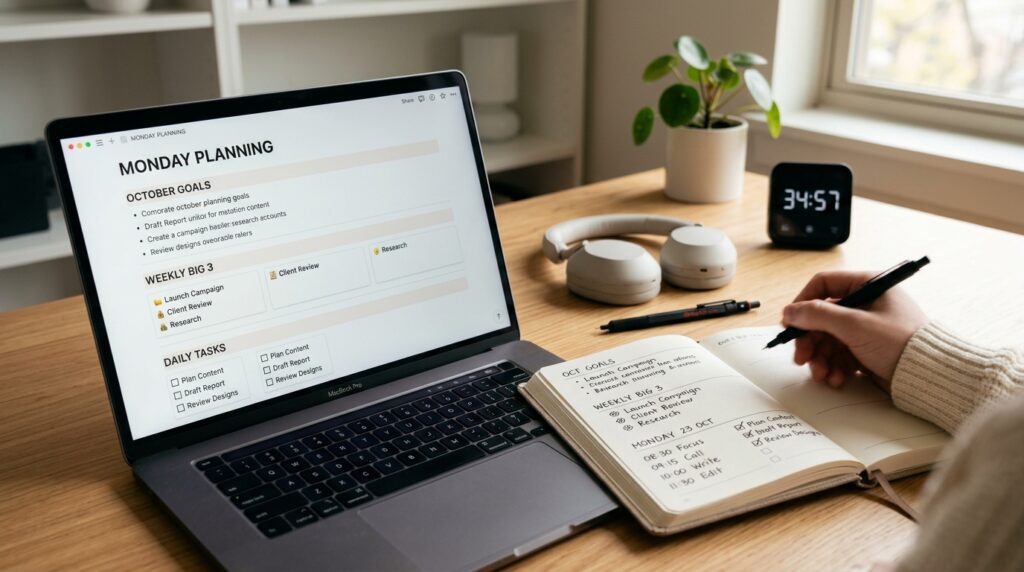
    Laptop showing a clean Notion-style dashboard with monthly goals and weekly Big 3 next to an open planner on a focused digital study room desk setup.

    3.2 Lightly time-block your week

    Next, roughly decide which days you will touch each of these pieces.

    It can be as simple as noting:

    • Mon: Vocab unit 1
    • Wed: Vocab unit 2
    • Thu: 5 certification problems
    • Sat: Full mock exam

    You do not need a perfect timetable.
    Think of it as placing three anchor points in your week, rather than scheduling every minute.

    If you like digital time blocking, you can drag these into your calendar as 15–30 minute blocks.
    For more ideas, see 15-Minute Time Blocking: How to Turn a Scattered Day into Focused Study Blocks.


    Step 4 – Decide Today’s Minimum Actions (2–3 Minutes)

    Now that your week has a shape, zoom all the way in to today—this Monday.

    Look at your “This Week – Big 3” and choose 1–2 tiny actions you can complete in 10–15 minutes.
    Examples:

    • Memorize 10 vocabulary words
    • Solve 2 certification questions
    • Read 3 pages of your textbook

    Write these down under a small “Today – Minimum Actions” section in your planner or daily page in Notion.
    Think of them as micro-commitments.

    It is okay if you later do more.
    But the rule is: if you complete today’s minimum actions, today counts as a win.

    Several education and self-directed learning programs emphasize that consistent, self-chosen study blocks—even short ones—support better academic performance and stronger self-directed learning skills over time.
    Your Monday 15-minute review is the weekly switch that keeps that consistency alive.


    Step 5 – Capture Your Weekly Big 3 and Today’s One-Liner (2 Minutes)

    The last step is to write everything in one place so you can see it at a glance.

    In your planner or Notion:

    • List your 3 key goals for this week (Weekly Big 3)
    • Under that, write one simple “Today Plan” line

    For example:

    This Week – Big 3

    • 1 mock exam
    • Vocab units 1–2
    • 10 certification problems

    Today – Minimum Actions

    • Tonight: 10 vocab words + 2 problems

    Sometimes this one small block of text is enough to save you 20 minutes of staring at your desk later, wondering Where do I start?
    You just look at your weekly Big 3 and today’s line, set a 15-minute focus timer, and go.

    If you need a structure for your actual 15-minute focus blocks, you can pair this planning routine with our post 15-Minute Study Routine: How to Make Short, Focused Blocks Actually Work.


    Tools That Make This Routine Easier

    You can run this entire routine with just a notebook and a timer, but digital tools can make it smoother to repeat.

    Notion – Monthly and Weekly Boards

    Create:

    • A simple “Monthly Goals” database with properties like Goal, Status, and Notes
    • A “Weekly Planner” page with sections for Weekly Big 3 and daily minimum actions

    Link your monthly goals to weekly tasks so you can see which tasks support which goal.
    Keep the layout clean—two or three sections are enough to start.

    A Simple Focus Timer

    Use your phone’s clock app, a minimalist timer website, or a dedicated focus timer to run the 15-minute block.
    Avoid overly gamified apps at this stage; the goal is clarity, not perfection.

    If you struggle with checking your phone during these 15 minutes, pair this routine with the strategies in 15-Minute Focus Timer Routine: How to Stop Checking Your Phone While You Study.


    Everyday Tips to Keep Monday Light

    • Pick a fixed Monday time: before work, after work, or before your main study session.
    • Make the rule: If I only do the Monday 15-minute review, the day still counts as a success.
    • On high-energy days, stack 1–2 focus blocks after the review.
    • On low-energy days, allow yourself to stop after the review and one minimum action.

    The point of this routine is not to create a perfect planner.
    It is to reduce the friction of starting your week and to keep your study and work plans grounded in reality, not fantasy.


    Frequently Asked Questions

    Q1. What if I only have 5 minutes, not 15?

    Start with 5.
    Open your planner or Notion, pick one weekly priority, and write down a single “Today – Minimum Action.”

    The goal of this routine is to remove friction, not add more pressure.
    Once 5 minutes feels normal, you can extend it to 10 or 15 minutes.

    Q2. Can I use this routine for work tasks, not just studying?

    Absolutely.
    You can treat “monthly goals” as projects, “weekly Big 3” as key deliverables, and “today’s minimum actions” as tiny steps toward those deliverables.

    This works especially well for knowledge workers juggling emails, meetings, and deep work.
    A short Monday reset can prevent your week from being entirely reactive.

    Q3. Which tools do I need to start?

    You only need three things:

    • A place to see your month and week (paper planner or Notion)
    • A daily page or list for today’s minimum actions
    • A basic 15-minute timer

    If you enjoy digital setups, Notion plus your phone’s timer is enough.
    You can always add more tools later, but do not wait for the perfect setup to start.

    Q4. What if my plans keep changing during the week?

    That is normal.
    This routine is not about predicting your entire week perfectly.

    Use your Monday review to set direction and your minimum actions.
    If things shift, you can adjust these during the week or add a 5-minute micro-review on Wednesday or Thursday to realign.


    Learn More

    For more on focus, study habits, and structured time blocking, see:

  • 96 Blocks a Day: How to Use Color-Coded Time Blocking to Balance Study, Work, and Rest

    96 Blocks a Day: How to Use Color-Coded Time Blocking to Balance Study, Work, and Rest

    You finish the workday, get home, collapse on the couch, scroll through your phone for “just five minutes”—and suddenly it’s 9 PM.

    “I was going to study tonight,” you think. “Where did all the time go?”

    If you’re juggling meetings, deep work, study sessions, and breaks, your day can feel like a blur. You worked hard, but when you try to remember exactly how much time you spent studying, reading, or resting, it’s hard to reconstruct.

    That’s where splitting your day into 96 fifteen-minute blocks and color-coding them by activity type can help. Instead of vague feelings like “I didn’t get much done,” you see a visual map of where your time actually went.

    Research on study habits and self-directed learning consistently shows that consistency beats marathon sessions—it’s not about how many hours you cram in one day, but how regularly you show up for short, focused blocks.

    Personal note: I started using this color-coded 96-block planner on days when my brain felt scattered across too many tabs and tasks, and it was the first time I could actually see that I wasn’t as unproductive as I felt—I just needed to rebalance my blocks.


    What This Routine Is (and Isn’t)

    This method is for mild time chaos and everyday scheduling overwhelm, not for clinical productivity disorders or severe executive function challenges. If you find that even basic daily planning causes significant distress or your schedule is consistently derailed by factors outside your control, consider working with a coach or therapist who specializes in time management and focus.


    Routine Overview

    The core structure:

    • Plan (5 min) – Color-code 2–4 blocks for today
    • Execute (10 min per block) – Focus on one task per block
    • Review (5 min at end of day) – Check your color ratio and adjust tomorrow

    You don’t need to fill all 96 blocks. The goal is to intentionally choose 2–4 blocks per day and see the pattern over time.

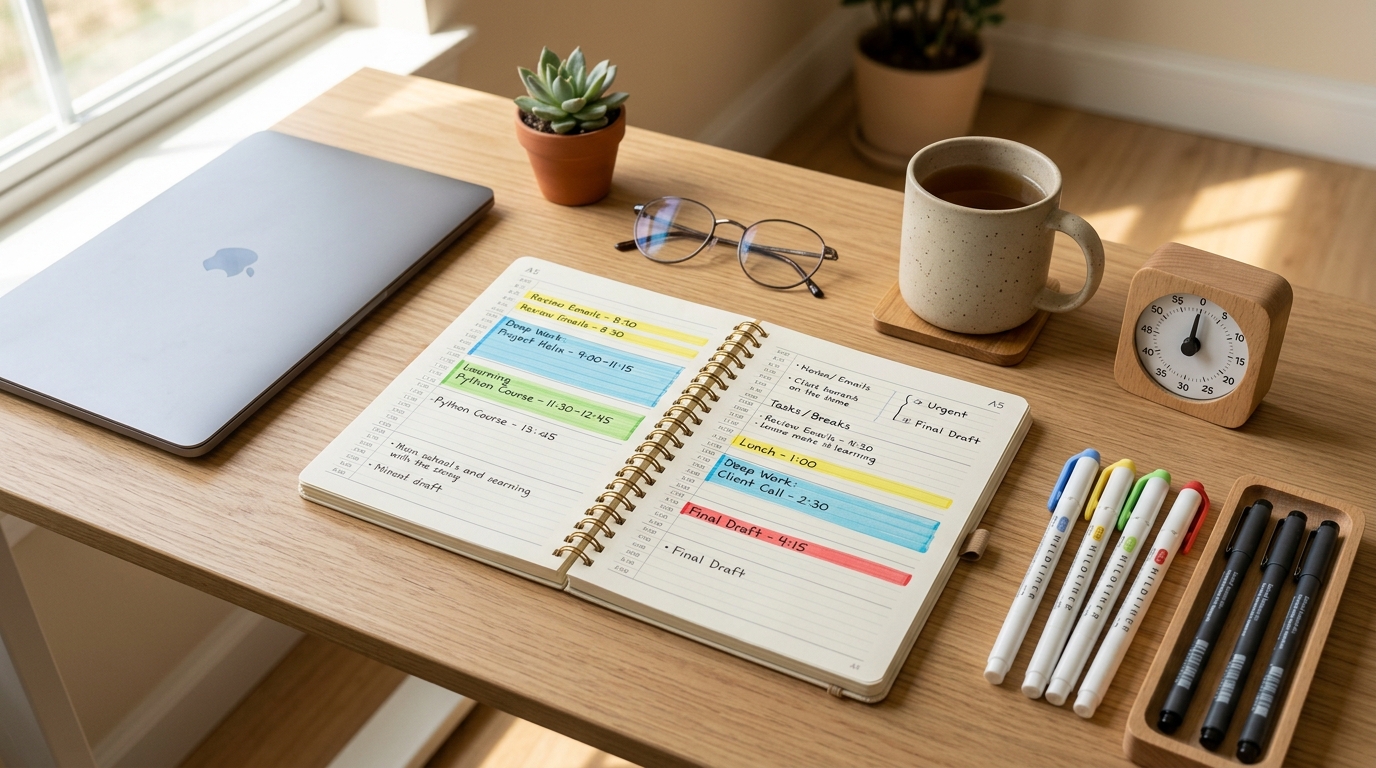
    Person preparing a color-coded daily planner with timer and pens to organize 15-minute focus blocks for study and work

    Step 1: Prep – Choose Your Planner and Color Code (5 Minutes)

    Pick Your Tool

    You can use:

    • A paper planner or notebook
    • A blank A4 sheet divided into 15-minute rows
    • Notion, Google Calendar, or a time-tracking app
    • Any tool where you can visually mark blocks

    The key is one central place where you can see the whole day at a glance.

    Define Your Color Code

    Pick 3–4 colors (or symbols if you’re using plain text):

    • Blue: Study, self-development, focused learning
    • Red: Work, assignments, meetings, client tasks
    • Green: Rest, meals, walks, breaks
    • Yellow: Commute, errands, housework, admin

    If you don’t have colored pens or highlighters, use symbols: ●, ▲, ■, ◆.

    Mark Today’s Must-Do Blocks

    Don’t try to plan all 96. Instead, mark 2–4 blocks you want to protect today.

    Examples:

    • “7:00–7:15 PM = Study (Blue, 1 block)”
    • “12:15–12:30 PM = English vocab (Blue, 1 block)”
    • “9:00–9:30 PM = Walk + rest (Green, 2 blocks)”

    This gives you anchor blocks—the non-negotiable pieces you want to hit no matter how the rest of the day unfolds.

    If you want a physical planner designed for tracking streaks and daily blocks, a 10-day or 100-day study planner can help you see patterns over weeks. But a plain notebook works just as well.


    Step 2: Execute – 10-Minute Focus + 5-Minute Log

    Each 15-minute block follows this rhythm:

    Focus for 10 Minutes

    Set a timer for 10 minutes (phone timer, kitchen timer, smartwatch—anything works).

    If it’s a Blue (study) block, pick one tiny goal:

    • Review 10 vocab words
    • Read 3 pages
    • Solve 2 practice problems
    • Write one paragraph

    If it’s a Red (work) block, pick one task:

    • Reply to 3 emails
    • Draft one meeting agenda item
    • Finish one report section

    One task. One block. No multitasking.

    If other thoughts pop up (“I should also check that deadline”), jot them in the margin and return to your one task.

    Log What You Did (Last 5 Minutes)

    When the timer rings, write one line in that block:

    • “Vocab 1–10 done”
    • “Report intro drafted”
    • “10-min walk”

    Then add a next-step note:

    • “Next: vocab 11–20”
    • “Next: proofread intro, then send”

    This next-step note eliminates the “What was I doing?” question when you return to that block type tomorrow.

    Person working during a timed 15-minute study block with color-coded planner and timer on desk showing active focus session

    Step 3: End-of-Day Review – See Your Color Ratio (5 Minutes)

    Before bed, scan your planner.

    Count your colors:

    • How many Blue (study) blocks today?
    • How many Red (work) blocks?
    • How many Green (rest) blocks?

    The goal isn’t perfection. The goal is noticing the pattern.

    If you see:

    • 10 Red, 0 Blue, 1 Green → “Tomorrow I’ll protect 2 Blue blocks before dinner.”
    • 6 Blue, 2 Green, 1 Red → “I’m burning out. Tomorrow I’ll add 2 more Green blocks.”

    Studies on learning habits consistently show that daily routines beat sporadic marathon sessions—even 15 minutes a day, repeated consistently, builds stronger long-term retention than cramming.

    This visual feedback loop helps you adjust, not guilt yourself.


    Tools That Make This Easier

    Notion – Color-Coded Block Database

    Create a simple Notion database with these columns:

    • Time Block (text): e.g., “7:00–7:15 PM”
    • Type (select): Study, Work, Rest, Other
    • What I Did (text): one-line log
    • Next Step (text): what to do in the next block of this type

    Set each Type to a different color. Your day becomes a visual timeline.

    For a step-by-step tutorial on building a Notion study tracker, see 15-Minute Study Routine: How to Make Short, Focused Blocks Actually Work.

    Google Calendar – Time Block View

    Create 4 recurring “event types” (Study, Work, Rest, Other) with different colors. When you finish a block, log it as a 15-minute event.

    At the end of the week, your calendar shows a color-coded heatmap of where your time went.

    Paper Planner + Color Pens

    If digital tools feel like friction, a paper planner with 3–4 colored pens or highlighters works just as well. The act of coloring in a block creates a satisfying “done” marker.


    Everyday Tips for Sticking with This

    Morning 5, Evening 5

    • Morning: Mark 2–4 blocks you want to protect today.
    • Evening: Check your color ratio and adjust tomorrow’s blocks.

    That’s it. No hour-long planning sessions.

    Set a Minimum Standard

    Define your floor:

    • “Every day, 1 Blue block = success.”
    • “On exhausted days, 1 Blue + 1 Green = enough.”

    This minimum standard keeps you from the all-or-nothing trap. For more on building a sustainable minimum routine, see 15-Minute Study Blocks: How to Plan a Whole Exam Day in 15-Min Chunks.

    Track Streaks, Not Perfection

    If you hit your minimum 3 days in a row, that’s a streak. Celebrate it. The goal is consistency, not filling all 96 blocks every day.


    Frequently Asked Questions

    Q1. What if I only have 5 minutes, not 15?

    A: Log it anyway. Even a 5-minute Blue block counts. The goal is to see the pattern, not to achieve perfect 15-minute increments every time.


    Q2. Can I use this for work tasks, not just studying?

    A: Absolutely. Red (work) blocks follow the same structure: 10 minutes of focus, 5 minutes to log what you did and set the next step. This method works for any focused task.


    Q3. How do I avoid feeling guilty when I see too many Green (rest) blocks?

    A: Rest is necessary, not lazy. If you see a lot of Green blocks, ask: “Was I recovering from burnout?” or “Did I genuinely need this?” Often the answer is yes. Guilt doesn’t help—adjustment does.


    Q4. Do I need a special planner or app to start?

    A: No. A blank notebook, a Google Doc, or a piece of paper divided into 15-minute slots is enough. Tools are helpful but not required.


    Final Thoughts

    A day has 96 fifteen-minute blocks. You won’t fill them all intentionally—and that’s not the point.

    The point is to choose a few blocks consciously and see where the rest of your time goes.

    Research on focus and attention shows that most people can sustain deep focus for 10–20 minutes at a time—which is exactly why this 15-minute structure works. It matches your natural attention span instead of fighting it.

    Instead of “I need to study for 2 hours tonight,” try: “I’ll do 2 Blue blocks (30 minutes total) and 1 Green block (15-minute walk). That’s enough.”

    When you repeat this daily—even just 2 blocks a day—you’ll start to notice:

    • “I thought I had no time to study, but I actually have 6 empty blocks between 6 PM and 9 PM.”
    • “I’m spending 12 blocks on work and 0 on rest—no wonder I’m exhausted.”

    That awareness is the first step toward rebalancing.

    Don’t aim for perfection. Just color in 2–4 blocks today and see what happens.


    Learn More

    For more on time blocking, focus strategies, and building consistent routines, see:

  • Morning 15 Minutes, Evening 15 Minutes: How to Design a Simple Self-Development Routine You Can Actually Keep

    Morning 15 Minutes, Evening 15 Minutes: How to Design a Simple Self-Development Routine You Can Actually Keep

    Why Short, Fixed Routines Matter More Than Big Plans

    You finish work, get home, and your brain feels foggy. You sit on the couch “just to check your phone,” and suddenly YouTube, social media, or news feeds have eaten your entire evening. Another day ends with the thought, “I failed my self-development again today.”

    Many learners and office workers dream of new skills, certifications, better English, or reading more books—but in a busy life, finding one or two free hours every day is hard. Attention and learning resources often note that most people can sustain deep focus for about 10–20 minutes at a time, especially when they are tired or juggling multiple responsibilities, which means shorter, focused blocks can be more realistic than long marathons. Study habit and self-directed learning guides also emphasize that consistent routines at similar times each day are strongly linked with better performance and more stable study habits, even when each session is relatively short.

    Instead of forcing yourself to “study three hours every day,” this routine helps you commit to something much smaller and more concrete: 15 minutes in the morning and 15 minutes in the evening—a total of 30 minutes you can actually keep.


    Overview: A 30-Minute Morning and Evening Routine

    This self-development routine splits your day into two short sessions:

    • Morning 15 minutes – An “input and preparation” routine to open your day
    • Evening 15 minutes – A “review and record” routine to close your day

    Each 15-minute block follows the same simple structure:

    • 3 minutes – Preparation: clear your space, set one-line goal, start your timer
    • 10 minutes – Focus: do one task only
    • 2 minutes – Wrap-up: record what you did and write the next step

    Learning science frequently recommends distributed practice—breaking study into shorter sessions across the day—and simple review later, rather than cramming everything into one long block, because this pattern helps memory and habits stick better over time. If you want a deeper dive into how short study blocks work, you can also check our guide 15-Minute Study Routine: How to Make Short, Focused Blocks Actually Work for more examples of 15-minute study blocks.


    Morning 15-Minute Routine: Open Your Day with Input and Preparation

    Step 1 – Preparation (3 Minutes): Set Up Your Space and Goal

    In the morning, your goal is to make it easy to start, not to create a perfect setup.

    • Clear your desk or kitchen table so that only what you need remains: a notebook, a pen, and one book or tablet.
    • On a sticky note or in your notebook, write a one-line goal for this morning’s 10-minute block. Examples:
      • “Learn 5 new English expressions.”
      • “Read 3 pages of a professional book.”
    • Set your timer to 10 minutes and make a light promise: “I will focus only until this timer rings.”

    You can use the same timer setup as in our 15-Minute Focus Timer Routine: How to Stop Checking Your Phone While You Study, so your morning session feels familiar instead of new every time.


    Step 2 – Focus (10 Minutes): Do One Input Task Only

    Think of the morning block as “input and preparation time” for your self-development.

    • English: memorize 5–10 expressions or write them out by hand.
    • Certification: read 2–3 pages of theory and underline key points.
    • Reading: read 1–2 pages of a self-development or professional book with full attention.

    The key is to choose one task and stay with it for the whole 10 minutes.

    To protect your focus:

    • Switch your phone to silent and place it face down, out of reach.
    • If another idea or task pops into your head, jot a one-word note on a small memo and return to your main task.
    • If you hit a difficult section, mark it and move forward instead of losing the whole block.

    In a world full of digital distractions, many people find that their attention span shrinks, so practicing even short periods of single-task focus is a practical way to rebuild concentration.


    Step 3 – Wrap-Up (2 Minutes): One-Line Record

    When the timer rings, resist the urge to extend “just a little more.” End the block cleanly.

    • At the top of your notebook, write “Morning 15-Minute Result:” and summarize in one line, such as:
      • “Memorized 5 expressions, read 3 pages.”
    • Add today’s date and keep these lines in the same notebook.

    Over time, flipping through these notes builds visible proof that even on “small” days, you still did something. If you like using digital tools, you can also log these results in a simple Notion page or note app; our 15-Minute Reading and Notion Routine: How to Turn Scattered Book Notes into a Simple Reading System shows how to create a minimal Notion database for this kind of log.


    Evening 15-Minute Routine: Close Your Day with Review and Planning

    Step 1 – Preparation (3 Minutes): Signal “Review Mode”

    In the evening, you use the same tools but shift your mental mode from input to review.

    • Bring out the same notebook and pen you used in the morning.
    • Clear your desk once more and set your timer for 10 minutes.
    • Tell yourself, “This time is for review and recording,” to create a mental boundary between your day and your self-development routine.

    Having a consistent start ritual at a similar time each day helps your brain recognize, “Now it’s time to study,” which many habit guides note as a simple way to reduce resistance and procrastination.

    A top-down view of a desk setup where someone writes a one-line goal in a notebook beside a small study timer to start a 15-minute morning focus routine.

    Step 2 – Focus (10 Minutes): Review Only What You Already Did

    Instead of learning something new, use this 10-minute block to revisit today’s work:

    • Rewrite or say aloud the 5 expressions you learned in the morning.
    • Reread the most confusing parts of today’s theory notes.
    • Copy one memorable sentence from today’s reading into your notebook and write a short comment.

    By doing this, you turn “things you saw once” into material that starts to feel like your own. This pattern aligns with distributed practice and spaced review, which research shows help strengthen long-term memory more effectively than a single exposure.


    Step 3 – Wrap-Up (2 Minutes): Write One Line for Tomorrow

    Use the final 2 minutes to make tomorrow’s morning block easier.

    • At the bottom of your page, write “Next 15 Minutes:” and add one simple, concrete task, such as:
      • “Review expressions 6–10.”
      • “Solve questions 4–6 from today’s practice.”

    This one line reduces the friction of starting. Tomorrow morning, you will not waste energy thinking, “What should I do?”—you will already have the first step waiting.

    A person sitting at a desk under a warm lamp, reviewing notes with a study timer and planner open, finishing a 15-minute evening focus routine.

    Everyday Tips: How to Keep This Routine Realistic

    Fix One Morning and One Evening Time

    Try to anchor each 15-minute block to a specific time:

    • Morning: 15 minutes after you wake up, before you fully start your day.
    • Evening: 15 minutes before bed or right after dinner.

    Study habit research and articles often highlight that starting at similar times each day helps your brain build a stable rhythm and improves self-directed learning more than irregular, long sessions.


    Define a “Minimum Routine” for Hard Days

    You will not be able to complete both morning and evening sessions every single day, and that is okay.

    • On normal days: aim for both morning and evening 15-minute blocks.
    • On very difficult days: allow yourself to do just one of the two.

    Deciding in advance that “one 15-minute block is still success” prevents you from dropping the routine completely on rough days. The important part is not perfection, but staying connected to your self-development plan in some small way.


    Frequently Asked Questions

    Q1. What if I cannot do both morning and evening 15 minutes?

    A: Start with just one block per day and treat it as your minimum routine. Once that feels stable, you can add the second block on days when your schedule allows. It is better to keep one consistent habit than to keep starting and quitting a bigger plan.


    Q2. Can I use this routine for work projects, not just study?

    A: Absolutely. You can use the same pattern for work tasks, side projects, or creative work. Use the morning block to gather input—reading, outlining, or planning—and the evening block to review progress, tidy up notes, and decide the next step for tomorrow.


    Q3. Which tools do I need to start?

    A: At minimum, you only need a notebook, a pen, and a timer (a phone timer, a simple app, or a physical timer). If you enjoy digital tools, you can log your morning and evening sessions in a note app or build a simple Notion page to track what you did each day. Start simple and add tools only if they genuinely make the routine easier.


    Q4. What if 15 minutes still feels too long?

    A: You can shorten each block to about 5 or 10 minutes when you are just starting. For example, try a 5-minute morning input block and a 5-minute evening review block. The goal is to build the pattern of “prepare–focus–wrap-up,” even on a smaller scale, then gradually extend to full 15-minute sessions as it becomes more natural.


    Learn More

    For more on focus, study habits, and building consistent routines, these resources are a helpful next step: