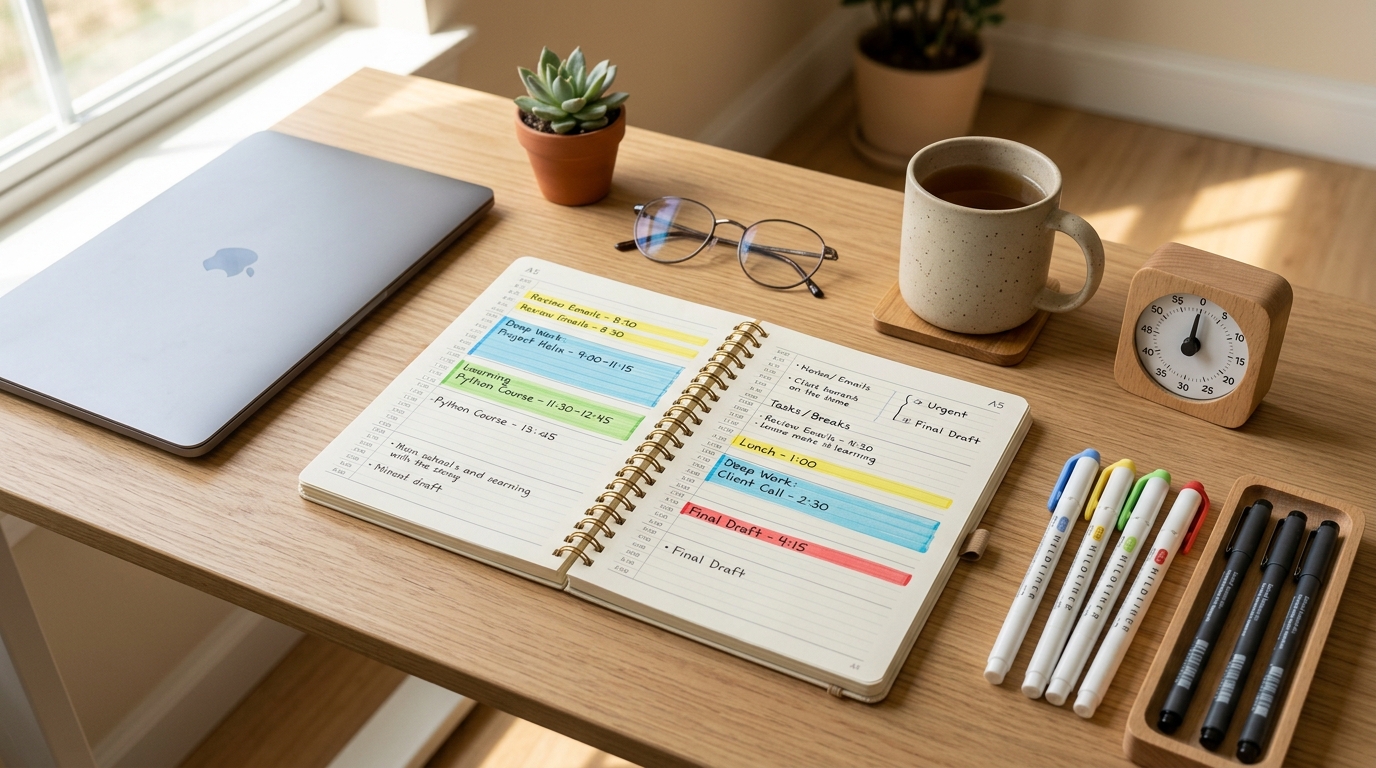
You finish the workday, get home, collapse on the couch, scroll through your phone for “just five minutes”—and suddenly it’s 9 PM.
“I was going to study tonight,” you think. “Where did all the time go?”
If you’re juggling meetings, deep work, study sessions, and breaks, your day can feel like a blur. You worked hard, but when you try to remember exactly how much time you spent studying, reading, or resting, it’s hard to reconstruct.
That’s where splitting your day into 96 fifteen-minute blocks and color-coding them by activity type can help. Instead of vague feelings like “I didn’t get much done,” you see a visual map of where your time actually went.
Research on study habits and self-directed learning consistently shows that consistency beats marathon sessions—it’s not about how many hours you cram in one day, but how regularly you show up for short, focused blocks.
Personal note: I started using this color-coded 96-block planner on days when my brain felt scattered across too many tabs and tasks, and it was the first time I could actually see that I wasn’t as unproductive as I felt—I just needed to rebalance my blocks.
What This Routine Is (and Isn’t)
This method is for mild time chaos and everyday scheduling overwhelm, not for clinical productivity disorders or severe executive function challenges. If you find that even basic daily planning causes significant distress or your schedule is consistently derailed by factors outside your control, consider working with a coach or therapist who specializes in time management and focus.
Routine Overview
The core structure:
- Plan (5 min) – Color-code 2–4 blocks for today
- Execute (10 min per block) – Focus on one task per block
- Review (5 min at end of day) – Check your color ratio and adjust tomorrow
You don’t need to fill all 96 blocks. The goal is to intentionally choose 2–4 blocks per day and see the pattern over time.

Step 1: Prep – Choose Your Planner and Color Code (5 Minutes)
Pick Your Tool
You can use:
- A paper planner or notebook
- A blank A4 sheet divided into 15-minute rows
- Notion, Google Calendar, or a time-tracking app
- Any tool where you can visually mark blocks
The key is one central place where you can see the whole day at a glance.
Define Your Color Code
Pick 3–4 colors (or symbols if you’re using plain text):
- Blue: Study, self-development, focused learning
- Red: Work, assignments, meetings, client tasks
- Green: Rest, meals, walks, breaks
- Yellow: Commute, errands, housework, admin
If you don’t have colored pens or highlighters, use symbols: ●, ▲, ■, ◆.
Mark Today’s Must-Do Blocks
Don’t try to plan all 96. Instead, mark 2–4 blocks you want to protect today.
Examples:
- “7:00–7:15 PM = Study (Blue, 1 block)”
- “12:15–12:30 PM = English vocab (Blue, 1 block)”
- “9:00–9:30 PM = Walk + rest (Green, 2 blocks)”
This gives you anchor blocks—the non-negotiable pieces you want to hit no matter how the rest of the day unfolds.
If you want a physical planner designed for tracking streaks and daily blocks, a 10-day or 100-day study planner can help you see patterns over weeks. But a plain notebook works just as well.
Step 2: Execute – 10-Minute Focus + 5-Minute Log
Each 15-minute block follows this rhythm:
Focus for 10 Minutes
Set a timer for 10 minutes (phone timer, kitchen timer, smartwatch—anything works).
If it’s a Blue (study) block, pick one tiny goal:
- Review 10 vocab words
- Read 3 pages
- Solve 2 practice problems
- Write one paragraph
If it’s a Red (work) block, pick one task:
- Reply to 3 emails
- Draft one meeting agenda item
- Finish one report section
One task. One block. No multitasking.
If other thoughts pop up (“I should also check that deadline”), jot them in the margin and return to your one task.
Log What You Did (Last 5 Minutes)
When the timer rings, write one line in that block:
- “Vocab 1–10 done”
- “Report intro drafted”
- “10-min walk”
Then add a next-step note:
- “Next: vocab 11–20”
- “Next: proofread intro, then send”
This next-step note eliminates the “What was I doing?” question when you return to that block type tomorrow.

Step 3: End-of-Day Review – See Your Color Ratio (5 Minutes)
Before bed, scan your planner.
Count your colors:
- How many Blue (study) blocks today?
- How many Red (work) blocks?
- How many Green (rest) blocks?
The goal isn’t perfection. The goal is noticing the pattern.
If you see:
- 10 Red, 0 Blue, 1 Green → “Tomorrow I’ll protect 2 Blue blocks before dinner.”
- 6 Blue, 2 Green, 1 Red → “I’m burning out. Tomorrow I’ll add 2 more Green blocks.”
Studies on learning habits consistently show that daily routines beat sporadic marathon sessions—even 15 minutes a day, repeated consistently, builds stronger long-term retention than cramming.
This visual feedback loop helps you adjust, not guilt yourself.
Tools That Make This Easier
Notion – Color-Coded Block Database
Create a simple Notion database with these columns:
- Time Block (text): e.g., “7:00–7:15 PM”
- Type (select): Study, Work, Rest, Other
- What I Did (text): one-line log
- Next Step (text): what to do in the next block of this type
Set each Type to a different color. Your day becomes a visual timeline.
For a step-by-step tutorial on building a Notion study tracker, see 15-Minute Study Routine: How to Make Short, Focused Blocks Actually Work.
Google Calendar – Time Block View
Create 4 recurring “event types” (Study, Work, Rest, Other) with different colors. When you finish a block, log it as a 15-minute event.
At the end of the week, your calendar shows a color-coded heatmap of where your time went.
Paper Planner + Color Pens
If digital tools feel like friction, a paper planner with 3–4 colored pens or highlighters works just as well. The act of coloring in a block creates a satisfying “done” marker.
Everyday Tips for Sticking with This
Morning 5, Evening 5
- Morning: Mark 2–4 blocks you want to protect today.
- Evening: Check your color ratio and adjust tomorrow’s blocks.
That’s it. No hour-long planning sessions.
Set a Minimum Standard
Define your floor:
- “Every day, 1 Blue block = success.”
- “On exhausted days, 1 Blue + 1 Green = enough.”
This minimum standard keeps you from the all-or-nothing trap. For more on building a sustainable minimum routine, see 15-Minute Study Blocks: How to Plan a Whole Exam Day in 15-Min Chunks.
Track Streaks, Not Perfection
If you hit your minimum 3 days in a row, that’s a streak. Celebrate it. The goal is consistency, not filling all 96 blocks every day.
Related Routines You Might Like
- 15-Minute Time Blocking: How to Turn a Scattered Day into Focused Study Blocks – A deeper dive into planning your day with short focus sessions.
- 15-Minute Focus Timer Routine: How to Stop Checking Your Phone While You Study – Combines time blocking with distraction management.
- 6-Hour Saturday Study Plan: How to Build a Realistic Schedule with 15-Minute Blocks – Shows how to chain multiple 15-minute blocks into a full study day.
Frequently Asked Questions
Q1. What if I only have 5 minutes, not 15?
A: Log it anyway. Even a 5-minute Blue block counts. The goal is to see the pattern, not to achieve perfect 15-minute increments every time.
Q2. Can I use this for work tasks, not just studying?
A: Absolutely. Red (work) blocks follow the same structure: 10 minutes of focus, 5 minutes to log what you did and set the next step. This method works for any focused task.
Q3. How do I avoid feeling guilty when I see too many Green (rest) blocks?
A: Rest is necessary, not lazy. If you see a lot of Green blocks, ask: “Was I recovering from burnout?” or “Did I genuinely need this?” Often the answer is yes. Guilt doesn’t help—adjustment does.
Q4. Do I need a special planner or app to start?
A: No. A blank notebook, a Google Doc, or a piece of paper divided into 15-minute slots is enough. Tools are helpful but not required.
Final Thoughts
A day has 96 fifteen-minute blocks. You won’t fill them all intentionally—and that’s not the point.
The point is to choose a few blocks consciously and see where the rest of your time goes.
Research on focus and attention shows that most people can sustain deep focus for 10–20 minutes at a time—which is exactly why this 15-minute structure works. It matches your natural attention span instead of fighting it.
Instead of “I need to study for 2 hours tonight,” try: “I’ll do 2 Blue blocks (30 minutes total) and 1 Green block (15-minute walk). That’s enough.”
When you repeat this daily—even just 2 blocks a day—you’ll start to notice:
- “I thought I had no time to study, but I actually have 6 empty blocks between 6 PM and 9 PM.”
- “I’m spending 12 blocks on work and 0 on rest—no wonder I’m exhausted.”
That awareness is the first step toward rebalancing.
Don’t aim for perfection. Just color in 2–4 blocks today and see what happens.
Learn More
For more on time blocking, focus strategies, and building consistent routines, see:
- Jotverse – Time Blocking for Students: The Ultimate Productivity System
Practical guide to using time blocking to manage study sessions and reduce decision fatigue.
https://www.jotverse.com/time-blocking-for-students-the-ultimate-productivity-system-for-academic-success/ - Summit Learning Charter – 7 Benefits of Time Blocking Methods for Studying
Explains how time blocking can improve concentration and academic performance.
https://summitlearningcharter.org/resources/blog/benefits-of-time-blocking/ - Todoist Blog – Time Blocking: A Simple Productivity Method to Get More Done
Overview of time blocking principles and how to adapt them to different work styles.
https://todoist.com/productivity-methods/time-blocking
Leave a Reply